SECTION 3 OPERATING THE BIS VISTA MONITORING SYSTEM
______________________________________________________________________
3-31
3.6 Reviewing and Printing Stored Trend Data
The BIS VISTA stores up to 72 hours of trend information. This information may be
viewed using the monitor’s “Review Mode.” To enter the Review Mode, press the blue [◄]
arrow key on the Main Screen display. The screen indicates that you are viewing Trend
Review data.
The BIS numeric display for the current procedure will continue to be updated and
parameter alarms will continue to be announced during Review Mode.
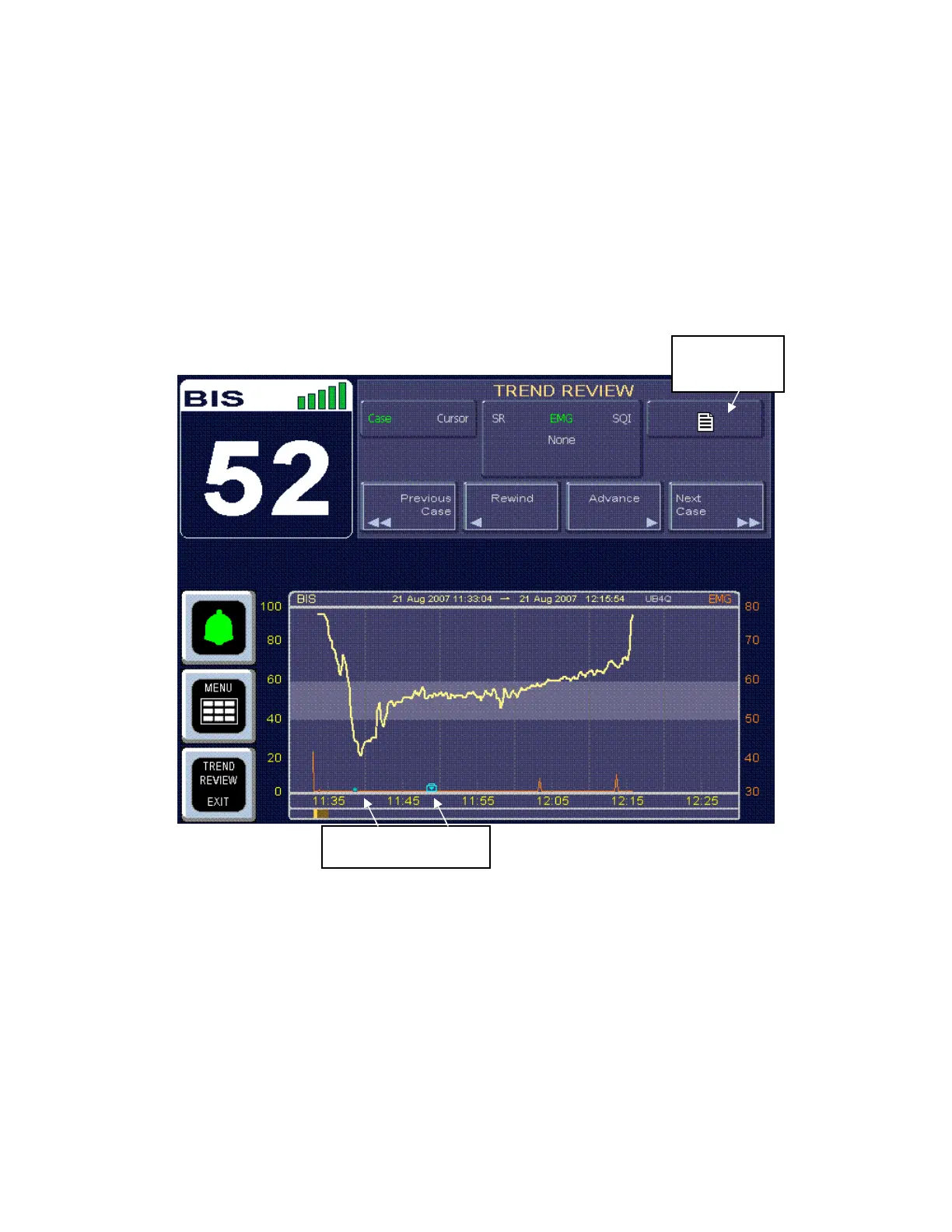
Figure 32 - Review Screen (Case Mode)
3.6.1 Review Mode Touch Keys
Press the [Rewind] touch key to move the display backward in time. To move to the
beginning of the current case, press [Case Start]. If the case start is already displayed, you
may press [Previous Case Start] to view the previous case. If the earliest case in memory is
displayed, the key notifies the user that it has reached the “Beginning of BIS Trend
Memory.”
Print Icon
Touch Key
Snapshot Markers



 To Next Page