SECTION 3 OPERATING THE BIS VISTA MONITORING SYSTEM
______________________________________________________________________
3-32
Press the [Advance] touch key to move forward in time. To move to the beginning of the
next case, press [Next Case Start]. If the final data of the last case in memory is displayed,
the key notifies the user that it has reached the “End of BIS Trend Memory.”
The Review Mode screen displays a secondary trend plot if one has been selected in the
menu system. To add or change the secondary trend, press the secondary variable touch key
until the desired variable is displayed in green letters. Note that Burst/Minute will only
display if a BIS Extend Sensor was used for the case.
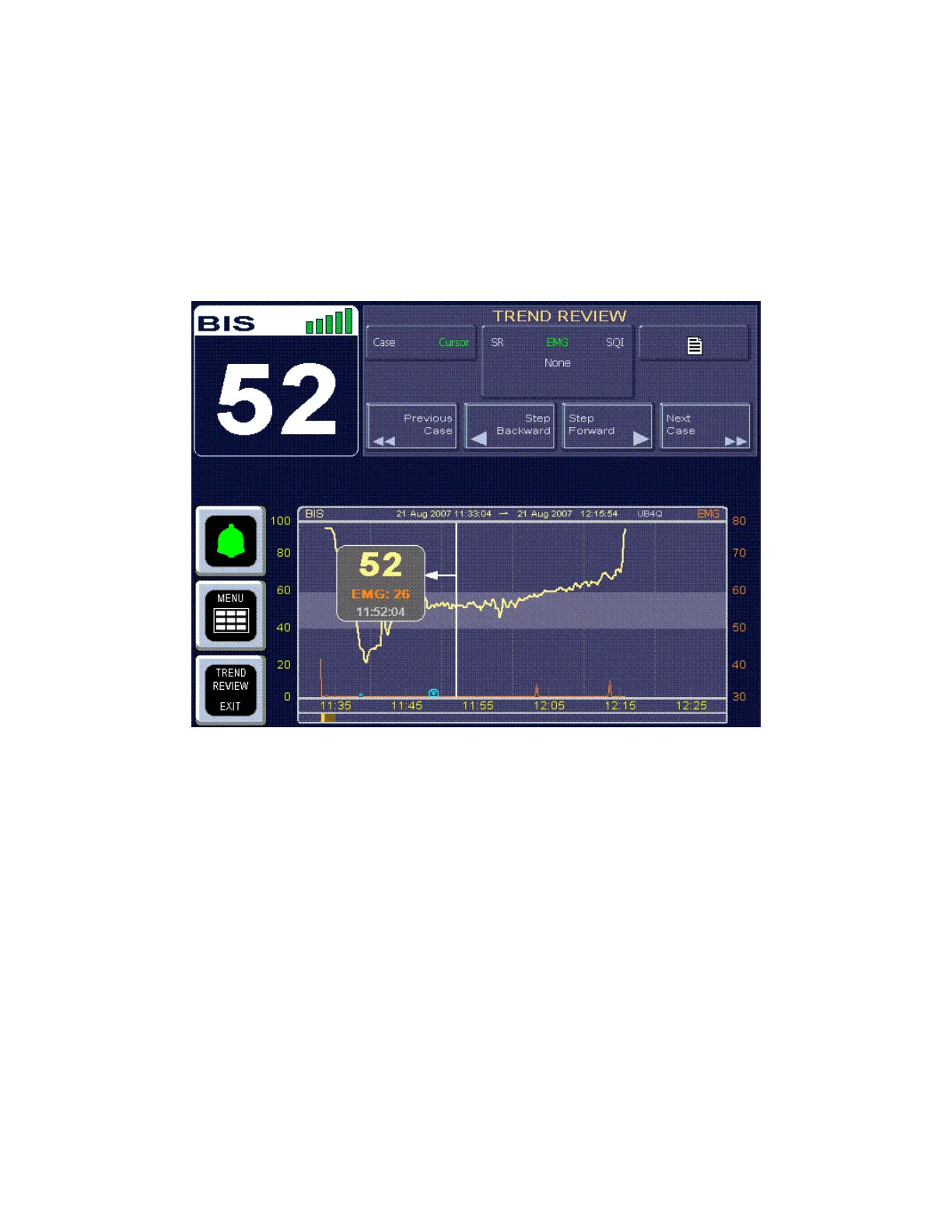
Figure 33 - Review Screen (Cursor Mode)
Cursor Mode may be entered by pressing the [Cursor] touch key. Cursor mode allows the
user to view BIS and secondary variable data for specific points on the trend graph. When
the user touches the screen in the review display area, a box displays the time corresponding
to the area touched, along with the BIS and secondary variable data. When the signal quality
is not sufficient to calculate these values, they appear as asterisks.
In Cursor Mode, the “Rewind” and “Advance” keys are replaced by “Step Backward” and
“Step Forward” keys. When these keys are pressed and released, they move the data
displayed 10 seconds forward or backward in time. When they are pressed and held, they
move the data displayed 60 seconds forward or backward in time.
To return to “Case Mode,” press the [Case] touch key.
To return to the main display, press [TREND REVIEW EXIT].
A print icon touch key is located in the upper right corner of the trend graph.



 To Next Page