SECTION 3 OPERATING THE BIS VISTA MONITORING SYSTEM
______________________________________________________________________
3-34
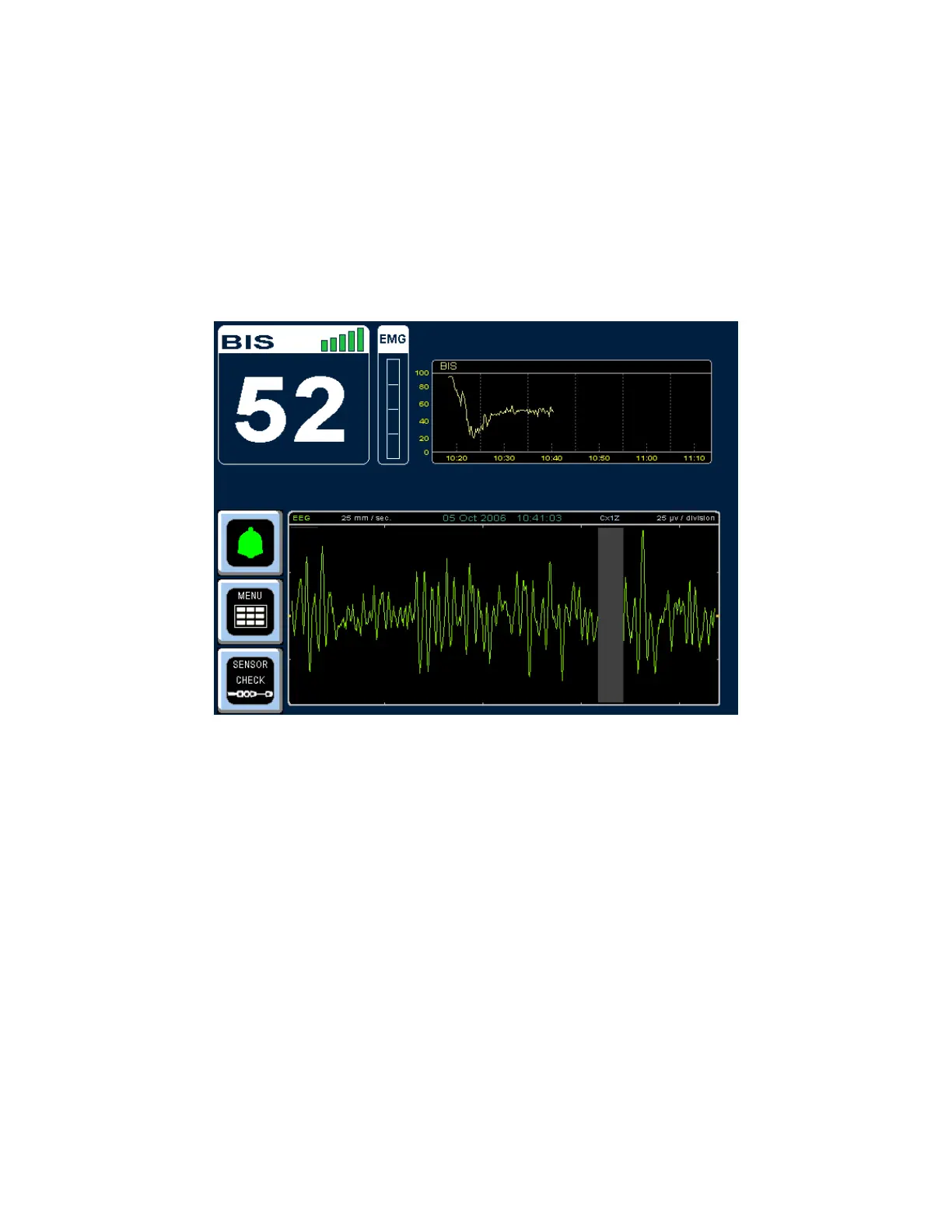
3.7 EEG Display
This display is a larger version of the EEG waveform display, shown in place of the BIS
Trend Graph. Filtered EEG waveforms are displayed with a sweep rate of 25 millimeters per
second and a scale of 25 microvolts per division (one channel display) or 50 µV per division
(two channel display). EEG filters can be turned off in the menu system. When the EEG
Display has been selected, a small version of the BIS Trend Graph is displayed in the top
right corner of the screen.
Figure 34 - EEG Display
3.8 Ending a Case
When the case has finished:
• Disconnect the patient sensor from the PIC by pressing the release button on the
connector and then pulling the connectors apart. DO NOT pull apart by the cable
wires.
• Remove BIS sensor from patient. Disposable sensors are single-use only.
• Be sure to leave the PIC with the monitor so that it is not inadvertently discarded.
• If this is the last procedure of the day, press and hold the ON/Standby button for
two seconds before releasing to put the BIS VISTA monitor in Standby mode (a
yellow light displays)
• Clean the BIS VISTA system between uses. See Section 5.1.
WARNING:
SHOCK HAZARD: DO NOT ATTEMPT TO DISCONNECT THE
POWER CORD WITH WET HANDS. MAKE CERTAIN THAT YOUR



 To Next Page