SECTION 3 OPERATING THE BIS VISTA MONITORING SYSTEM
______________________________________________________________________
3-3
4. Attach the BIS Sensor to the PIC
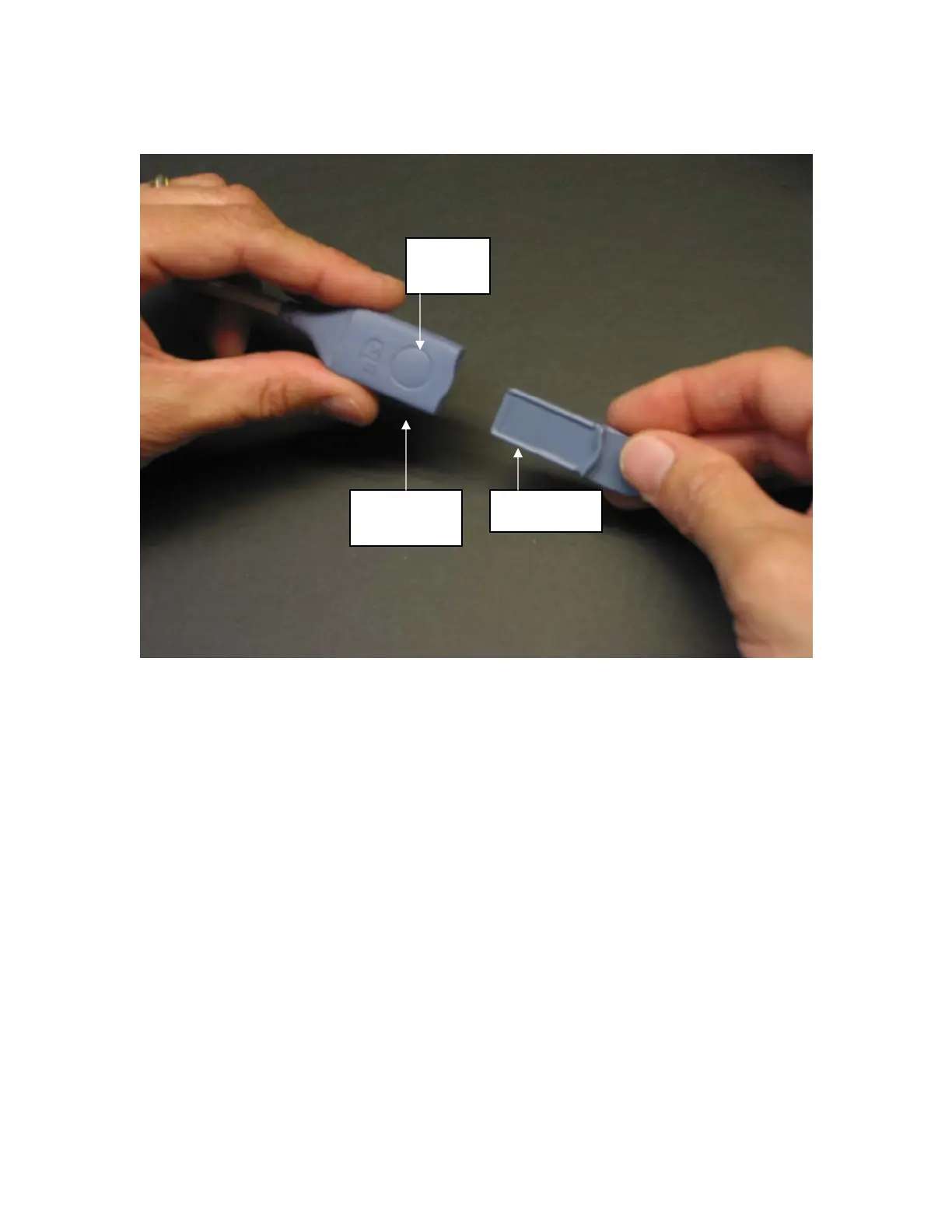
Figure 6 - Connecting the PIC
To insert the sensor into the PIC, line up as shown and insert the sensor tab into the
PIC sensor connector until an audible “click” is heard. The blank side of the sensor tab
(i.e. the side without the computer chip) should be facing up.
The Sensor Integrity Check is initiated each time that a sensor is connected to the PIC to
make certain that a valid, unexpired sensor is in use.
3.2 Sensor Check
The Sensor Check tests the impedance of each electrode on the BIS sensor to verify that it is
within an acceptable range for monitoring. A Sensor Check is initiated automatically when
the sensor and PIC are connected to the BISx. It may also be initiated by the user by
pressing the [Sensor Check] touch key.
The message, “Sensor Check in Progress” appears. When the sensor successfully passes the
test, the Main Screen displays and monitoring begins.
PIC Sensor
Connector
Sensor tab
Release
Button



 To Next Page