SECTION 3 OPERATING THE BIS VISTA MONITORING SYSTEM
______________________________________________________________________
3-18
3.5.5 BIS/EEG Display Modes
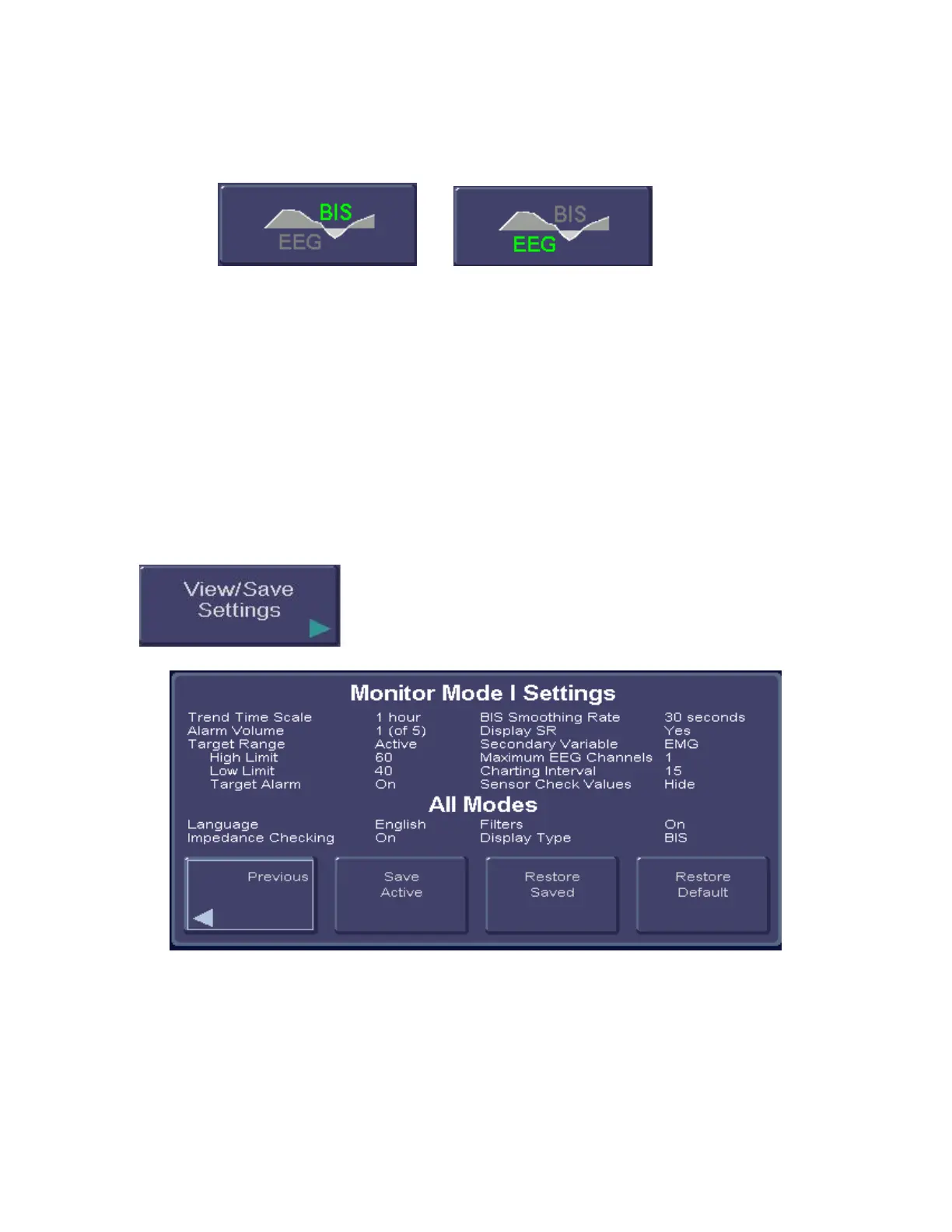
To access BIS/EEG Display Modes, press the [MENU] touch key.
Figure 17 - BIS/EEG Display Modes
The main display area of the BIS VISTA monitor can display either BIS Trend Graph or the
EEG. (Refer to Section 3.7 “EEG Display” for more information.) The [BIS/EEG] touch
key displays the current display mode (BIS or EEG) in green letters. To change the display,
press the [BIS/EEG] key to toggle back and forth between the two display modes until the
desired mode appears in green letters.
Press [HOME] to exit.
The system defaults to the BIS Trend Data Screen display.
3.5.6 View/Save Settings
To access the View/Save Settings function, press [MENU].
Figure 18 - View/Save Settings
Whenever the monitor is started up from Standby mode, it reverts to user settings that have
been set up and then saved using the [Save Active] touch key on the View/Save Settings
screen. Settings are saved to the current Monitor Mode (I, II, III, or IV).



 To Next Page