Operation Operating instructions eS10
28 38034911005 en
5
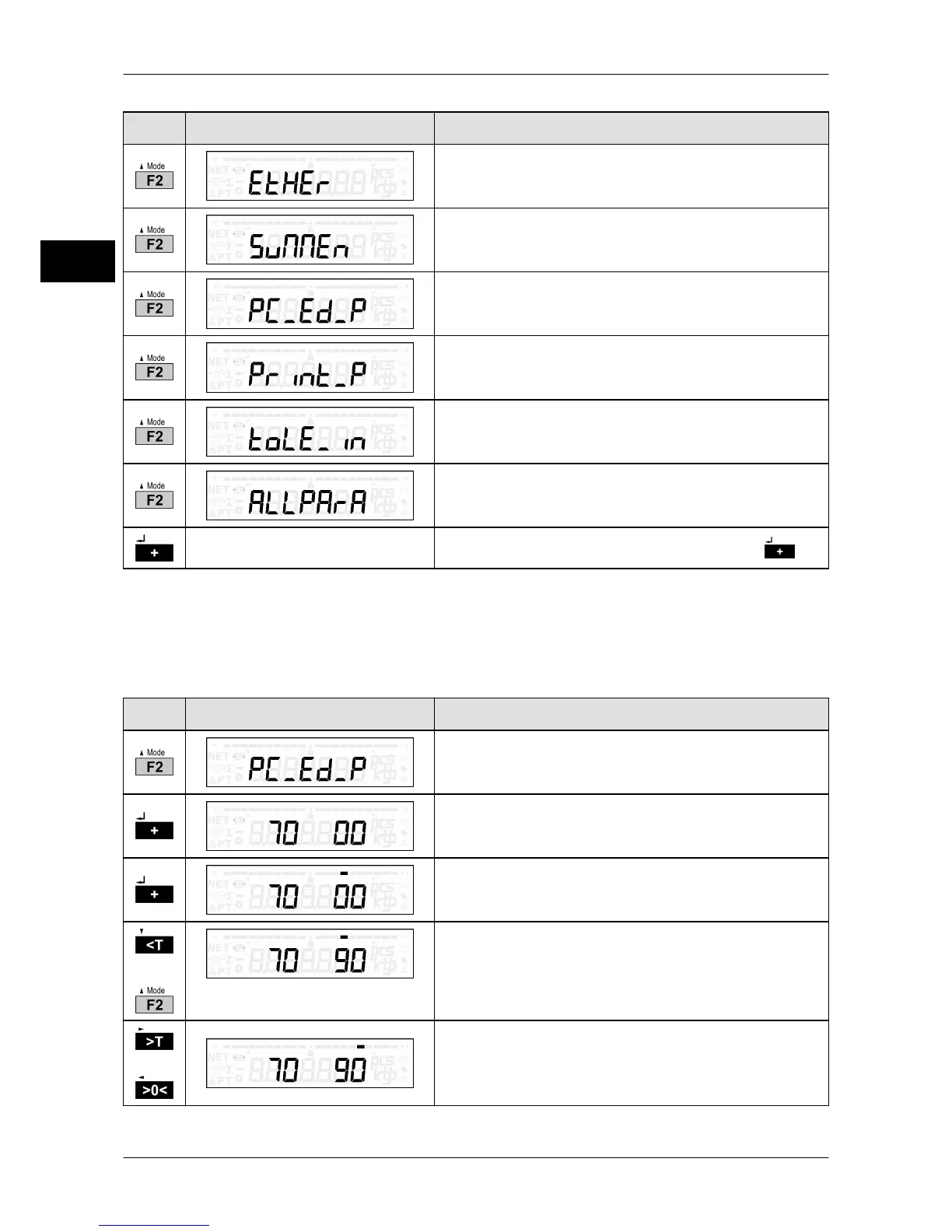
Key Display presentation Process description
Ethernet interface parameters, see page 74
Total display, see page 43
PC/EDP interface parameters, see page 50
Printer interface, see page 61
Tolerance control, see page 34
General parameters, see page 77
Confirm selection of desired function with .
5.6 Change the tens digit for input of numbers
In order to change from a 1-digital to a 10-digital decade in case of two-digital menu num-
bers, proceed as follows:
Key Display presentation Process description
Example: PC/EDP interface parameter is called
up.
The first parameter is displayed.
The tens digit is selected.
A bar above the tens digit marks the selection.
or
Select desired parameter number.
or
The ones digit is selected.
A bar above the ones digit marks the selection.



 To Next Page