Operation Operating instructions eS10
30 38034911005 en
5
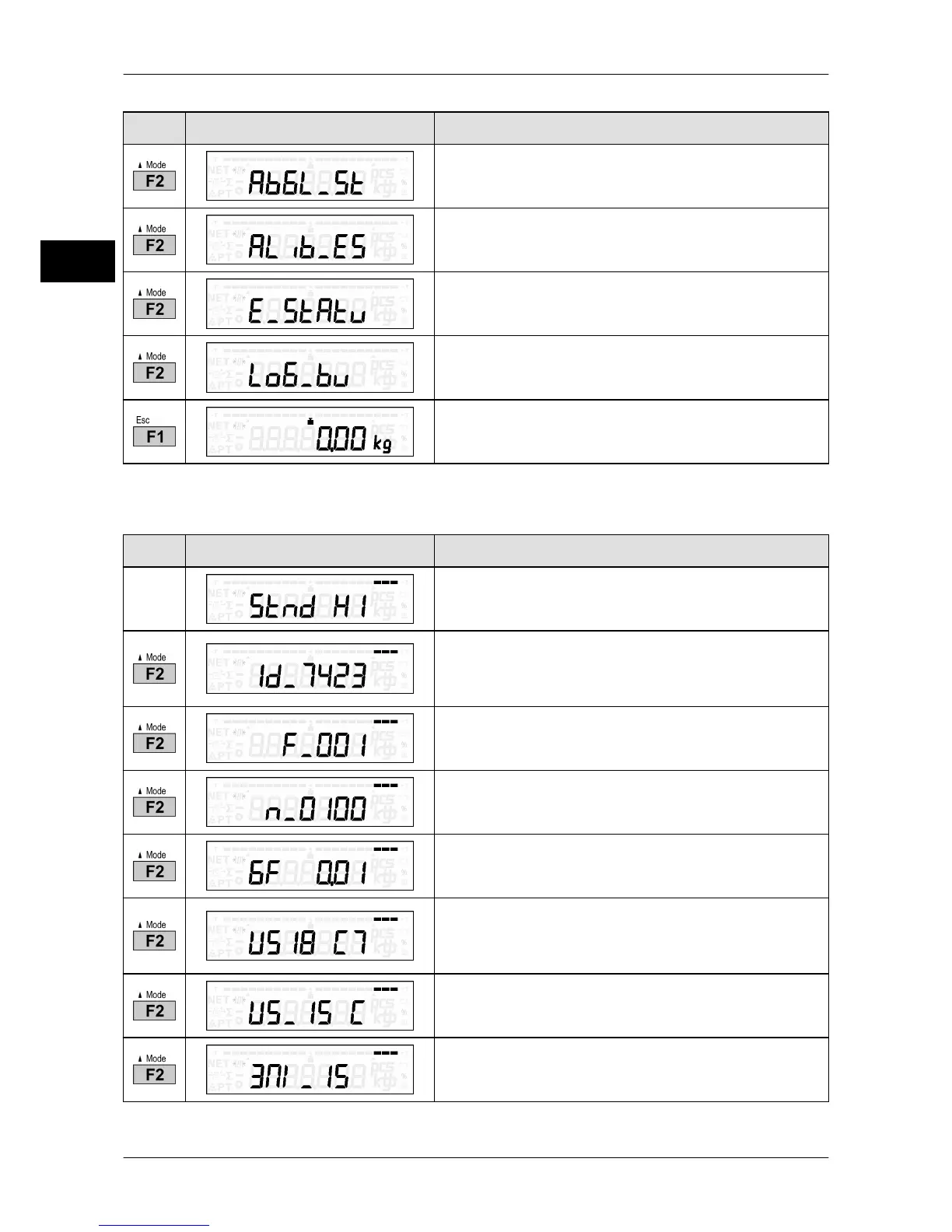
Key Display presentation Process description
Start calibration.
Call up metrologically approved data storage
("alibi memory"), see page 33.
Select verification status.
Call up logbook, see page 31.
Return to weighing mode.
Display verification status of digital weighing systems
Key Display presentation Process description
Slide switch ("H1" = non-approved, "H0" = ap-
proved)
Software ID of fixed software.
The fixed software cannot be changed in se-
cured status.
Version number of fixed software
Program version of program section which is not
subject to legal control.
g factor in g/kg
Classification of weighing system
Maximum of 20 digits (e. g. "US18 C7/US_15 C/
3M1_15")
Classification of weighing system (continued)
Classification of weighing system (continued)



 To Next Page