Operating instructions eS10 Operation
38034911005 en 35
5
The exact weight value is provided by the numeric display which also runs in this op-
erating mode.
The following display options are possible:
– absolute weight value
– Difference of current weight value from target value
You can select this display type in the general parameter menu step 11. The default set-
ting of devices coming from the factory is the display of absolute values.
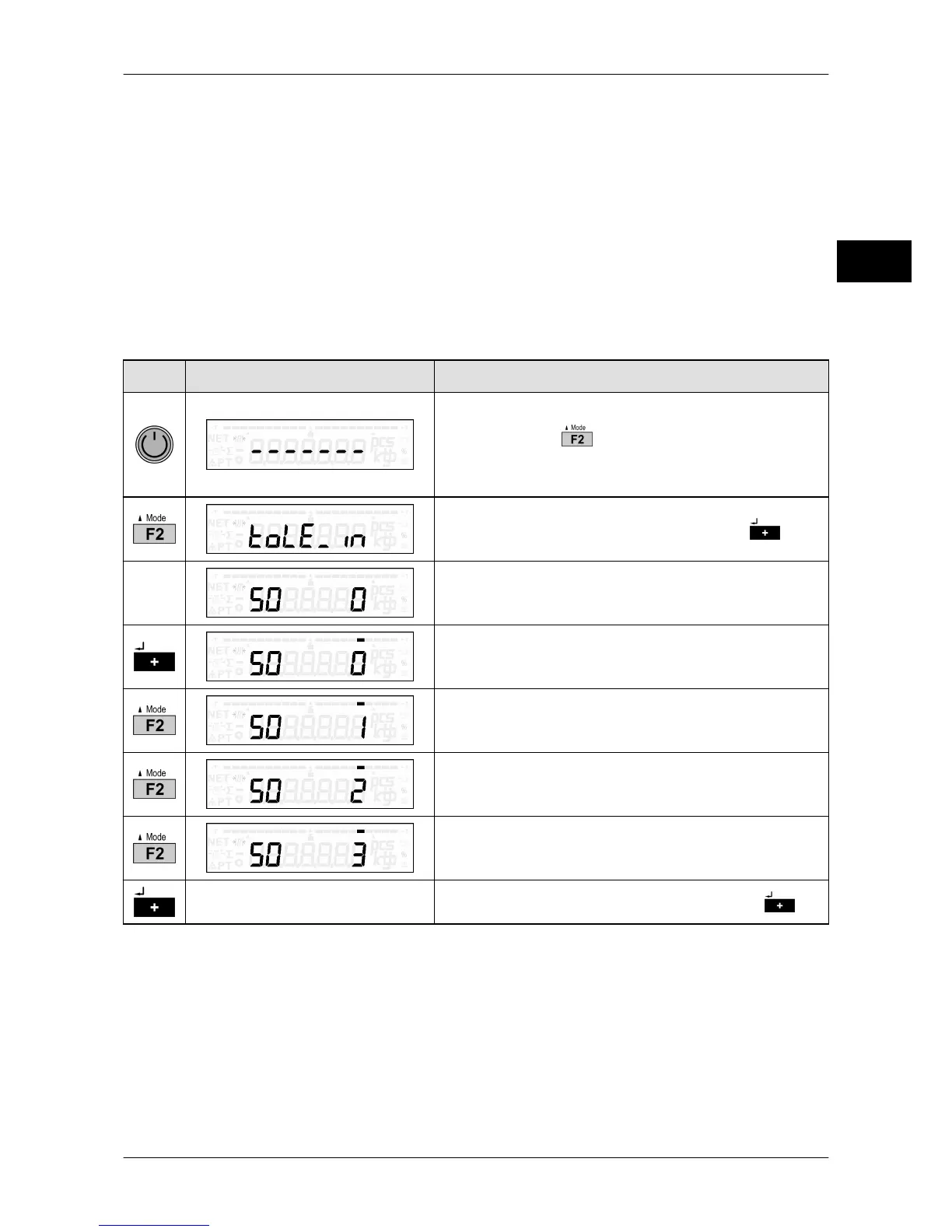
In operating mode tendency control three control cables can be activated. For the assign-
ment of individual control cables see page 98. You can activate the associated control
cables in the general parameter menu step 10.
Key Display presentation Process description
Restart device.
Press and hold while middle segments are
being displayed.
The menu selection appears.
Confirm tendency control selection with .
Tendency control is switched off.
The ones digit is selected.
Weighed
% ± tolerance of target value.
Possible values: 1% / 2.5% / 5% / 7.5% / 10%
Manual input
Confirm selection of desired function with .



 To Next Page