CHAPTER 3: INSTALLATION
27
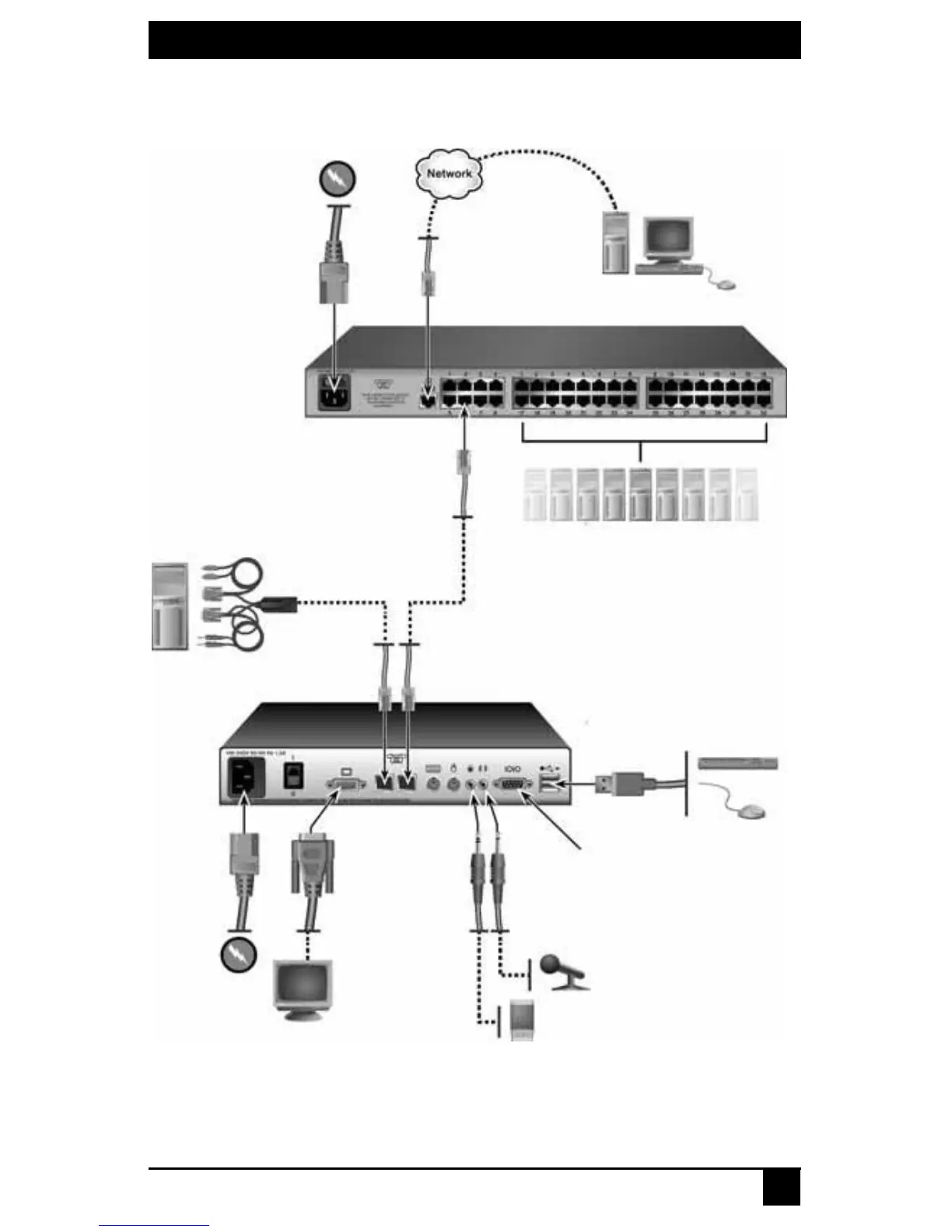
Figure 3-2 illustrates another possible switching system configuration using SAMDM
modules, specialized Octet server access modules with dual port connectivity and audio
and serial connections.
Figure 3-2. Octet Switching System Configuration with SAMDMs
Figure 3-3 illustrates a switching system configuration where two Octet switches are
connected to a single user station, and target servers connected to both switches using
Octet Switch (KV1701A/E Switch Shown)
SAMDM
(PS/2 Shown)
Serial Port
Local Server
USB Keyboard
and Mouse
Monitor
Stereo Speakers
and Microphone
Server with
Octoware Software
Octet User Station
(KV1713 User Station Shown)
Target Devices













 To Next Page