SERVSWITCH™ OCTET INSTALLER/USER GUIDE
74
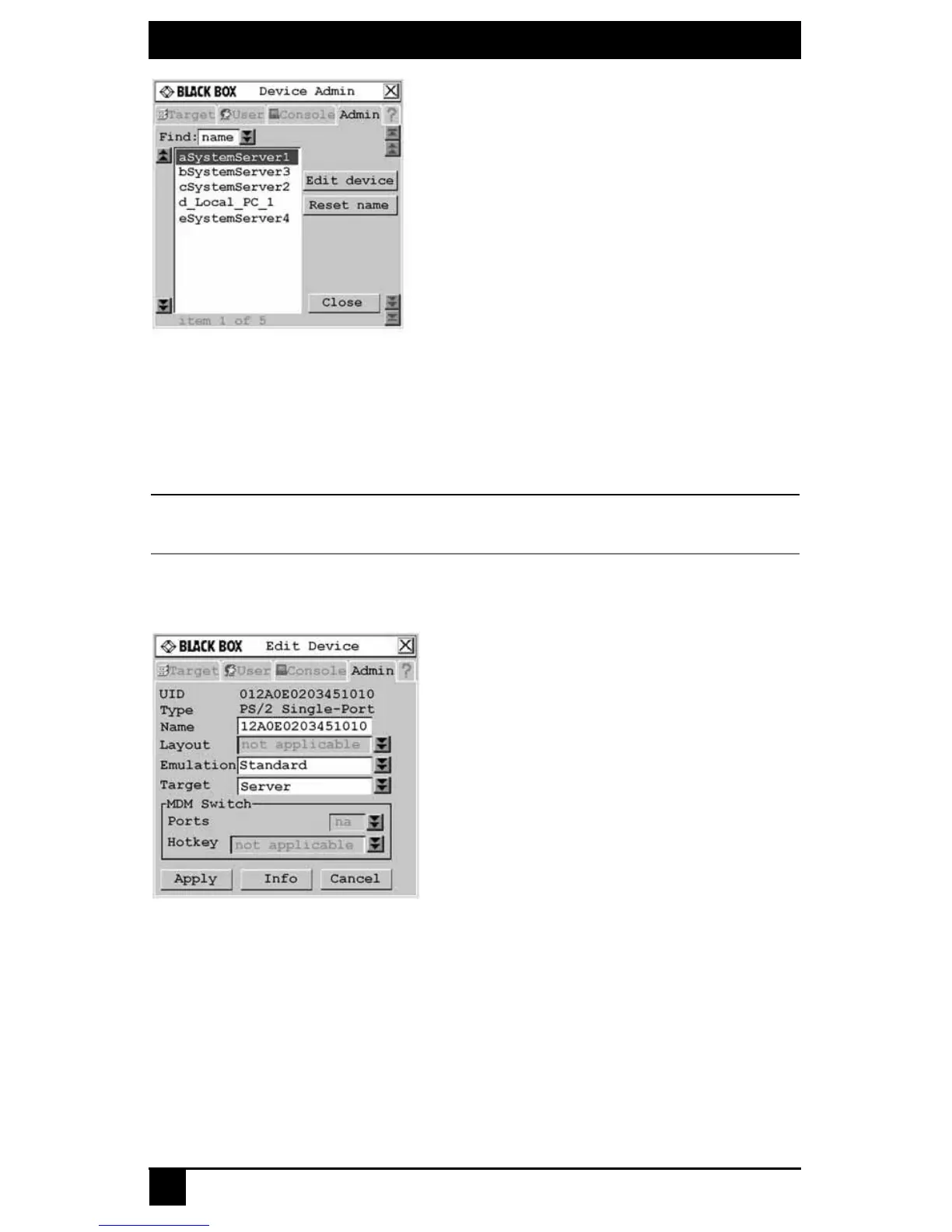
Figure 4-26. Device Admin Screen
3. A list of devices, including target devices and Octet server access modules, will dis-
play. In the Find field, click name to search by name.
- or -
Click UID to search by UID.
NOTE:
If a name has not been set for the device, a default name will be displayed. Clicking the Reset name button
sets the device name to its default name.
4. Select the device you wish to edit and click the Edit Device button. The Edit Device
screen displays..
Figure 4-27. Edit Device Screen (Normal Configuration)
The UID and Type fields are not editable. The Type field displays the type of device
being edited, including one of the following:
• PS/2 Single-Port
• SUN Single-Port
• USB Single-Port
• PS/2 Dual-Port
• SUN Dual-Port
• USB Dual-Port













 To Next Page