CHAPTER 4: OPERATIONS
75
• Serial Single-Port
• MDM target device
5. Type a new name (1-15 characters) for the device in the Name field.
6. If the device is an USB SAM/USB SAMDM module or Sun SAM/Sun SAMDM
module, select a keyboard country layout, shown in Table on page 63, from the Lay-
out drop-down list. For all other devices, this field is disabled.
7. If the device is an USB SAM/USB SAMDM module or Sun SAM/Sun SAMDM
module, select the emulation setting for the device from the Emulation drop-down
list. For all other devices, the field is disabled.
8. To save changes and return to the Device Admin screen, click Apply. To exit the
OSD, click Cancel or X.
To edit a device (seamless configuration):
1. Press Ctrl+Ctrl to launch the OSD.
2. Click the Admin tab. The Device Admin screen displays.
NOTE:
The Device Admin screen will display only the devices that are currently attached to the switching system
and powered. Only the Administrator can edit device attributes.
3. From the drop-down list, select the device you wish to edit.
4. Click the Edit Device button. The Edit Device screen displays.
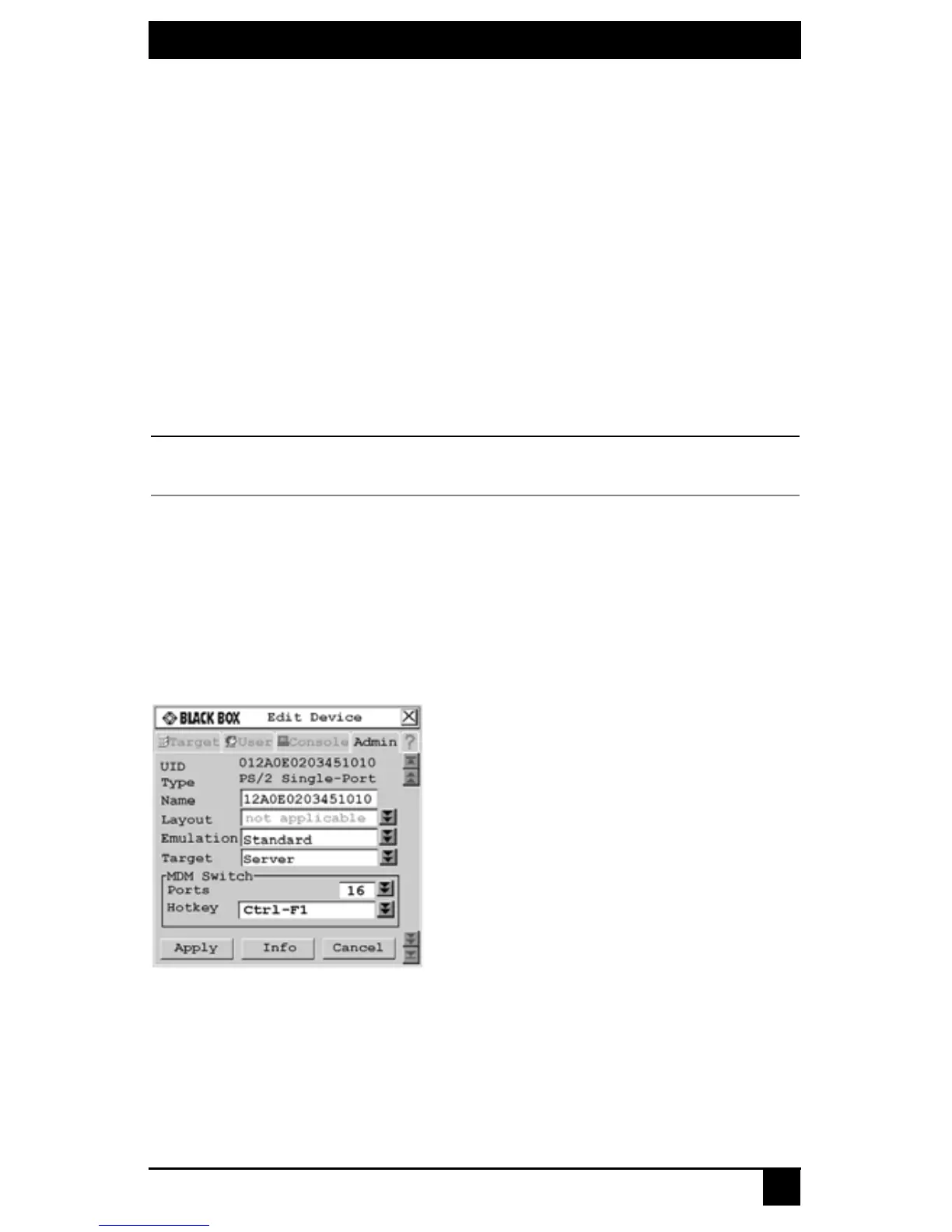
5. Type a new name (1-15 characters) for the device in the Name field.
From the Target drop-down list, select the cascaded Black Box KVM switch to
which the Octet server access module is attached.
- or -
Select KVM Switch if the cascaded switch is a non-Black Box switch.
Figure 4-28. Edit Device Screen (Seamless Configuration)
6. In the MDM Switch area, select the number of ports on the cascaded KVM switch
from the Ports drop-down list.
7. In the MDM Switch area, select the hotkey sequence of the cascaded KVM switch
from the Hotkey drop-down list.













 To Next Page