Load sound data from USB
If your organ is equipped with several AMADEUS sound modules, you can decide when loading sound
data from USB whether it should only be loaded into a certain module or into all existing sound
modules.
We recommend that you keep the same sound data in all sound modules so that the corresponding
sounds are available everywhere (manual parts, accompaniment, playbacks/MIDI files...).
• Insert the stick containing the sound data to be loaded into one of the USB sockets and open
the USB menu using the [USB] button.
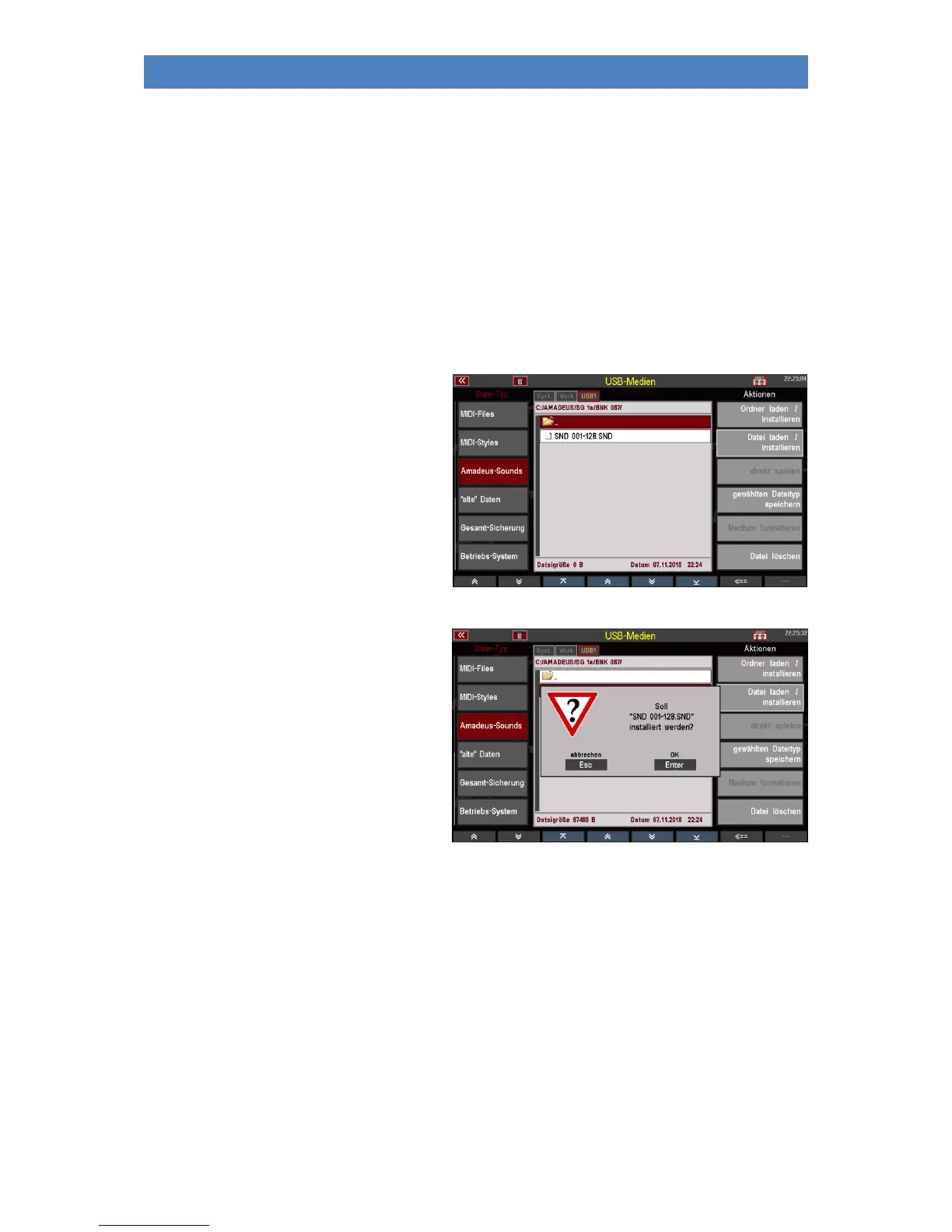
• Open the AMADEUS folder and then
the subfolders it contains by tapping
it to access the sound file to be
loaded (according to the folder
hierarchy described above).
• Place the cursor on the file to be
loaded and confirm with [Enter]. The
display asks if the file should really
be loaded. Confirm with [Enter]. The
file will now be loaded.
Press [Esc] to cancel the operation.
Attention: For more information on handling sound data, please refer to the separate SEMPRA Sound
Editor manual.



 To Next Page