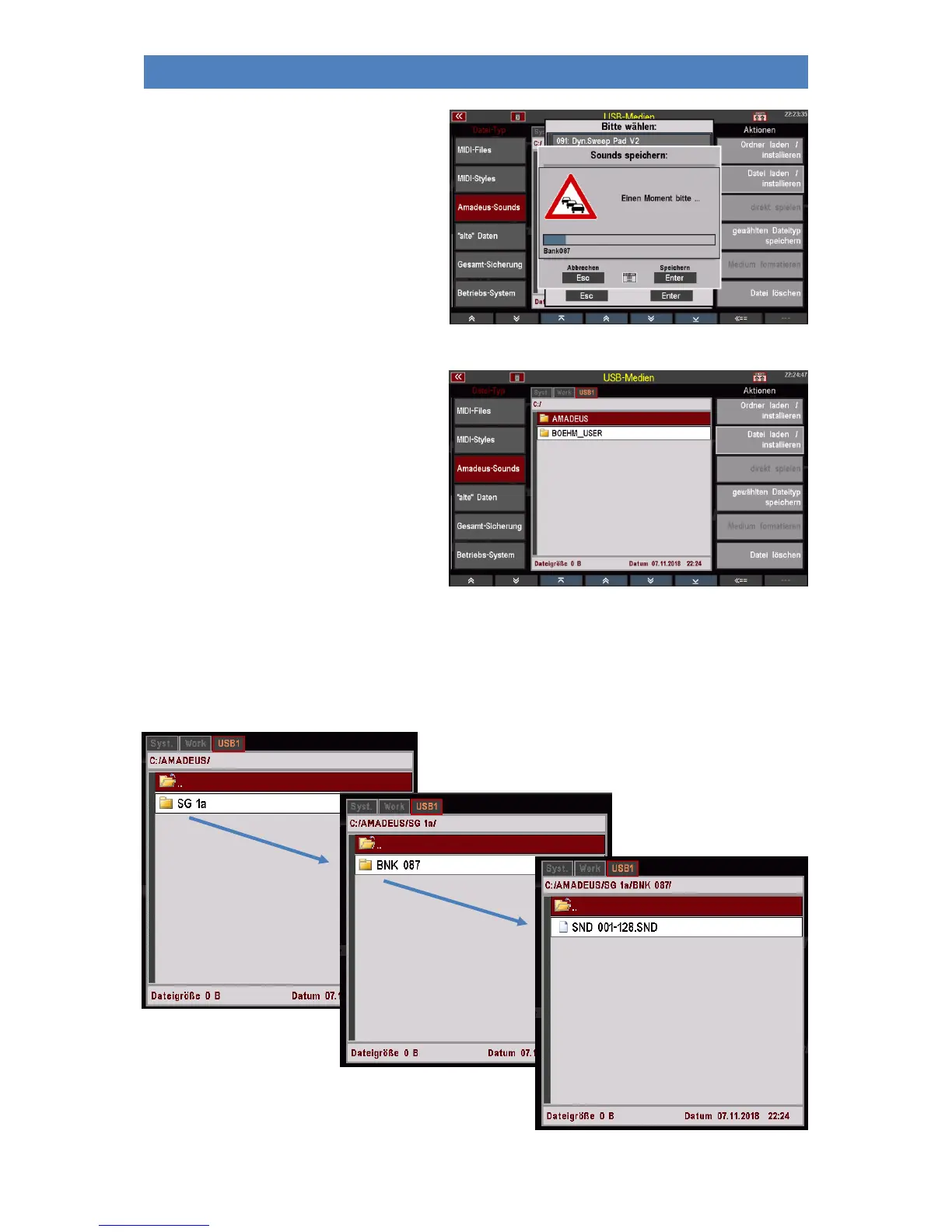
• Confirm your selection with [Enter].
The sound file is now saved on the
stick.
After saving a sound file you will find a folder
"AMADEUS" on the USB stick. This folder is
automatically created when sound data is
saved to a stick for the first time. Other
sound files that you may save are also stored
in this folder.
In the AMADEUS folder you will find one - or after saving further files - possibly several subfolders for
each sound module (sound group = "SGx") from which data was saved. These folders in turn contain
subfolders for the sound banks that have been saved, and these subfolders in turn contain the actual
sound files. Through this hierarchy you always know which files were saved from which sound module.



 To Next Page