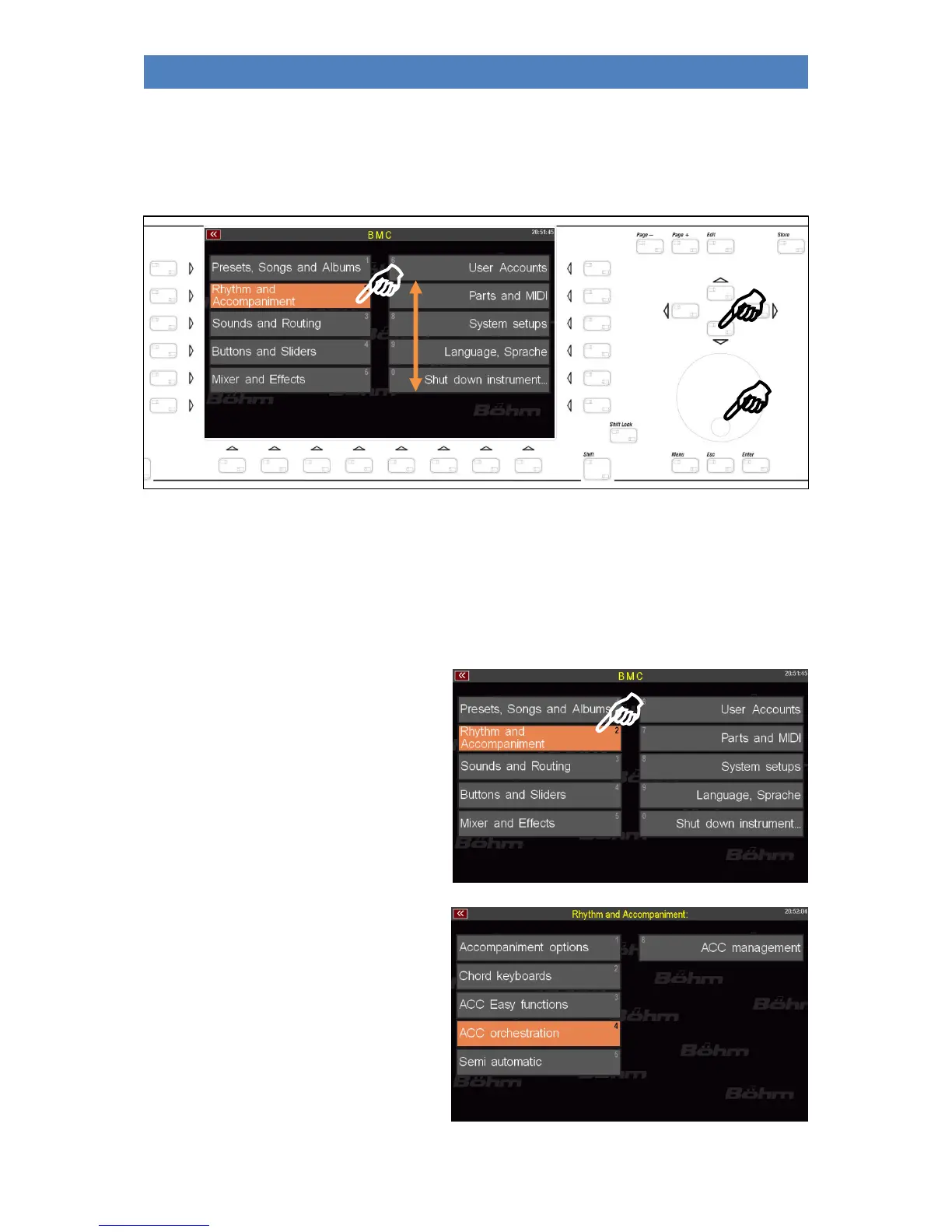
You can select the individual fields with the cursor keys or the data wheel (selected menu items are
displayed in orange) and switch to the respective submenu with the [Enter] key.
Of course it is much easier to tap directly on the corresponding menu item to open it.
Depending on the functional area, when you tap on one of the menu items, you will either go directly
to the corresponding functions, or first to a submenu from which you must select further in order to
reach the desired function.
An example: Calling the Style Editor, in which you can edit the instrumentation of the styles or the
playbacks (internally stored MIDI files) in your SEMPRA:
Step 1: Press the [MENU] button to open the
BMC menu.
Step 2: You want to get to the editor for the
accompaniments, i.e. styles or playbacks.
Therefore, tap on the menu item Rhythm &
Accompaniment.
A further submenu opens:
Step 3: In the menu Rhythm & Accom-
paniment we find the item ACC-
Instrumentation (Note: ACC = Accom-
paniment). This is the function we want to go
to. So we tap on this menu item.



 To Next Page