This function is useful, for example, to control the settings of an individual part within an overall
registration, to select a different sound for the part, and so on.
When the solo function is activated, the [F] button in the part editor flashes yellow.
When you exit the part editor and return to the basic screen, the solo function is canceled and all
active parts and any accompaniment that may be in progress are played again.
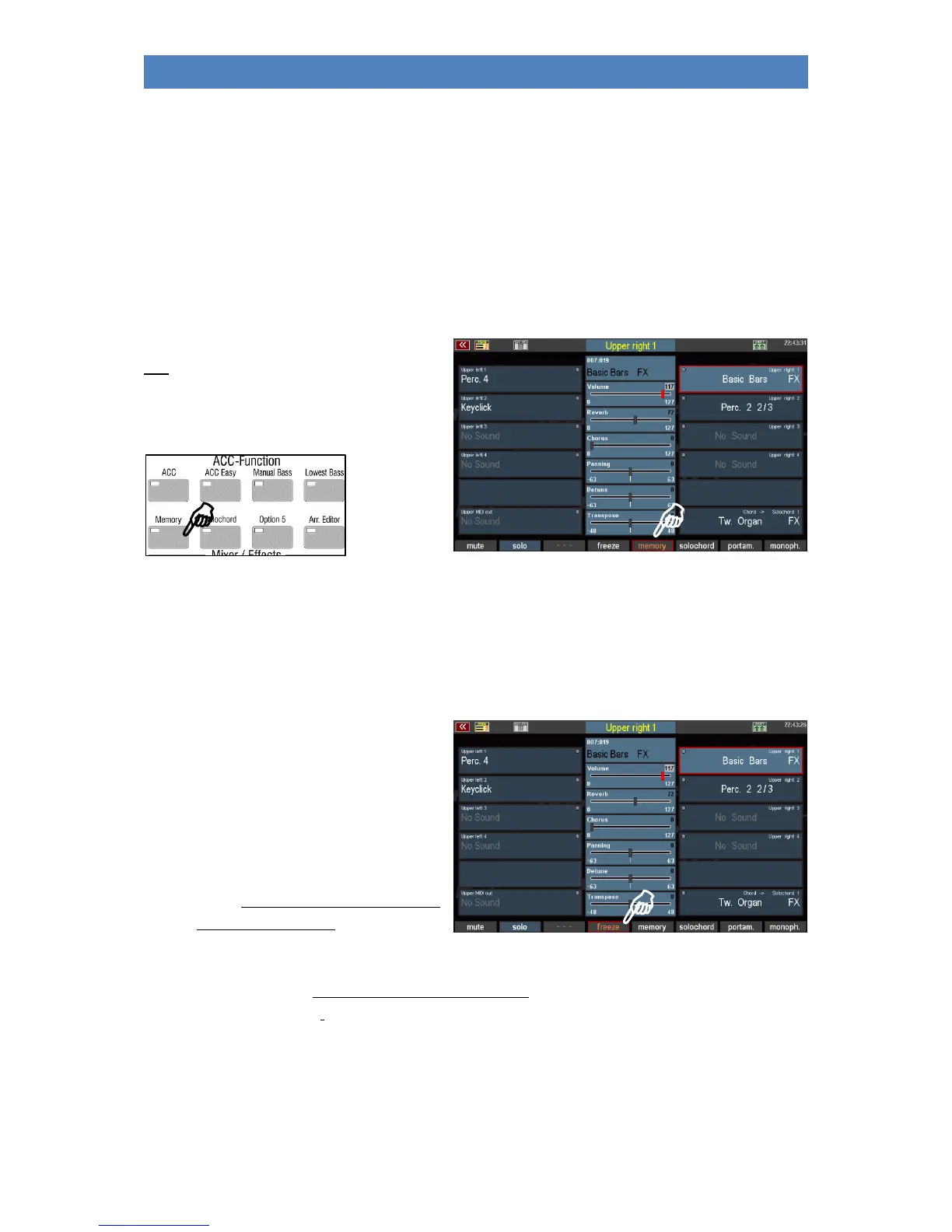
Memory
If you activate the memory function for a part
and the [Memory] button on the left upper
control panel is on, the sounds will be held
even if you remove your hand from the
keyboard.
With this function you can, for example, create a sound carpet that sounds on, even if you take your
hand off the keyboard, or you can achieve that decaying sounds such as piano or guitar decay over the
full length, even if you only play the keys briefly.
Freeze
This is also a memory function, but can be
controlled via a footswitch function. If the
freeze function is assigned to a footswitch
(see chapter "button and slider assignments")
and the footswitch is pressed, the following
applies
- tones of the freeze-switched parts
that already sound when the
footswitch is pressed, are "frozen" as
long as the footswitch is pressed (the remaining parts that are not freeze-switched play
normally),
- new notes played while the foot switch is still held, are mute and can't be heard on the parts
switched to Freeze.
Freeze is therefore basically a memory function that can be temporarily activated using a foot switch.
Another interesting feature here is the second option of selectively hiding individual notes on the parts
switched to freeze by activating the foot switch. Only those parts can be heard for which Freeze is not
activated.



 To Next Page