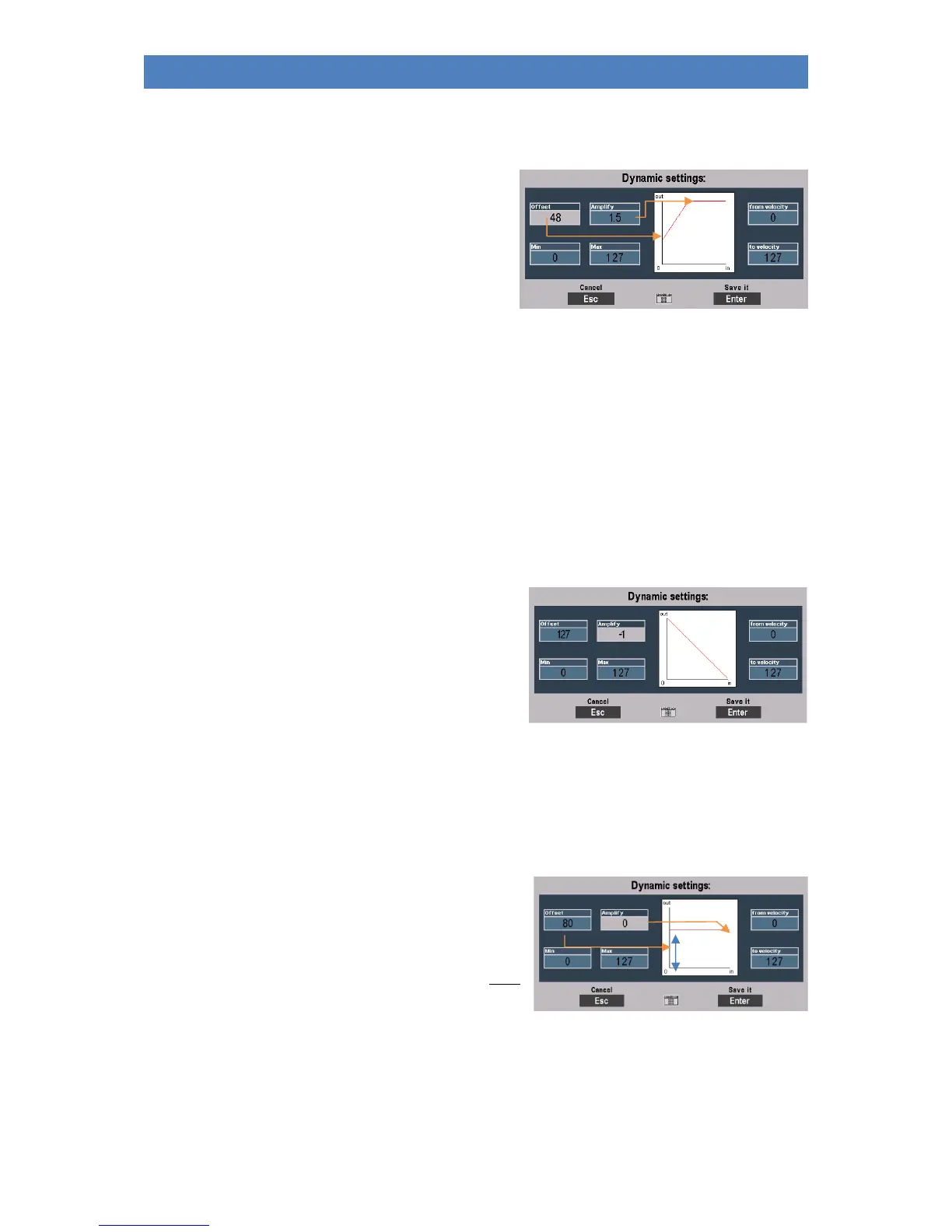
Using the parameters to the left of the curve graph, you can change the dynamic curve with the
corresponding changes in dynamic behavior when playing for the part:
Offset: determines the vertical starting
point and thus shifts the
dynamic curve and thus the
dynamic range that the curve
covers up or down.
Amplify is used to turn the dynamic
curve steeper/flatter and thus the dynamic increase or decrease by a certain
factor, either in positive (values > 0) or negative (values < 0) direction.
The input is made here in factor values, which cause a corresponding
positive/negative amplification related to the linear curve.
With a steeper curve, you can achieve greater dynamic changes in one
direction or the other with less keystroke; with a flatter curve, on the other
hand, you have to strike relatively harder in order to achieve greater dynamic
changes.
Tip: negative velocity dynamics
If you set high offset values in conjunction with negative
gain factors, you can achieve a downward dynamic curve:
The dynamic behavior is thus reversed, a stronger
keystroke causes lower dynamic values.
For what? You can use this interesting function, for
example, to switch between two parts/sounds using the
velocity alone. Set a positive dynamic curve for one part and a negative dynamic curve for the other
part. If you now play with varying velocity, one sound will be highlighted at times and the other at
times.
Tip: play a part without velocity
Would you like to completely "switch off" the keyboard
dynamics for one or more parts within your registration?
Bitter very: You can use the Offset and Gain
parameters to ensure that the part no longer reacts at all
to the velocity response, but rather plays with a fixed
dynamic value. This corresponds to the setting under
Offset. At the same time, the gain factor must be set to "0" (no gain).



 To Next Page