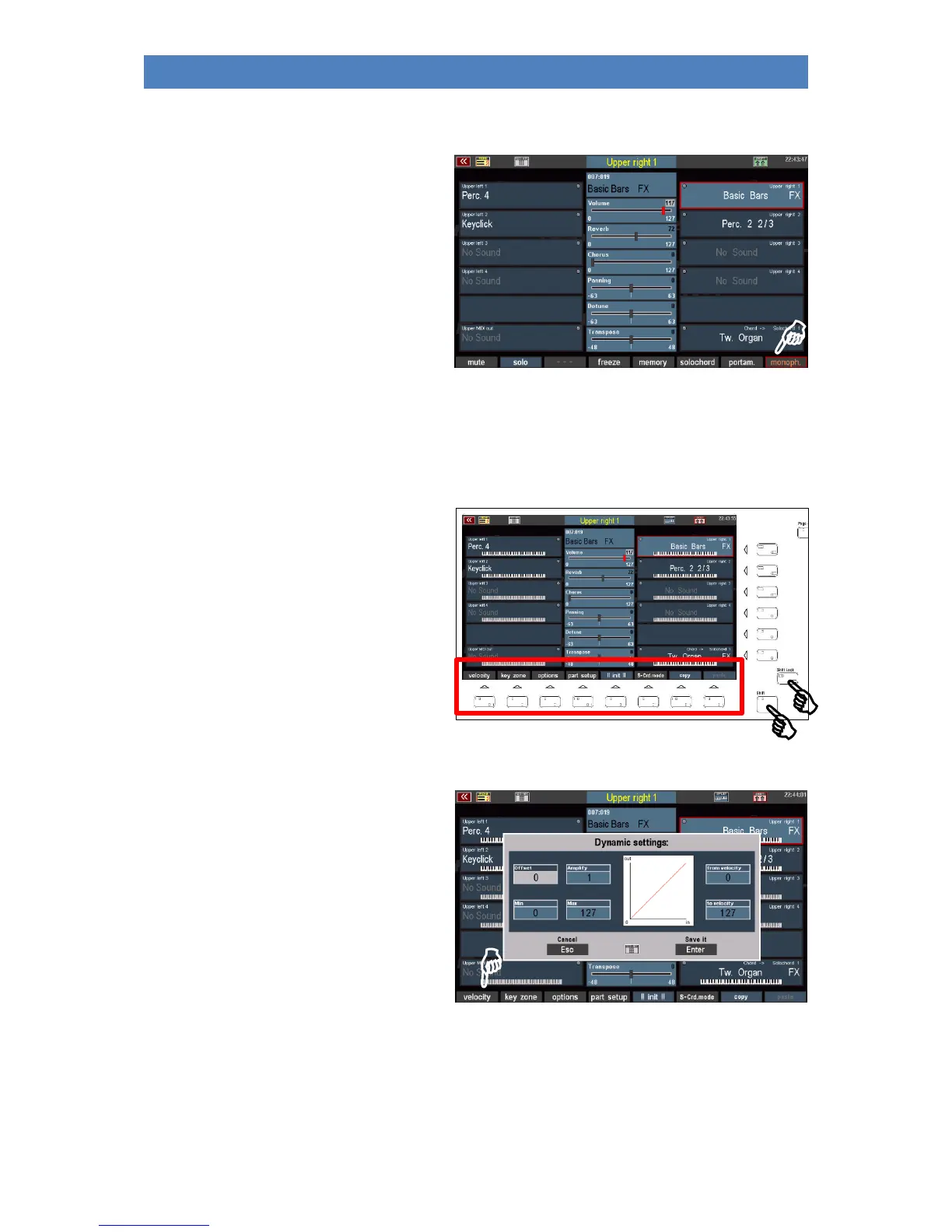
Monophone
Usually the manual and pedal parts of the
SEMPRA are set polyphonic, thus allowing
polyphonic playing. With this function, on the
other hand, a part can be switched to
monophonic playing. So, you can play e.g. a
solo instrument in one voice while at the
same time playing a full string section "behind
it" with the same hand.
In the Part options, which we will discuss below, you can also specify whether the monophonic voice
should sound on the highest or lowest key when playing in polyphony. You can also specify whether a
new tone should be struck at each key during legato play or only when all keys have been released.
Further interesting settings for the parts can
be found on the second assignment level of
the [F] buttons, which can be switched with
the [Shift] (temporarily, as long as the key is
pressed) or [Shift Lock] (permanently, until
the key is switched off again) button.
The [F] button functions of this level:
velocity
Here you can influence the dynamic curve and
thus the reaction of the part to the velocity in
a variety of ways.
When you press the [Dynamic] button, a box
containing the dynamic settings for the
current part is displayed:
The picture on the right shows the "neutral"
setting of all parameters: The dynamic
increases linearly with the velocity.
You can confirm the settings you have made by pressing [Enter] or discard them by pressing [ESC].
Let's see what you can adjust here:



 To Next Page