69
Tel.: + 49 / 07621 / 95 93 0
Fax: + 49 / 07621 / 55 184
infoak@boschert.de
www.boschert.de
Mattenstrasse 1
79541 Lörrach-Hauingen
Version: 05 / 2011Changes reserved
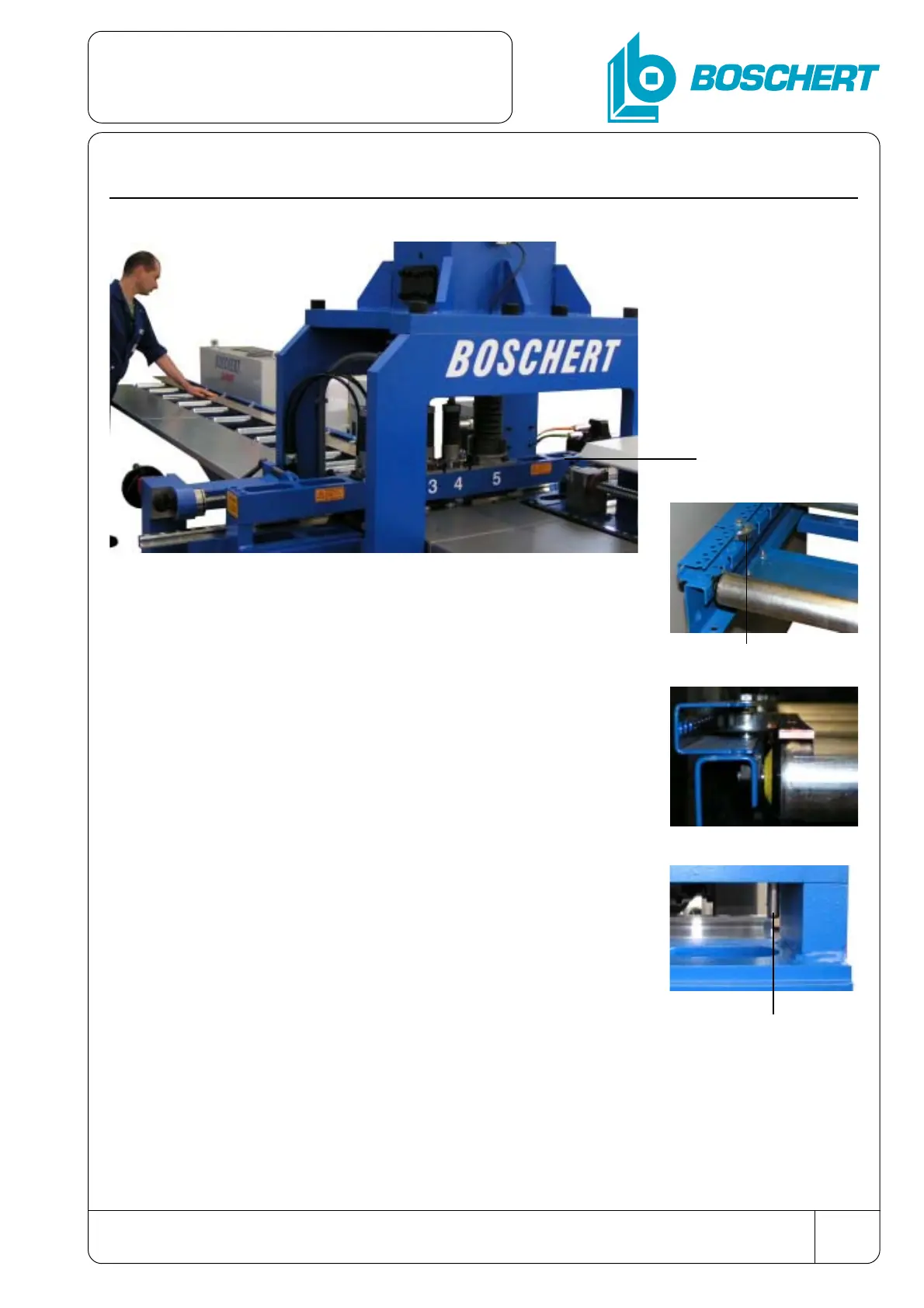
6.5 Insert the CU-flat
- After that move the flats by hand in direction of
material flow,
- until the material attaches zero-point.
- By operation of the foot switch the clamping
arrangement work piece will be activated and the mate-
rial will be clamped between the mobile and the fixed
clamping jaw.
zero-point
- Put the CU-flats onto the roller race at the intake side,
- and push it against the lateral roles.
lateral roles
- After the operator left the maintenance range,
- the program at the control desk can be started.
zero-point
Commissioning
the machine


 To Next Page