202
Creating rhythm arrangements
Rev0.02
Inserting chords
Use the following procedure to insert a new chord between
two existing chords.
1.
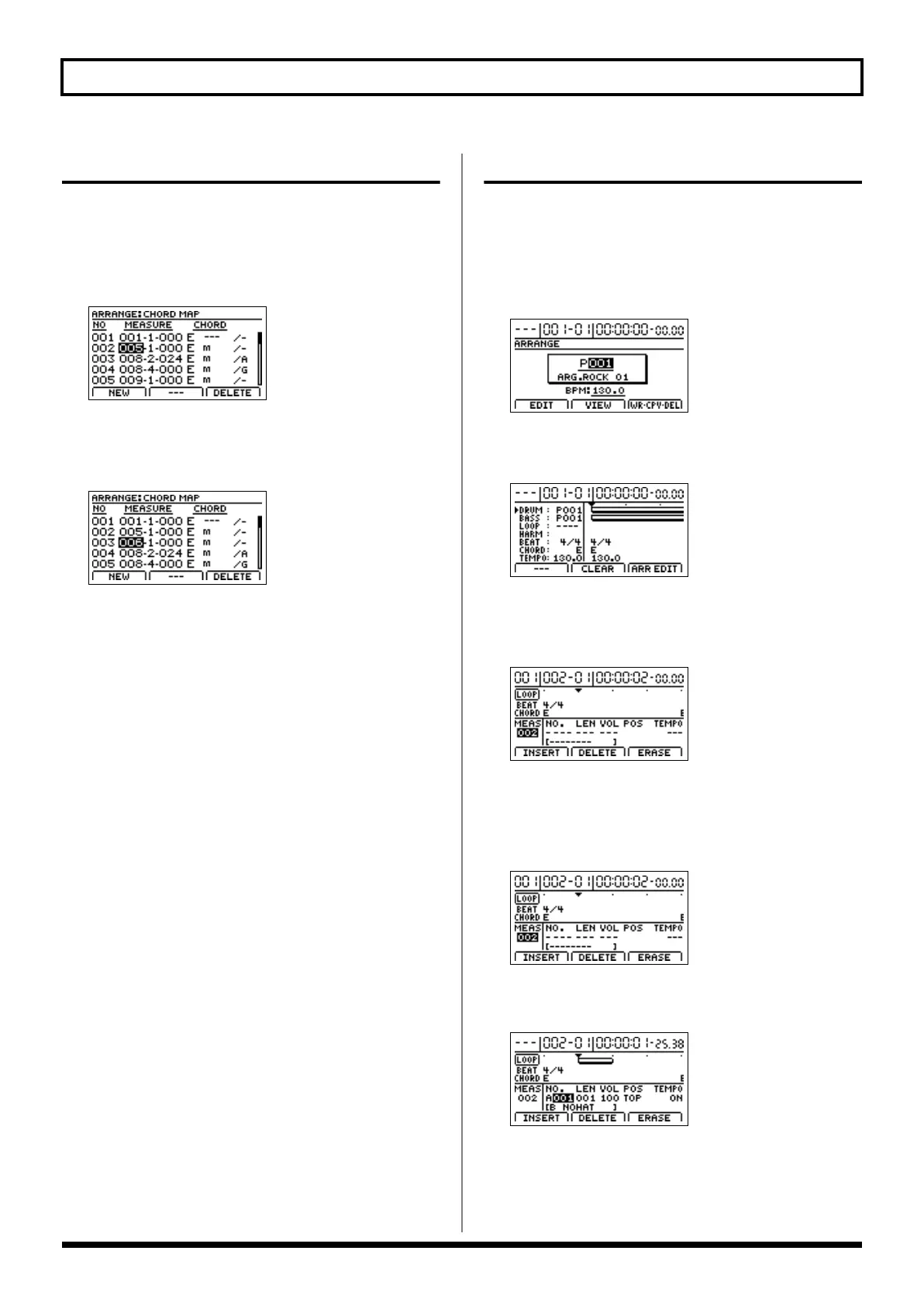
On the Chord Input screen, move the cursor to the
chord immediately in front of the insertion position.
fig.21-17d
2.
Press [F1] (NEW).
A chord will be inserted and the cursor will be moved to
this chord.
fig.21-18d
3.
You can now use [CURSOR], the TIME/VALUE dial,
and the track buttons to set the chord’s position, type,
and note names.
Assembling Loop Phrases
1.
Press PROGRAMMABLE RHYTHM [ARRANGEMENT/
PATTERN] so the ARRANGEMENT indicator is lighted.
(Arrangement mode)
2.
Press PROGRAMMABLE RHYTHM [EDIT].
The Rhythm Arrangement Selection screen will appear.
fig.21-33d
3.
Press [F2] (VIEW).
The Rhythm Arrangement View screen will appear.
fig.04-1501d
4.
Move the cursor to “LOOP” and press [F3] (ARR EDIT).
The screen for allocating Loop Phrases to rhythm
arrangements will appear.
fig.21-20d
This screen allows you to assemble Loop Phrases in units
of one measure.
5.
Move the cursor to “MEAS” and select a measure using
the TIME/VALUE dial.
fig.21-20d
6.
Move the cursor to “NO.” and select a Loop Phrase
using the TIME/VALUE dial.
fig.21-21d
The selected Loop Phrase will now be assigned to the
selected measure.
BR-1200CD_e.book 202 ページ 2007年8月24日 金曜日 午前11時33分



 To Next Page