70
Rev0.02
Saving your song (Song Save)
In the BR-1200CD, recorded or edited audio data is only temporarily stored on the hard disk until the corresponding
song is saved. If the power is turned off without saving the song, all newly recorded audio data, edited data,
modified mixer settings, etc. will be lost. The Save function prevents this from occurring by storing the recorded and
edited data on the BR-1200CD’s hard disk.
fig.07-11
1
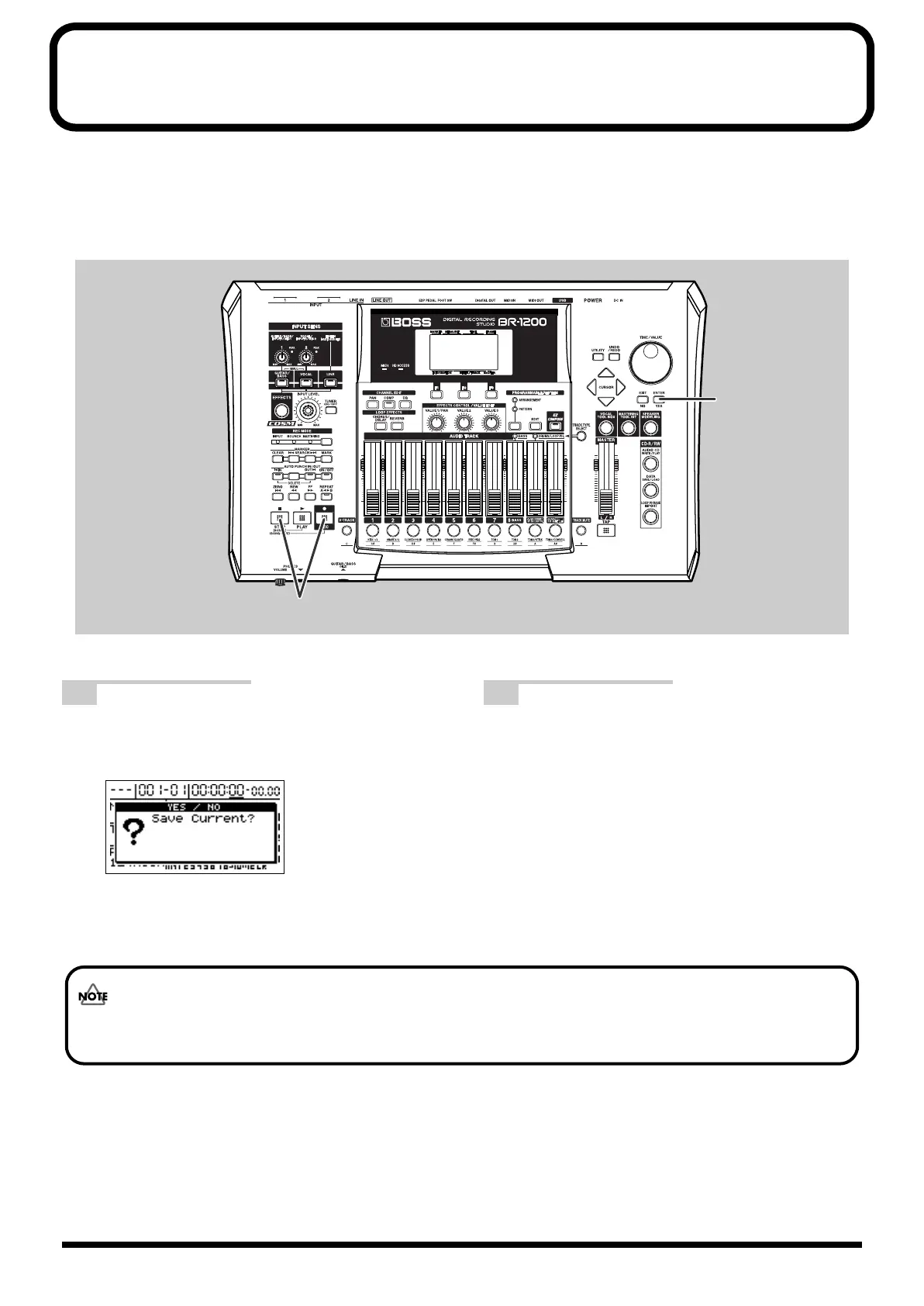
With the top screen displayed, hold down
[STOP] and press [REC].
The message “Save Current?” will appear.
fig.07-11ad
2
Press [ENTER/YES]. (If you do not want to
save, press [EXIT/NO].)
The message “Storing Current...” will appear on the
screen and saving of the song will begin. When saving
has been completed, the message “Complete!” will
appear.
Song Protect has activated for the demo songs already included in the BR-1200CD at the time of purchase; accordingly,
the message “Protected Song!” will be displayed at this time and it will not be possible to save the song.
BR-1200CD_e.book 70 ページ 2007年8月24日 金曜日 午前11時33分



 To Next Page