71
Saving your song (Song Save)
Rev0.02
Basic Operation
Saving your song from the Utility screen
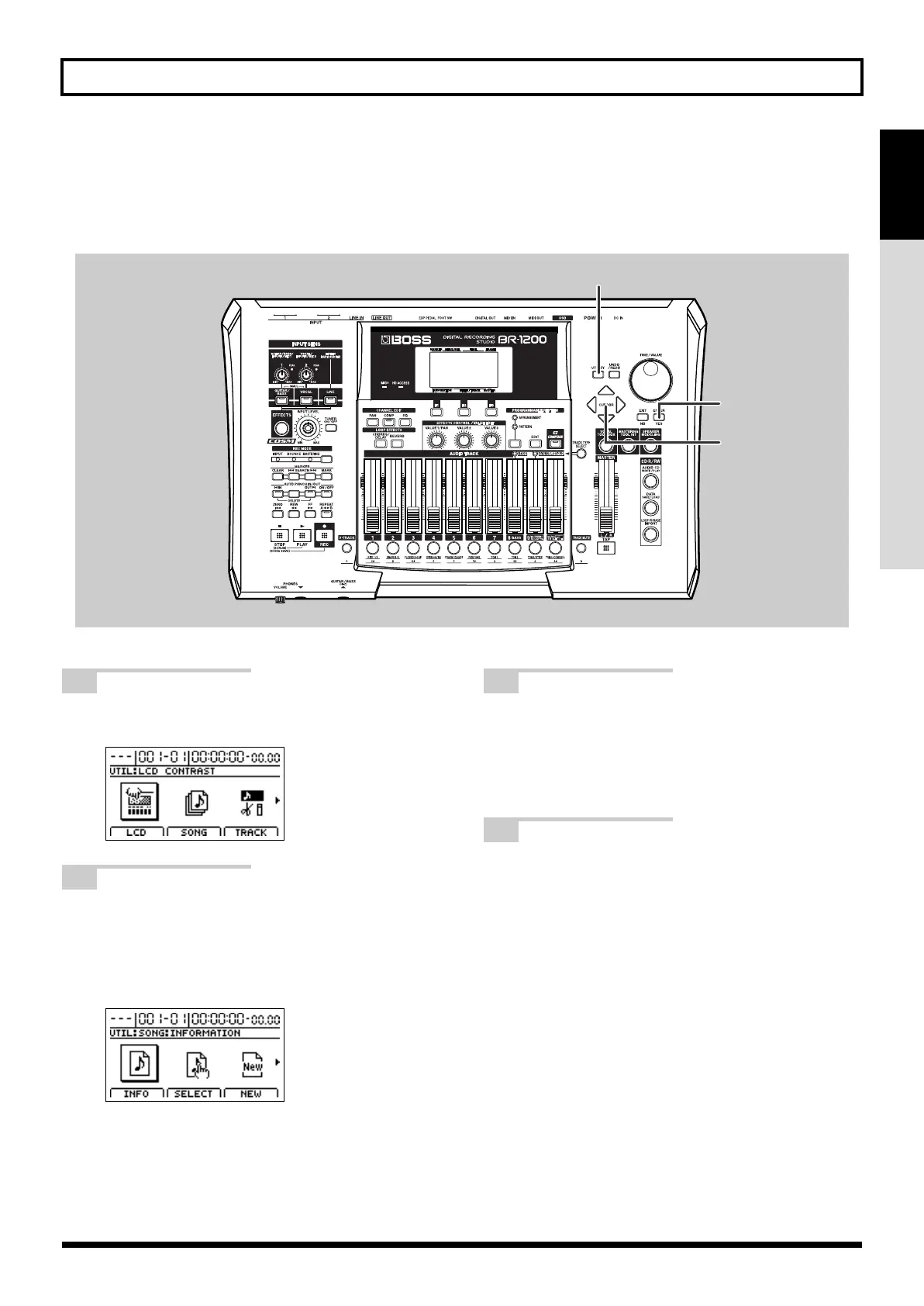
In addition to the above method, songs can also be saved from the Utility screen. Note that both methods save songs
in exactly the same way.
fig.07-12
1
Press [UTILITY].
The Utility Menu screen will appear.
fig.07-13d
2
Move the cursor to the SONG icon and press
[ENTER/YES].
Alternatively, you can press [F2] (SONG) if the SONG
icon is currently displayed.
The Song Menu screen will appear.
fig.07-14d
3
Move the cursor to the STORE icon and press
[ENTER/YES].
Alternatively, you can press [F1] (STORE) if the
STORE icon is currently displayed. The message
“Save Current?” will appear.
4
Press [ENTER/YES]. (If you do not want to
save, press [EXIT/NO].)
The message “Storing Current...” will appear on the
display and saving of the song will begin.
When saving has been completed, the message
“Complete!” will appear.
1
2,3
2,3,4
BR-1200CD_e.book 71 ページ 2007年8月24日 金曜日 午前11時33分



 To Next Page