55
Selecting drums to act as a guide for recording
Rev0.02
Basic Operation
Playing drum sounds
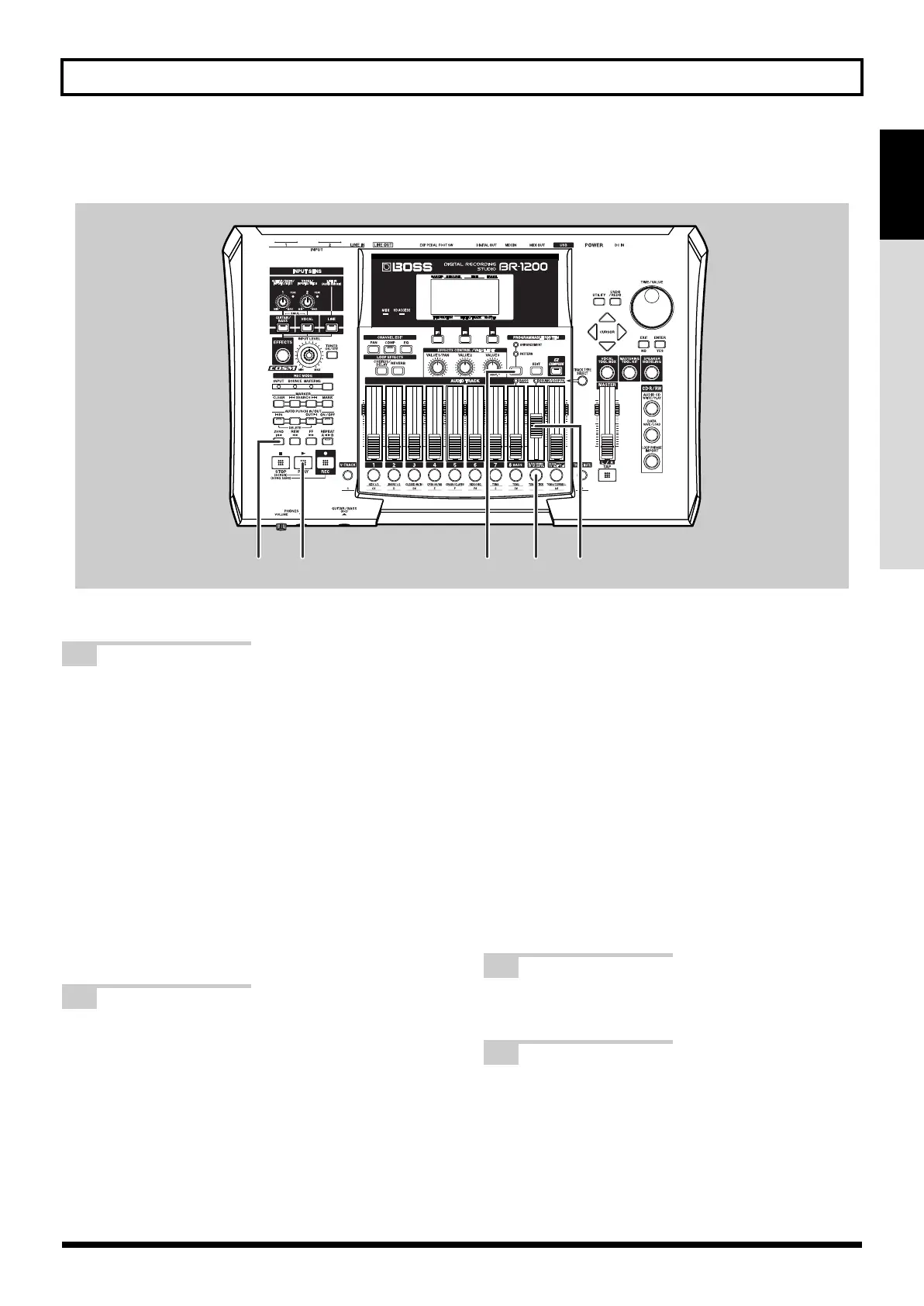
fig.07-27
1
Press the track button for Track 9/10 several
times until it starts to flash.
You can press this button repeatedly to cycle through
the available statuses, which are: Flashing
→
Lit
→
Unlit.
Unlit:
No drum and loop phrase sounds will be
played.
Flashing:
Drum and loop phrase sounds will be
played only when the BR-1200CD is
recording or performing playback.
Lit:
Drum sounds will be played even when
the BR-1200CD is stopped.
The loop phrase only plays during
recording or playback with the recorder.
2
Press PROGRAMMABLE RHYTHM
[ARRANGEMENT/PATTERN] so the
PATTERN indicator is lighted.
Each time this button is pressed, it toggles between lit
and unlit.
PATTERN indicator is lit: Pattern mode
In this mode, a rhythm pattern of one or several bars
in length is played repeatedly. This type of playback
can be used instead of a metronome, and it can also
provide a useful guide track when you are working
on ideas for new songs.
ARRANGEMENT indicator is lit:
Arrangement mode
In this mode, drum patterns can be arranged and
played back in accord with a song structure
comprising intro, verse, fill, bridge, break, and ending
elements. Once you have an idea of your new song,
this function allows the complete drum structure to be
easily created.
3
Play the song from the beginning.
The BR-1200CD will start playback of the drum track.
4
Use the Track 9/10 fader to adjust to the
appropriate volume.
12433
BR-1200CD_e.book 55 ページ 2007年8月24日 金曜日 午前11時33分



 To Next Page