58
Selecting drums to act as a guide for recording
Rev0.02
Changing the drum pattern tempo
Two simple methods are available for changing the tempo of the drum track.
●
Set the new tempo using the TIME/VALUE dial
●
Tap the new tempo using [TAP]
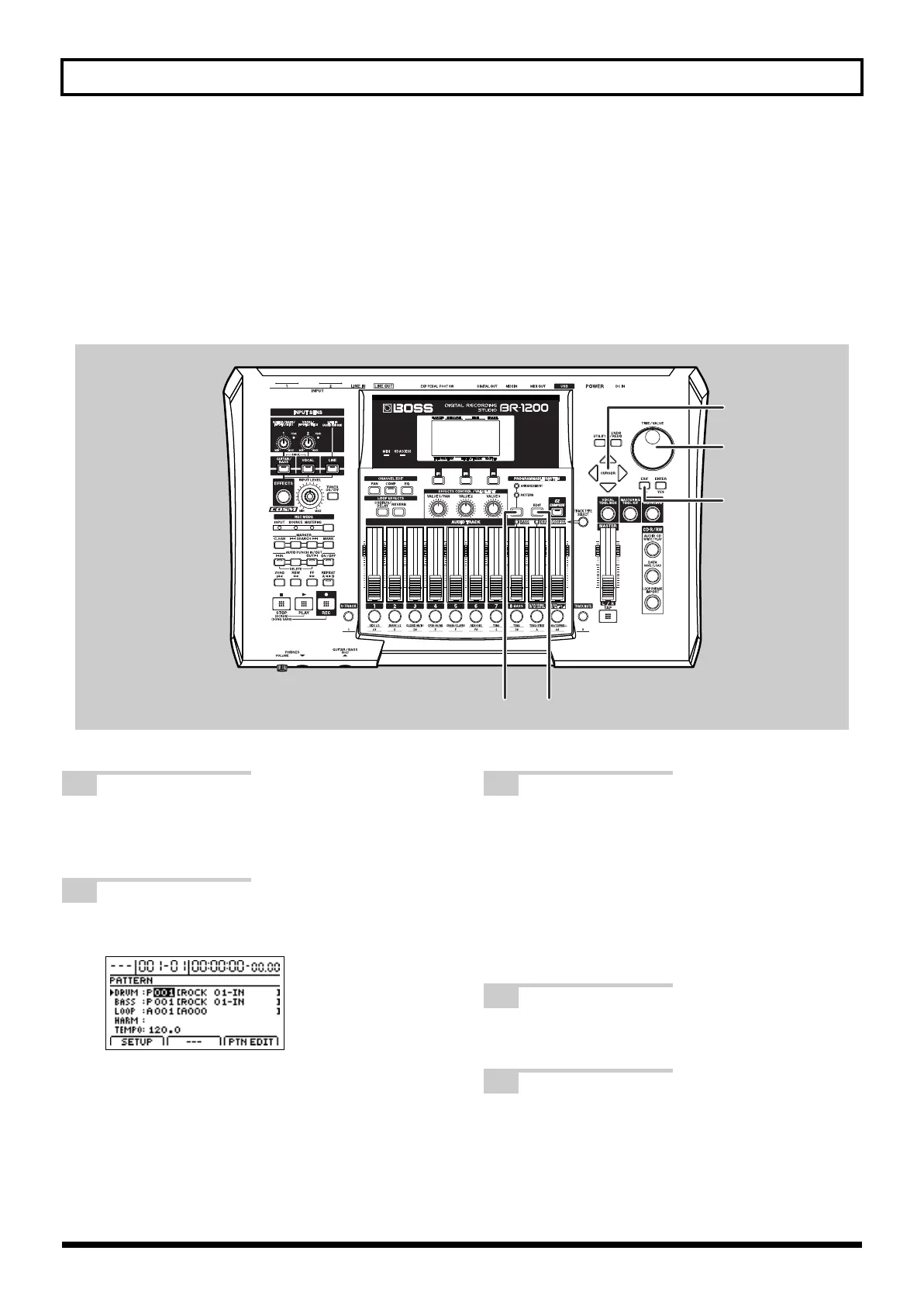
Set the new tempo using the TIME/VALUE dial
fig.07-07a
1
Press PROGRAMMABLE RHYTHM
[ARRANGEMENT/PATTERN] so the
PATTERN indicator is lighted.
2
Press PROGRAMMABLE RHYTHM [EDIT].
The Pattern Selection screen will appear.
fig.20-008d_ptn.bmp
3
Move the cursor to “TEMPO” and select a
suitable tempo using the TIME/VALUE dial.
You will be able to hear how your new setting
changes the playback tempo.
The tempo can be set anywhere within a range of 25.0
to 250.0 BPM. (Beats Per Minute—A value that
indicates the tempo in terms of the number of quarter
notes occurring in one minute.)
4
After you have set the tempo, press [EXIT/NO]
several times to return to the top screen.
5
If you wish to store the pattern’s tempo, save
the current song (p. 70).
BR-1200CD_e.book 58 ページ 2007年8月24日 金曜日 午前11時33分



 To Next Page