54
Rev0.02
Selecting drums to act as a guide for recording
It is often difficult to keep playing a part at a fixed tempo until you have become very familiar with it. If you play
along with the BR-1200CD’s internal drums, however, this type of variation in tempo can be dramatically reduced.
Thanks to the highly realistic sound of the BR-1200CD’s PCM drum samples, you’ll be able to enjoy the great feeling
of playing along with actual drums. What’s more, if you record along with a drum track, you’ll be able to perform
editing in units of beats and bars later on.
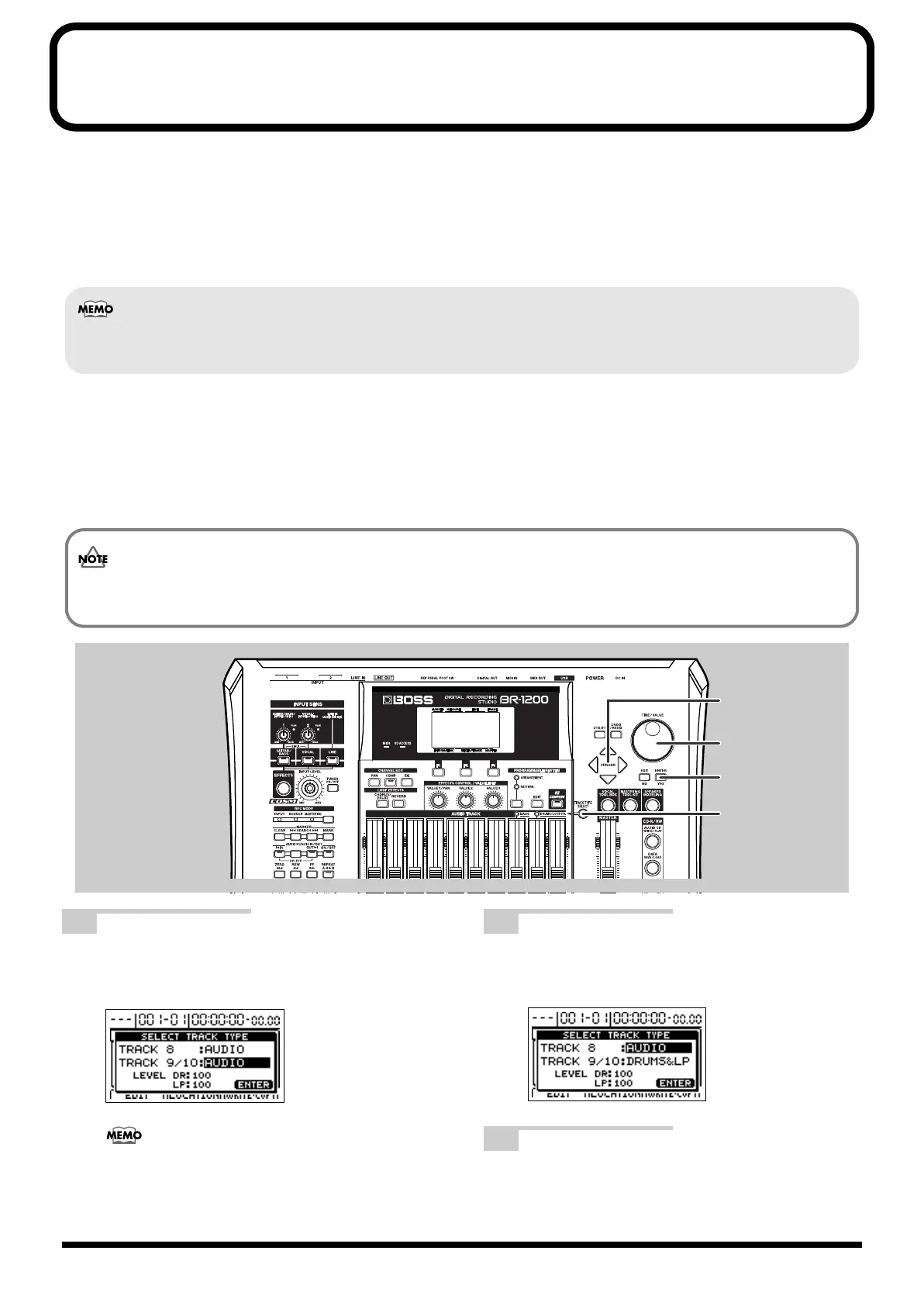
Setting up a drum track (Track Type Select)
In order to set up the BR-1200CD to play drum sounds, use the following procedure to designate Track 9/10 as the
drum & loop phrase track.
fig.07-25
1
With the top screen displayed, press [TRACK
TYPE SELECT].
The Track Type Select screen will appear.
fig.07-26d
For more detailed information regarding track types,
refer to “Setting the track type” (p. 157).
2
Move the cursor to “TRACK 9/10” and use the
TIME/VALUE dial to select the
“DRUMS&LP.”
fig.07-06ad
3
Press [ENTER/YES].
This operation sets up Track 9/10 as the drum & loop
phrase track.
You can use bass and loop phrase as well as drum as a guide. Please refer to “Section 4 Using Rhythm” (p. 153).
If USE DRUMS + LOOP or USE DRUMS + BASS + LOOP was selected during SONG NEW (p. 48), Track 9/10 will be
already set up as the drum track and the following procedure will not be required.
BR-1200CD_e.book 54 ページ 2007年8月24日 金曜日 午前11時33分



 To Next Page