213
Section 4
Rev0.02
Creating Drum and Bass Patterns Simply and Easily (EZ Compose)
What is EZ Compose?
“EZ Compose” is a group of functions that lets you create a
pattern simply by making a few settings in the screen-you
don’t have to input each individual note of the rhythm. You
can also add a chord progression and fill-ins.
fig.04-1891
Using EZ Compose
Creating a pattern
EZ Compose lets you select a favorite pattern for each group
of sounds, and combine them to create your new pattern.
EZ Compose creates patterns with a time signature of 4/
4 or 3/4.
If the time signature of the currently selected pattern is
not one of these, it will be converted to 4/4 or 3/4.
1.
Press [EZ COMPOSE].
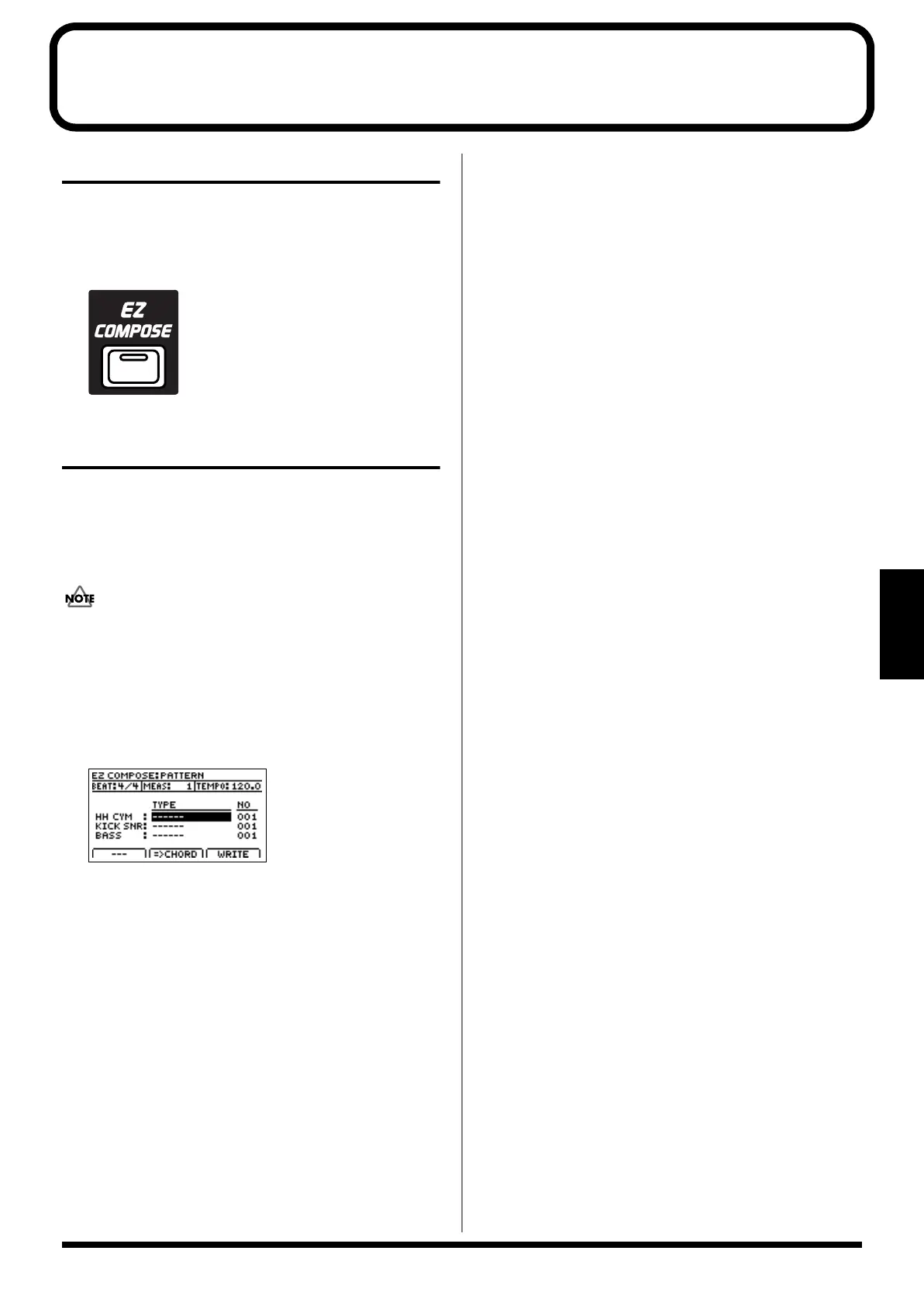
The EZ Compose Pattern screen will appear.
fig.04-1900d
2.
Move the cursor to the relevant item, then use the
VALUE dial to set the value.
BEAT 4/4, 3/4
This sets the beat.
MEAS 1–32
This sets the number of measures in the pattern.
TEMPO 25.0–250.0
This sets the tempo.
TYPE / No.: HH CYM
This selects the “Hi-Hat/Cymbal” preset pattern and
number.
Type:
8BEAT, 16BEAT, SHUFFLE, 1/2SHUFFLE
TYPE / No.: KICK SNR
This selects the “Kick/Snare” preset pattern and
number.
Type:
8BEAT, 16BEAT, SHUFFLE, 1/2SHUFFLE
TYPE / No.: BASS
This selects the “Bass” preset pattern and number.
Type:
STEADY&SIMPL, ROCK BLUES, BALLAD, FUNK
SOUL
* Choose “- - - - - -” as the TYPE for patterns that you don’t
want to use (i.e., that you want to remain silent).
Press [PLAY] to play the pattern with the current
settings.
BR-1200CD_e.book 213 ページ 2007年8月24日 金曜日 午前11時33分



 To Next Page