48
Preparing a song for recording (Song New)
Rev0.02
Preparing a song for recording (Song New)
If you are going to record your own performance from scratch, you will first of all have to create a new song free of
any recorded audio data. This operation is referred to as “Song New,” and it is carried out as follows.
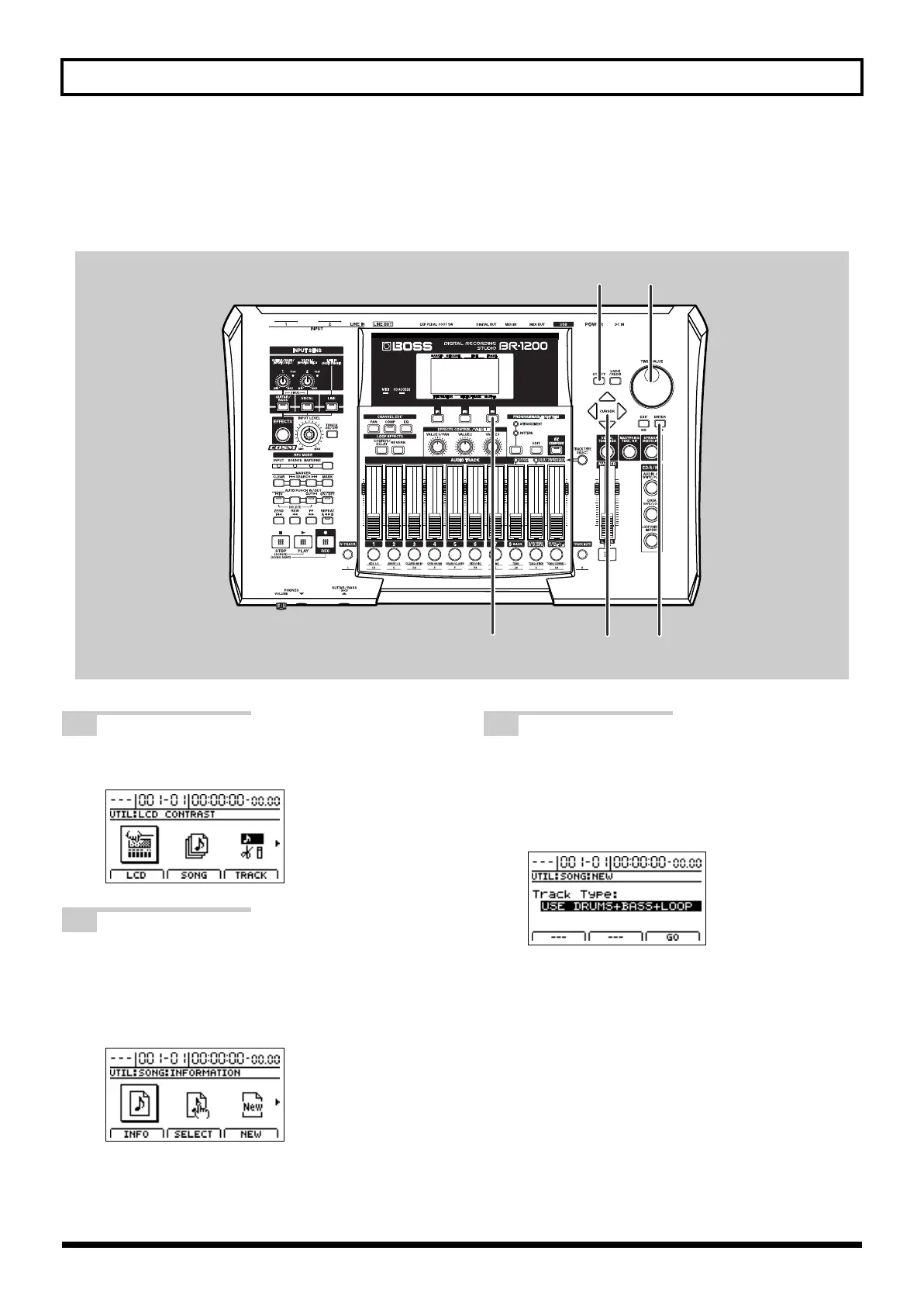
fig.07-15
1
Press [UTILITY].
The Utility Menu screen will appear.
fig.07-16d
2
Move the cursor to the SONG icon and press
[ENTER/YES].
Alternatively, you can press [F2] (SONG) if the SONG
icon is currently displayed. The Song Menu screen
will appear.
fig.07-17d
3
Move the cursor to the NEW icon and press
[ENTER/YES].
Alternatively, you can press [F3] (NEW) if the NEW
icon is currently displayed. The screen for creating a
new song will appear.
fig.07-18d
BR-1200CD_e.book 48 ページ 2007年8月24日 金曜日 午前11時33分



 To Next Page