236
Using the CD-R/RW drive to exchange data
Rev0.02
Playing SMFs using external
MIDI instruments (SMF Player)
You can use the BR-1200CD to read SMFs from CD-R/RW
discs and play these files using MIDI instruments connected
to the MIDI OUT port.
Any SMFs that satisfy the following conditions can be played
in this way.
Format:
0 or 1
File size:
250 KB maximum (Note that this will vary slightly based on
the SMF content.)
System Exclusive:
Packet sizes of 512 bytes or less
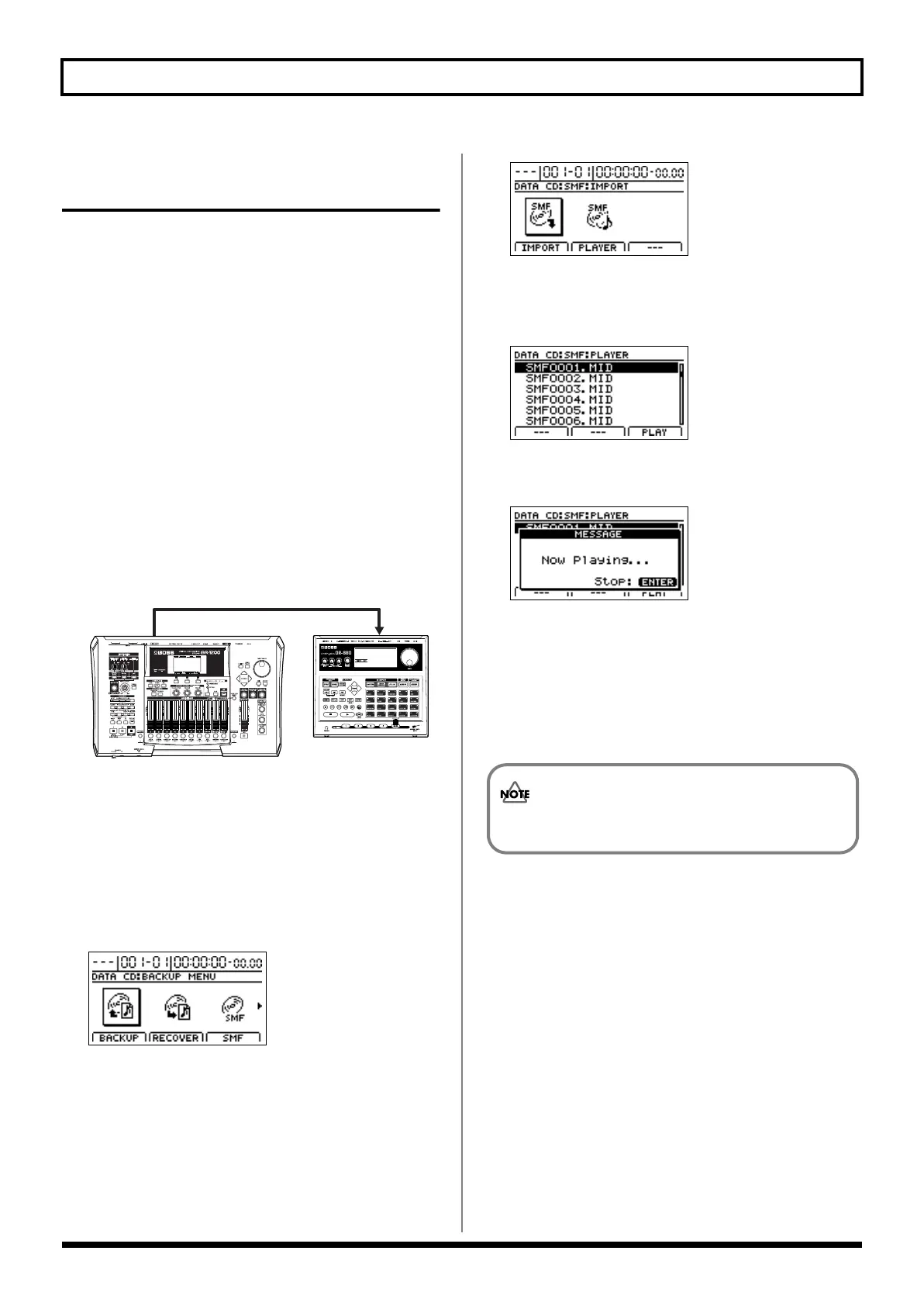
1.
Connect a MIDI cable between the MIDI OUT port on
the BR-1200CD and the MIDI IN port on your external
MIDI sound module.
fig.41-25
2.
Insert a CD-R/RW disc containing SMFs into the CD-R/
RW drive.
The drive’s access indicator will begin to flash. Wait until
this indicator stops flashing and turns off before
proceeding.
3.
Press CD-R/RW [DATA SAVE/LOAD].
The Data CD Menu screen will appear.
fig.41-05d
4.
Move the cursor to SMF icon, and press [ENTER/YES].
Alternatively, you can press [F3] (SMF) if the SMF icon is
currently displayed.
The function selection screen for SMFs will appear.
fig.41-27d
5.
Press [F2] (PLAYER).
A list of the SMFs contained on the current CD-R/RW
disc will appear.
fig.05-940d
6.
Move the cursor to the SMF to be played and press [F3]
(PLAY).
fig.05-950d
The message “Now Loading...” will appear and the SMF
will be loaded from the CD-R/RW disc.
When the reading process has been completed, the BR-
1200CD will start playback.
7.
Press [ENTER/YES] at the point where you want to stop
playback.
In cases where the SMF contains a large amount of
MIDI data, playback of the file may be sluggish.
BR-1200CD_e.book 236 ページ 2007年8月24日 金曜日 午前11時33分



 To Next Page