BRAILLO
l
B 650 SF
14
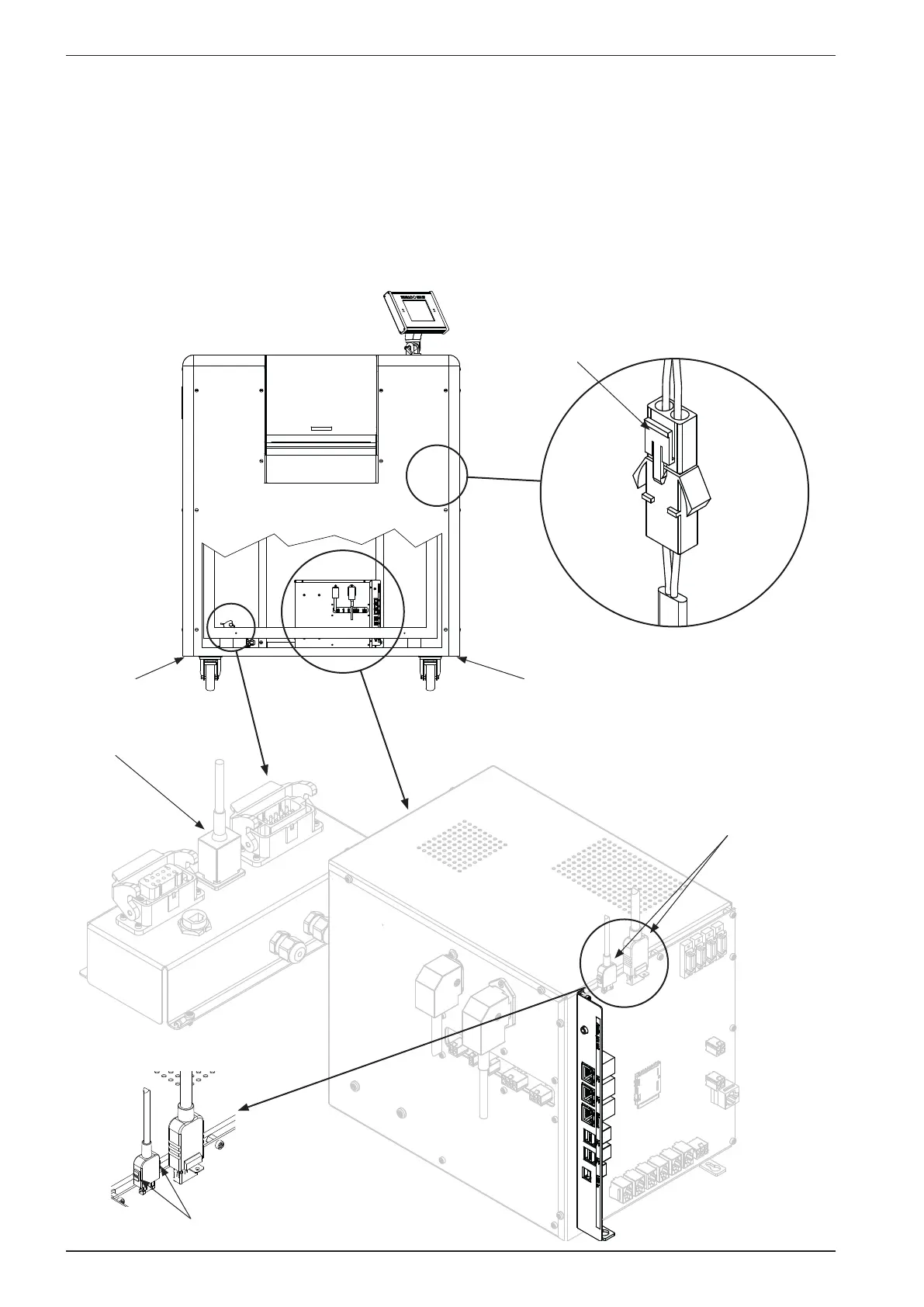
See the gure below for details.
- Disconnect the cable to the fans.
- Disconnect the two cables to the operating panel. Cut the cable ties (replace when reconnnecting).
- Disconnect the cable to the safety switches in the cover.
Unscrew the four screws (G) (use a 6 mm hex key) and very carefully lift the cover upwards.
The Printer can now be moved to the desired location.
Please observe that it is possible to lock the wheels to secure the Printer when it is positioned.
Fans
connector
Operator panel
connectors
G G
To release,
press on both sides
Cable for cover
safety switches
To release,
press here



 To Next Page