BRAILLO
l
B 650 SF
27
2.12 Adjust to paper width, inserting paper
All these adjustments depend on the width on the paper (paper roll). Cut off a sample sheet to use as a
guide for adjustments.
Put the paper roll onto the paper roll feeder and let the paper hang loose towards the Printer.
It is recommended to start with the paper feeder unit in the Printer nearest to the fans, because this will
also determine the top margin on the sheet.
The adjustment should be done in this order:
1. Move the feeder unit nearest to the main belt to the desired position. (Note the top margin).
2. Adjust the other feeder unit so the distance between them is equal to the paper width.
3. Put the paper from the paper roll feeder into the Printer, and align the guides placed on the
input side.
4. Adjust the width on the guides on the S&F unit.
5. Adjust the end stop on the cover magazine.
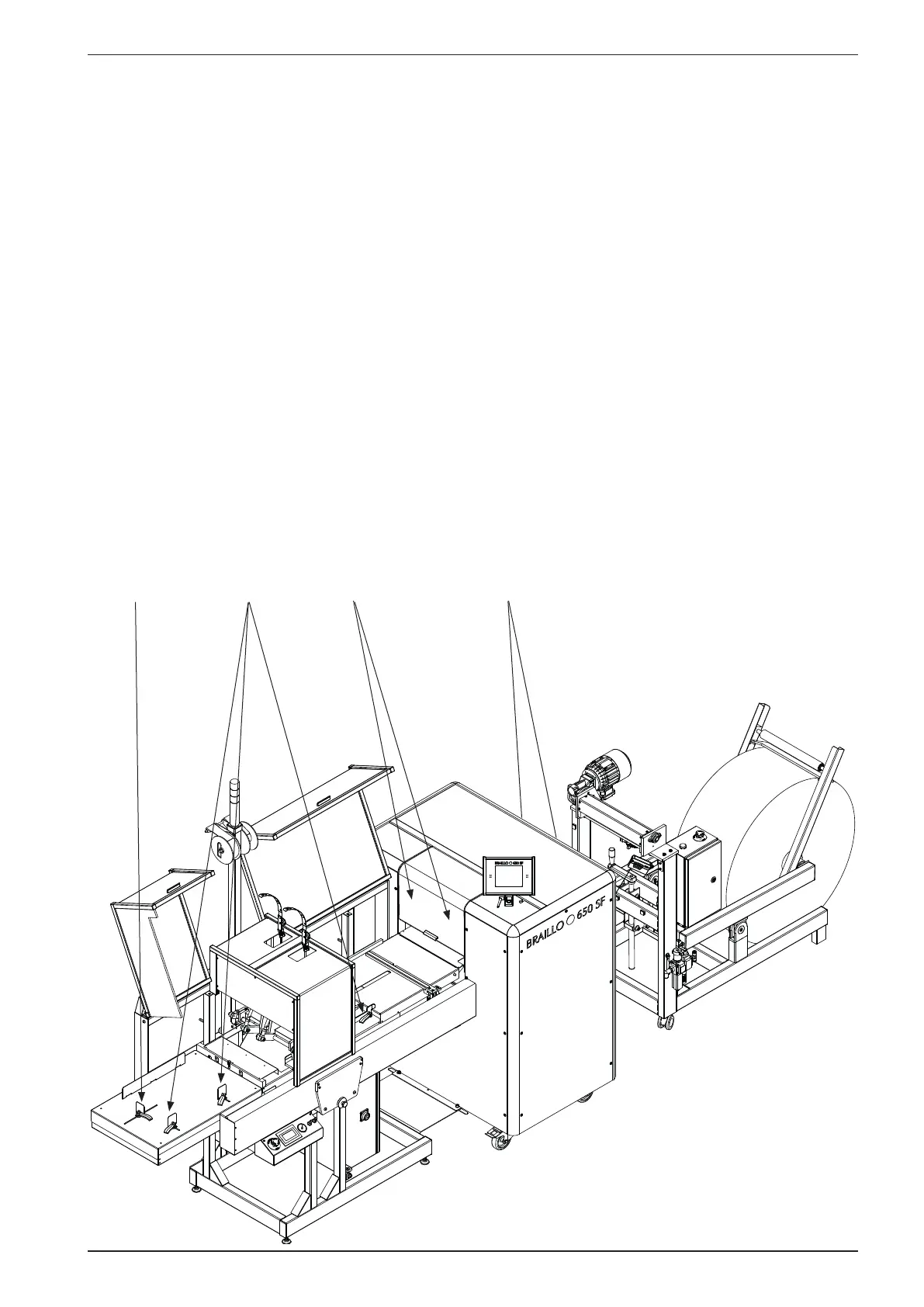
Please see the gures on the following pages.
The numbers below indicate in which order the adjustments should be done.
GuidesFeederS&F unit
1 2 3 344
End stop
5 4



 To Next Page