BRAILLO
l
B 650 SF
47
3.5 Messages/Error Messages on the Printer operator panel
Messages/Error Messages on this Printer can be divided into three groups; Messages, Error Messages
and unrecoverable Error messages.
Messages:
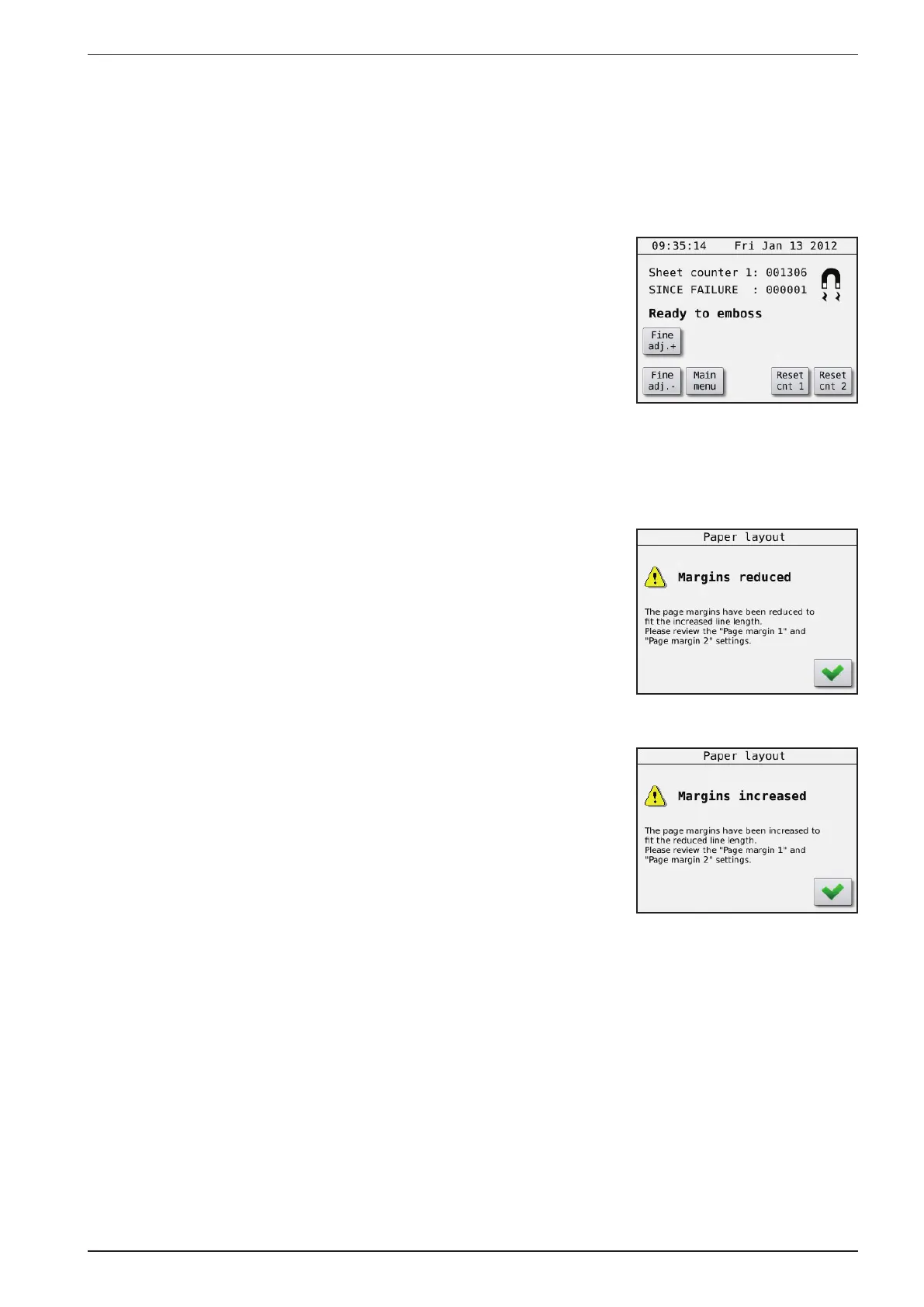
- Magnet failure
A defect magnets has been detected during printing. The display will
say “General failure, Magnet rack failure” and the Printer will stop.
Please check the log for the details.
(Main Menu - Warning - Service/Diagnostic - Warning - View Log)
To reset the magnet failure message (after the repair), you have to press
the menu choice “Clear Magnet Failure”.
(Main Menu - Warning - Service/Diagnostic - Clear Magnet Failure)
- Margins reduced
The line length has been increased so the total sheet size has exceeded
its maximum size. (585 mm) This is automatic corrected by reducing
the margins accordingly. Please check the Page margin 1 and 2 settings.
(Main Menu - Paper Layout - Page margin 1/2)
- Margins increased
The line length has been decreased so the total sheet size is reduced
to under its minimum size. (417 mm) This is automatic corrected by
increasing the margins accordingly. Please check the Page margin 1
and 2 settings. (Main Menu - Paper Layout - Page margin 1/2)



 To Next Page