BRAILLO
l
B 650 SF
94
4.18 Paper sensor - Replacing
This Printer has a sensor to detect if paper is present in the Printer.
This sensor is situated on the paper guide where the paper enters the Printer.
The sensor is an infrared, reective type, and it functions like this: A little infrared lamp is sending
light downward. If there is paper present, the light will be reected back, and is detected by a photo
transistor. If the sensor is defective, it must be replaced. It can be done like this:
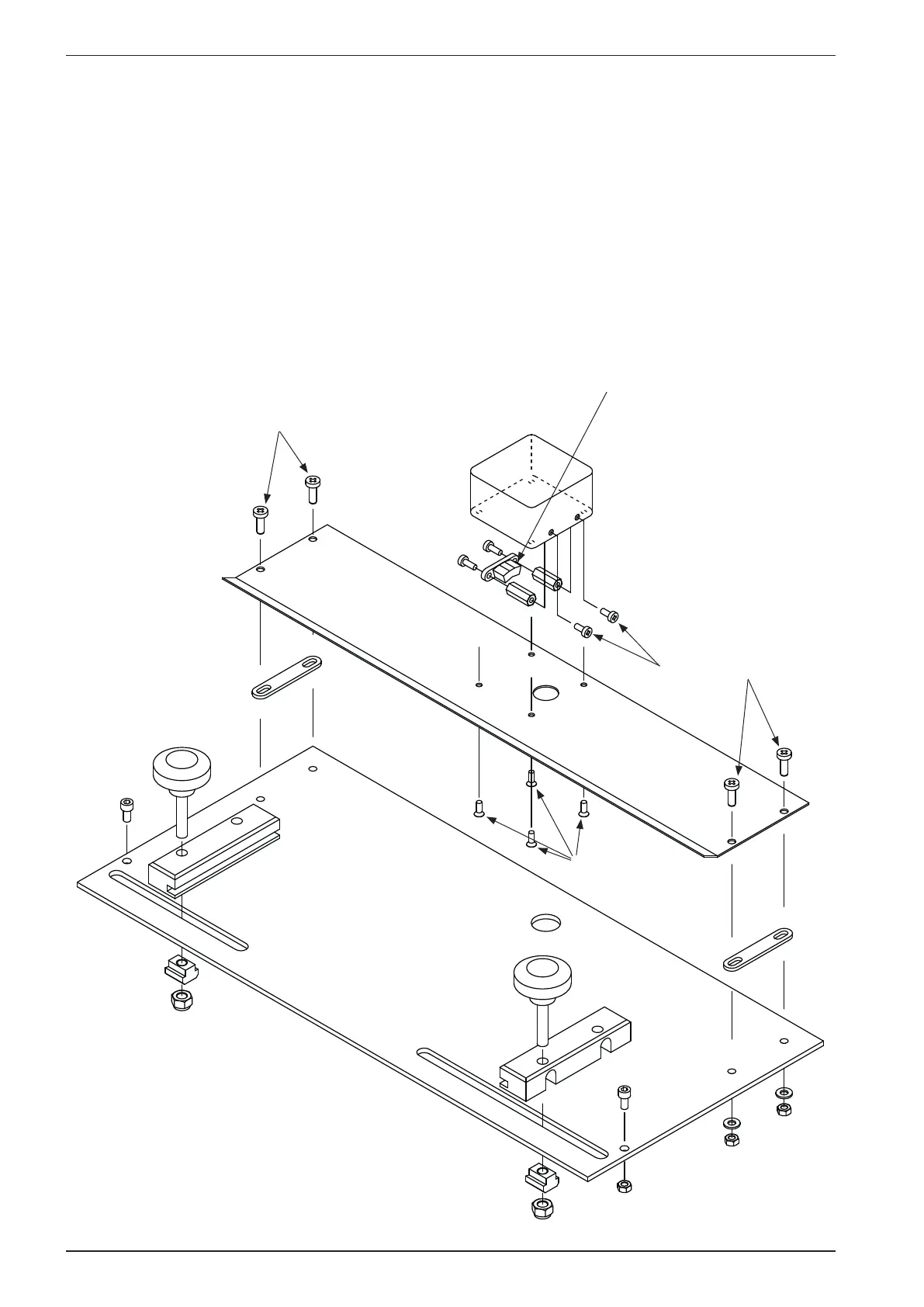
Take the paper guide out of the Printer. Unscrew rst the screws (A), then (B) and then (C). Now the
sensor is loose. The assembly is done in reverse order.
A
A
B
C
Paper sensor



 To Next Page