BRAILLO
l
B 650 SF
78
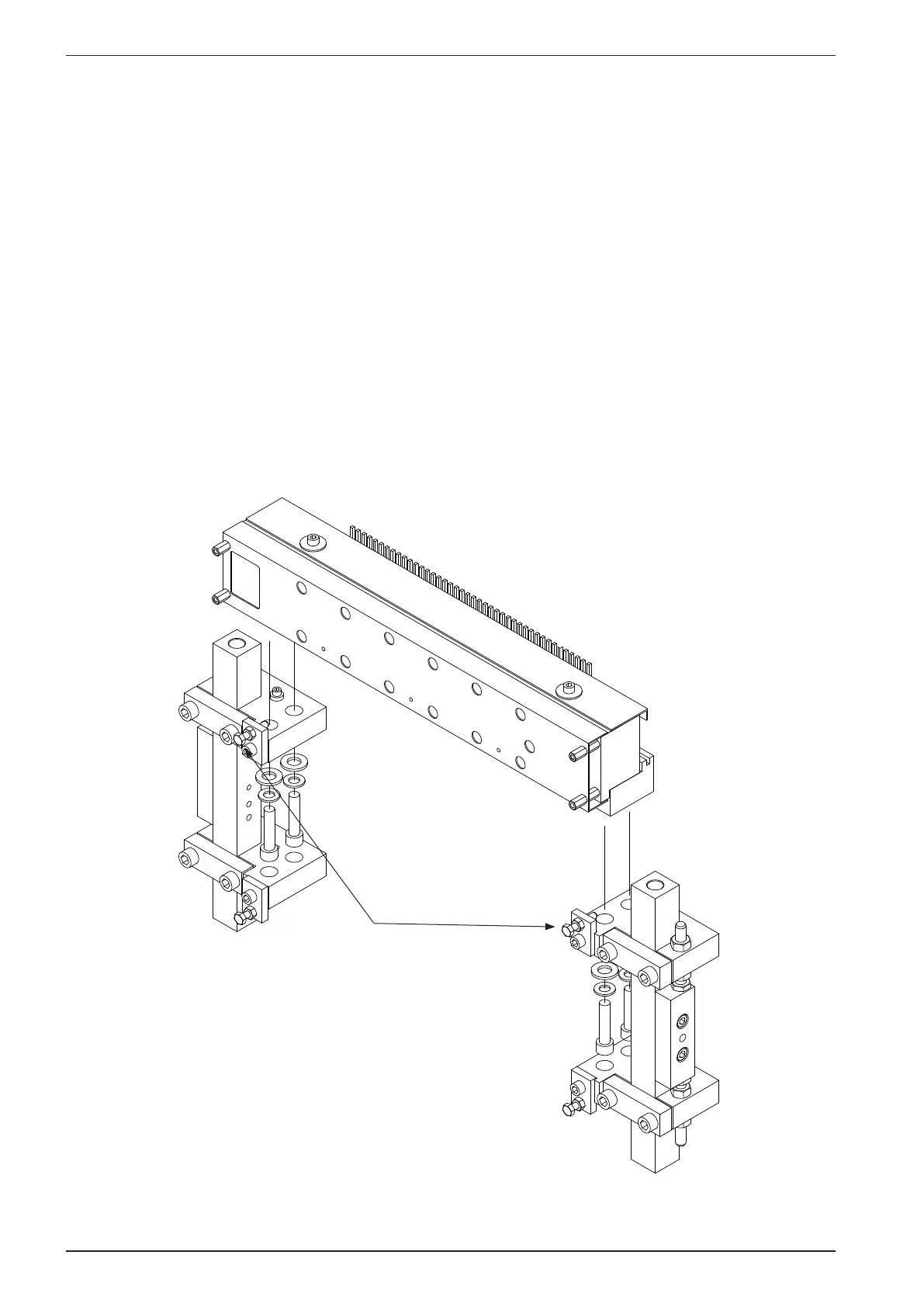
Pull back against these
positioning screws
4.8 Magnet rack - Retting and adjusting
Please see gure below:
Before putting the magnet rack back in the Printer, make sure that the magnet rack itself is adjusted as
described in the previous chapter.
When replacing the magnet rack in the Printer:
Put in the four fastening screws, but do not tighten them. Slide the magnet rack horizontally away from
the Printer, so that the magnet rack is touching the horizontal adjustment screws. This will ensure that
the magnet rack is in exactly the same position as before it was taken off the Printer.
See next chapter regarding correct adjustment of the magnet racks.
Note! All explanations refer to one magnet rack, but these adjustments must be done to all four magnet
racks.



 To Next Page