BRAILLO
l
B 650 SF
79
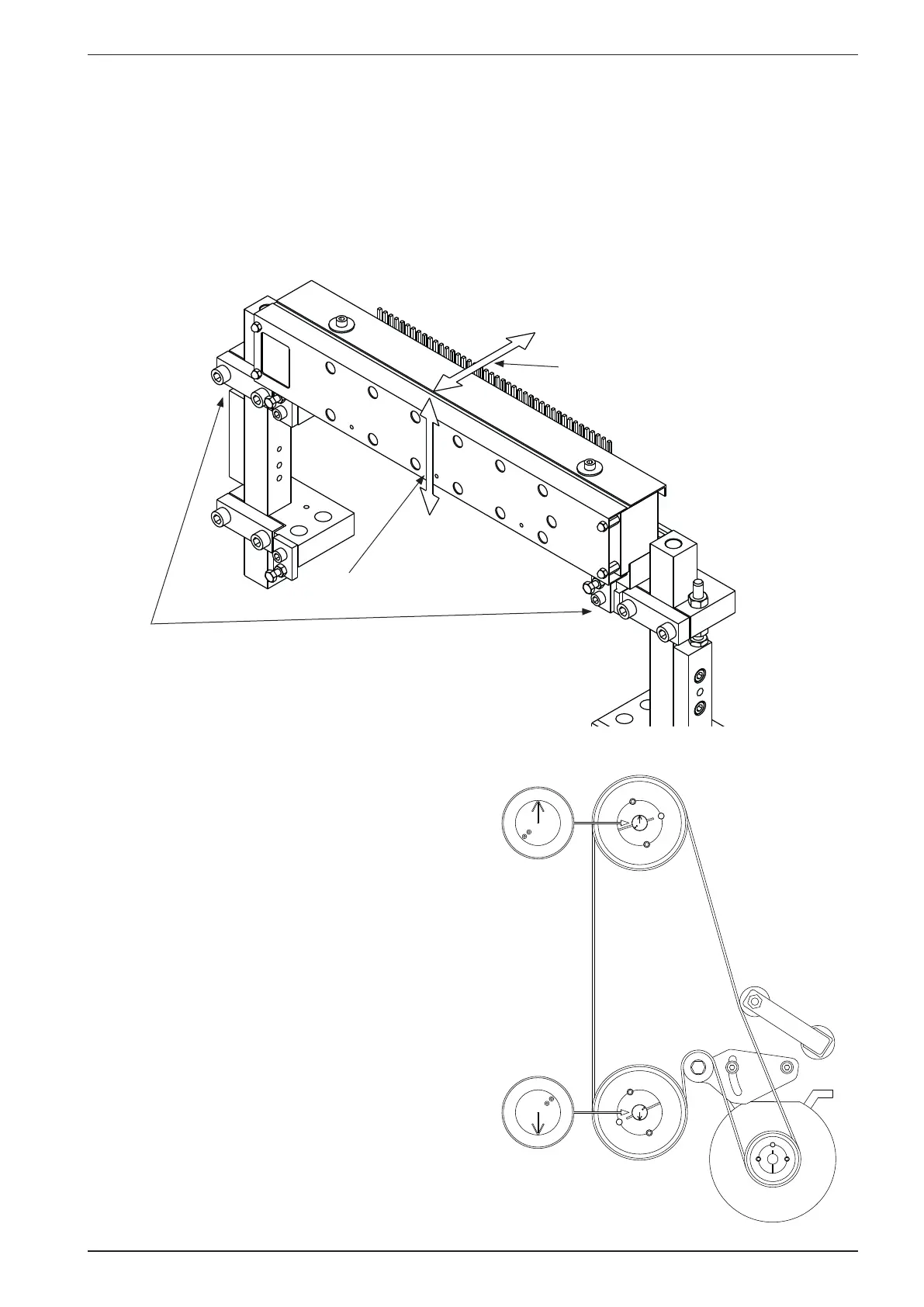
Horizontal
Vertical
Remember to do
the adjustments on
both ends of the
magnet rack
The magnet rack must be adjusted in two directions, horizontal and vertical.
The horizontal adjustment is done rst. This adjustment positions the magnet rack correctly in relation
to the short pivot arms. If the Printer prints too many or too few dots, the horizontal adjustment could
be the reason.
The vertical adjustment is to be done. This adjustment will affect the pressure the pivot arms put on the
printing pins. This directly affects the shape of the printed dots.
To be able to adjust the magnet rack correctly, it
is necessary to put the Printer in “printing posi-
tion”.
This is done by rotating the main belt by hand
until the arrows at the ends of the shaft are point-
ing in the opposite direction of each other.
It is possible to get the mechanism to balance
in this position, but you can also lock the shafts
with e.g. a self locking wrench (“vice-grip”
pliers).



 To Next Page