BRAILLO
l
B 650 SF
39
3.4 Explanation of the different menu choices
The Paper Layout menu
Main Menu - Paper Layout
Line length:
Main Menu - Paper Layout - Line Length
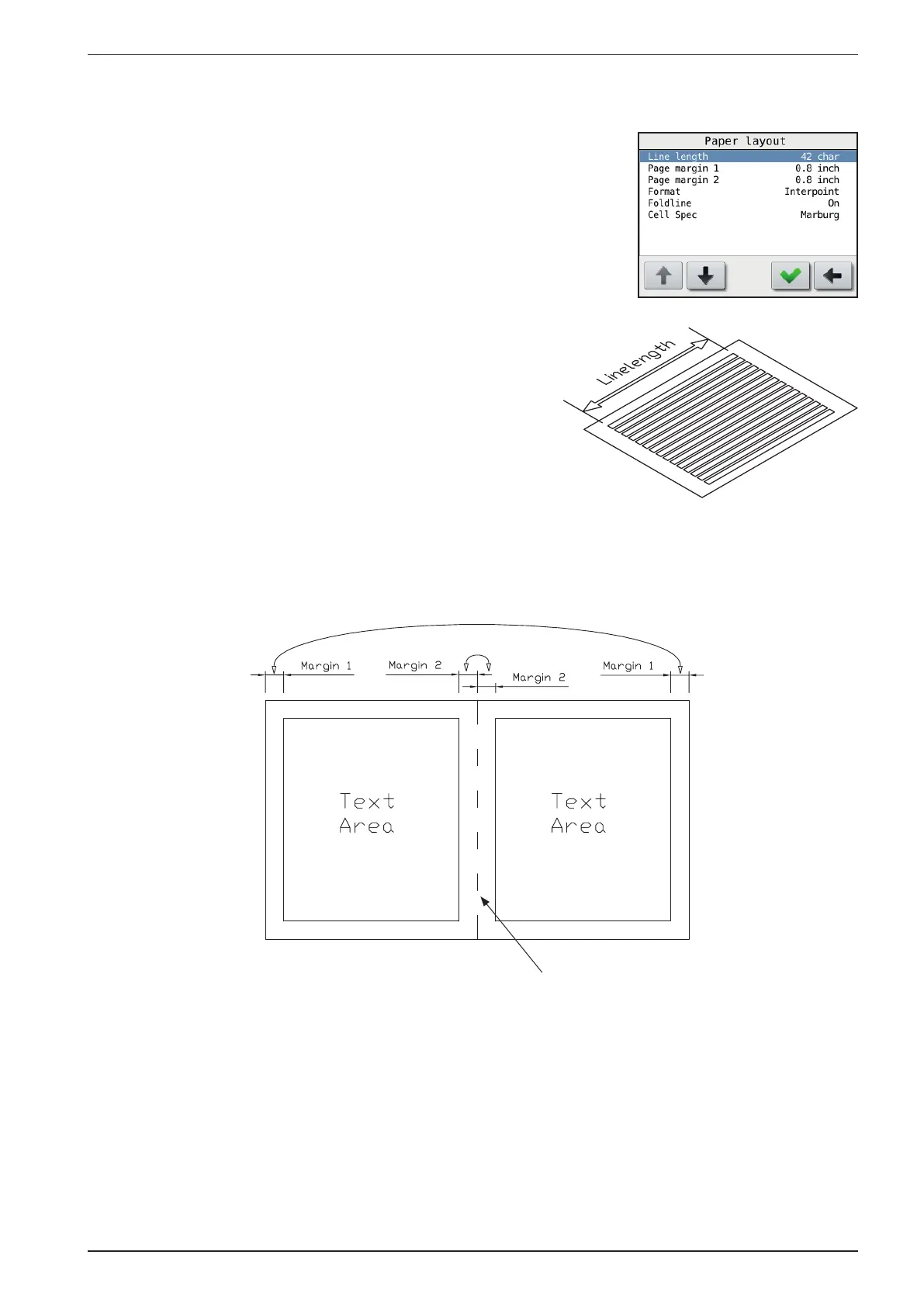
The line length is the maximum number of characters that you
can have on a single Braille line. Normally the line length is set
by the software in the computer.
Page margin 1 and 2:
Main Menu - Paper Layout - Page margin 1/2
The margins are adjustable from 12.7 mm (0.5 inch) to 50.8
mm (2.0 inch), in 2.54 mm (0.1 inch) increments.
There are two different margins, Margin 1 and Margin 2.
Note that the value on Margin 1 will affect both the “outer”
margins. And the value on Margin 2 will affect both the “inner”
margins.
Format:
Main Menu - Paper Layout - Format
Selects between Interpoint (dots on both sides of the sheet) and
Single sided (dots on just one side of the sheet).
Fold line:
Main Menu - Paper Layout - Fold line
Turn on or off a row of dots in the middle of the four-page
sheet. This makes it easier to fold the sheet.
Fold line



 To Next Page