BRAILLO
l
B 650 SF
40
The Service/Diagnostic menu
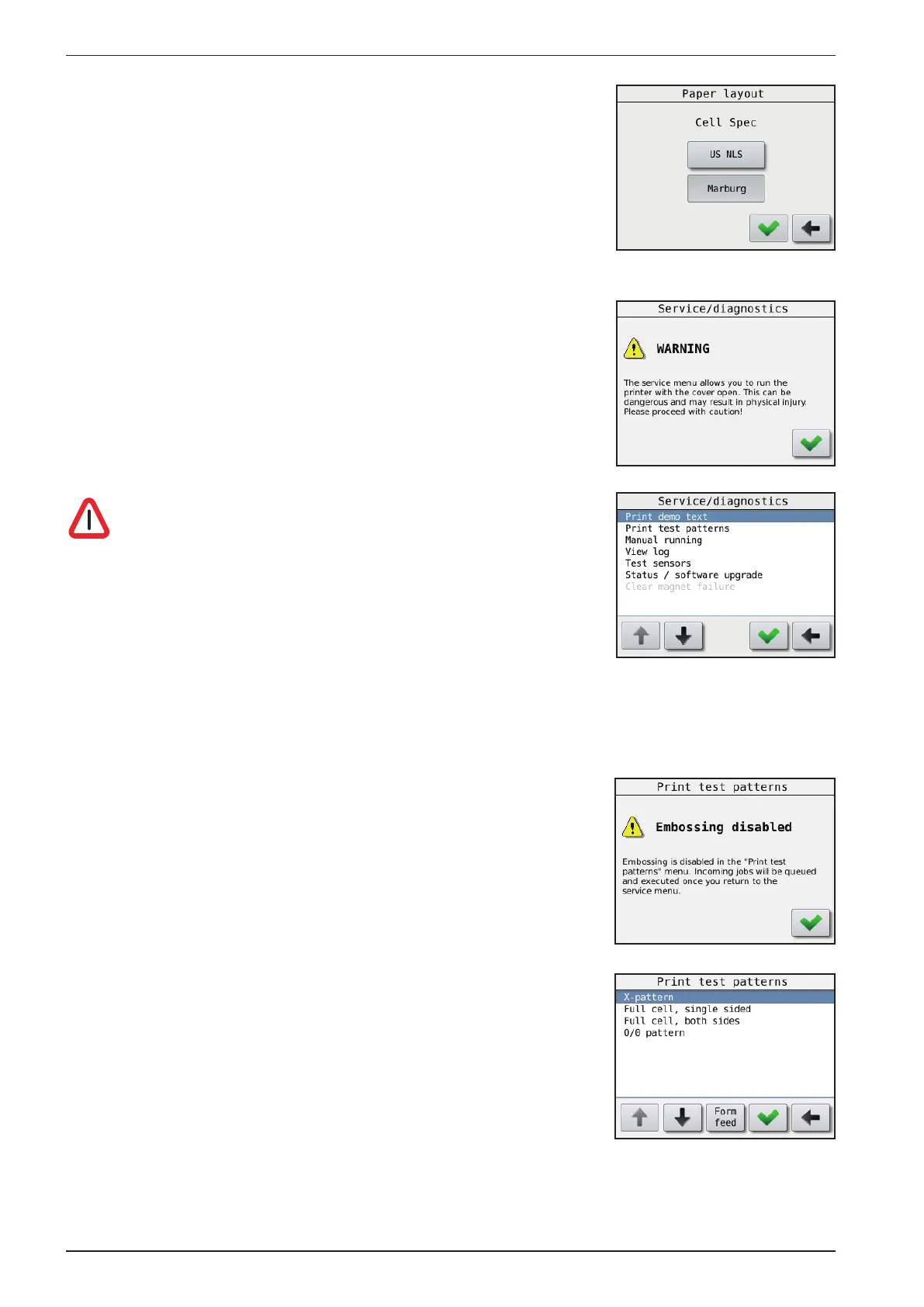
Main Menu - Warning - Service/Diagnostic
When entering this menu choice, a warning window will appear.
The purpose of this warning is make the user aware that the safety
switches on the cover is now disabled. This is done to make it possible
to run smaller tests during service.
Please take care for the rotating parts!
The Printer may unexpectedly be started by other users!
To make sure you have absolutely control when doing service
with the power connected, please disconnect the computer
cables (Ethernet and USB).
Print demo text:
Main Menu - Warning - Service/Diagnostic - Warning - Print demo text
Prints a short demo text with the current settings.
Print Test Pattern:
Main Menu - Warning - Service/Diagnostic - Warning -
Print Test Pattern
When entering this menu choice, a warning window will appear.
This is to make the user aware that print jobs from the computer will
not be printed as long as you are in this sub-menu.
- X pattern.
Will print dots in a x pattern across the sheet,
useful when searching for missing dots.
- Full cell, single sided.
Prints all six dots on all characters on one side of the sheet,
useful for dot quality tests.
- Full cell, both sides.
Prints all six dots on all characters on both sides of the sheet,
useful for testing the paper quality.
- O/Ø pattern.
Prints a test pattern made of dot 1,3,5 and 2,4,6, single-sided, useful when searching for extra dots.
Cell spec:
Main Menu - Paper Layout - Cell spec
Here you can choose between the Marburg medium standard
or the US NLS standard Braille cell spacing.



 To Next Page