BRAILLO
l
B 650 SF
147
8.2 Operating
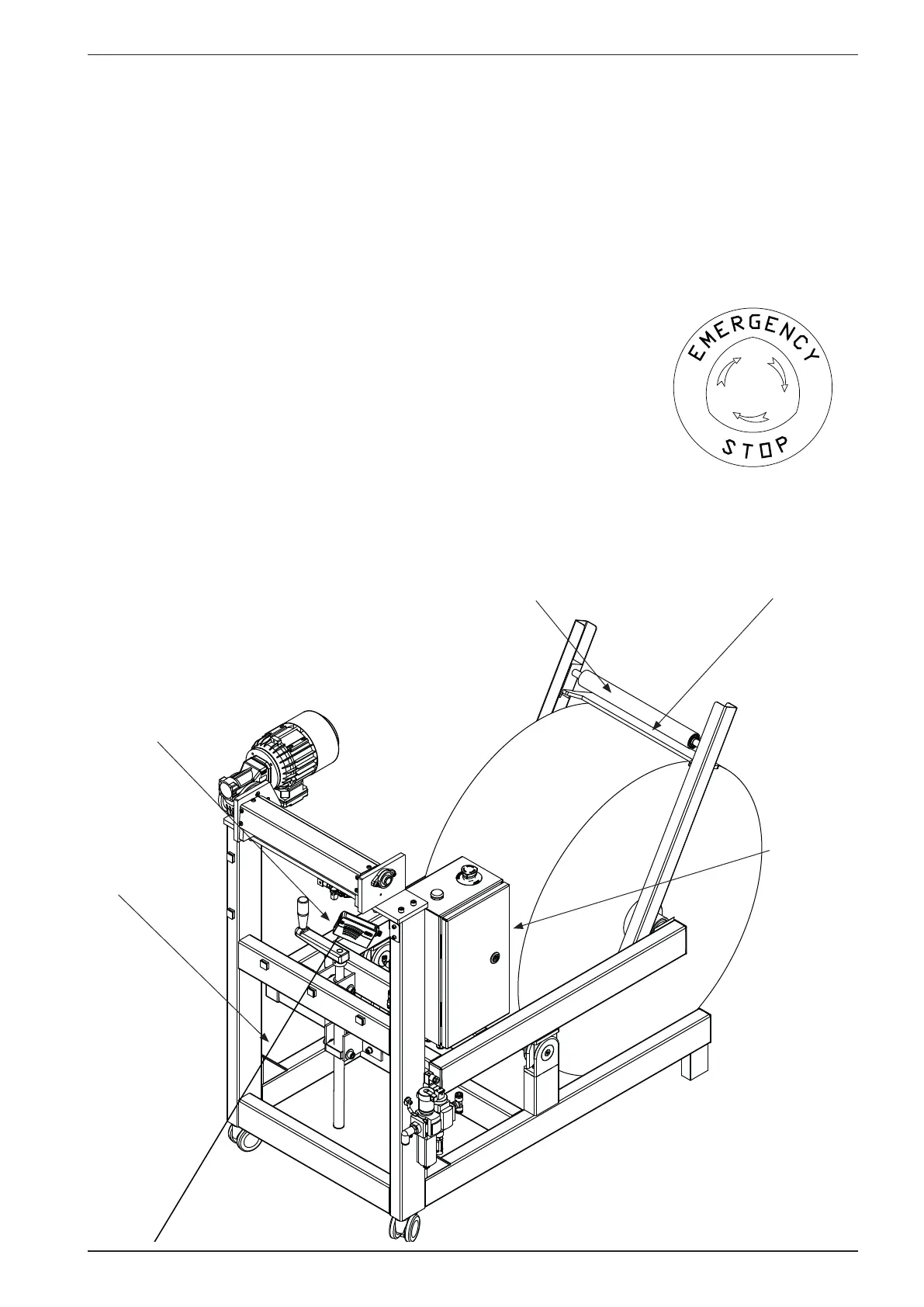
To operate the Paper Roll Feeder, the Printer must be “awake” and the emergency switches must be in
released (upper) position.
When turned on, the green power lamp will light up and depending on the paper position, the feeder
motor may start. The paper feed is controlled by a laser distance sensor and this will always keep a
“slack” in the paper between the Paper Roll Feeder and the Printer. The Paper Roll Feeder will auto-
matically feed paper when needed. The paper is feed with a speed depending on the distance from
the sensor to the paper. Long distance = low speed, short distance = high
speed.
If the emergency stop is activated (pushed down), it has to be reset. The
resetting is done by turning the knob like the arrows illustrate, until the
knob “pops up” again.
Note! If any work is to be done near or at the feeder rolls, be sure to dis-
connect the power and the compressed air to prevent injuries.
Y
C
N
E
G
R
E
M
E
S
T
O
P
Correction
roll
Laser
distance
sensor
Laser beam
Friction
bar
Main
switch



 To Next Page