BRAILLO
l
B 650 SF
23
Connecting to the computer
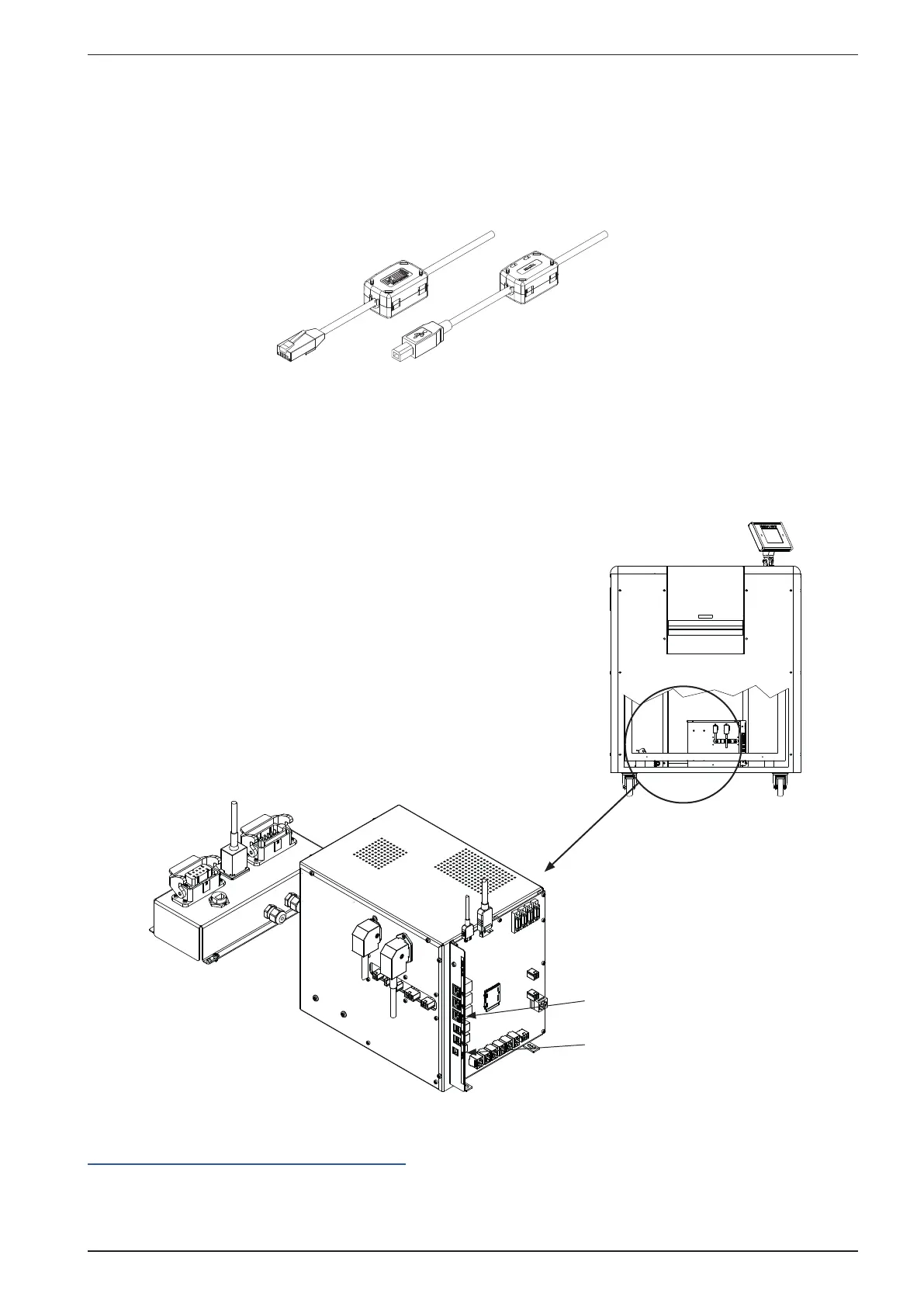
This can be done in two ways, Ethernet or USB.
The ethernet is a RJ45 connector, and the USB is a regular USB connector.
When connecting the USB or the ethernet cable, make sure the end with the ferrite bead is connected
to the printer.
There is no need to select which of the two input to use. The Printer will connect to the input who
receives data rst. Meaning, if data comes on the ethernet, the USB will not be operative before the
ethernet have nished the transmission.
It is a rather large text buffer in the Printer, so the text le will be transferred to the Printer as fast as
the transmission will allow. Then the Printer will run until the text buffer is empty.
See gure below.
Ethernet
USB
For the latest instruction on how to install the printer on your computer, see the information here:
http://braillo.com/braillo-owner-resources/



 To Next Page