© Copyright Brainboxes Ltd
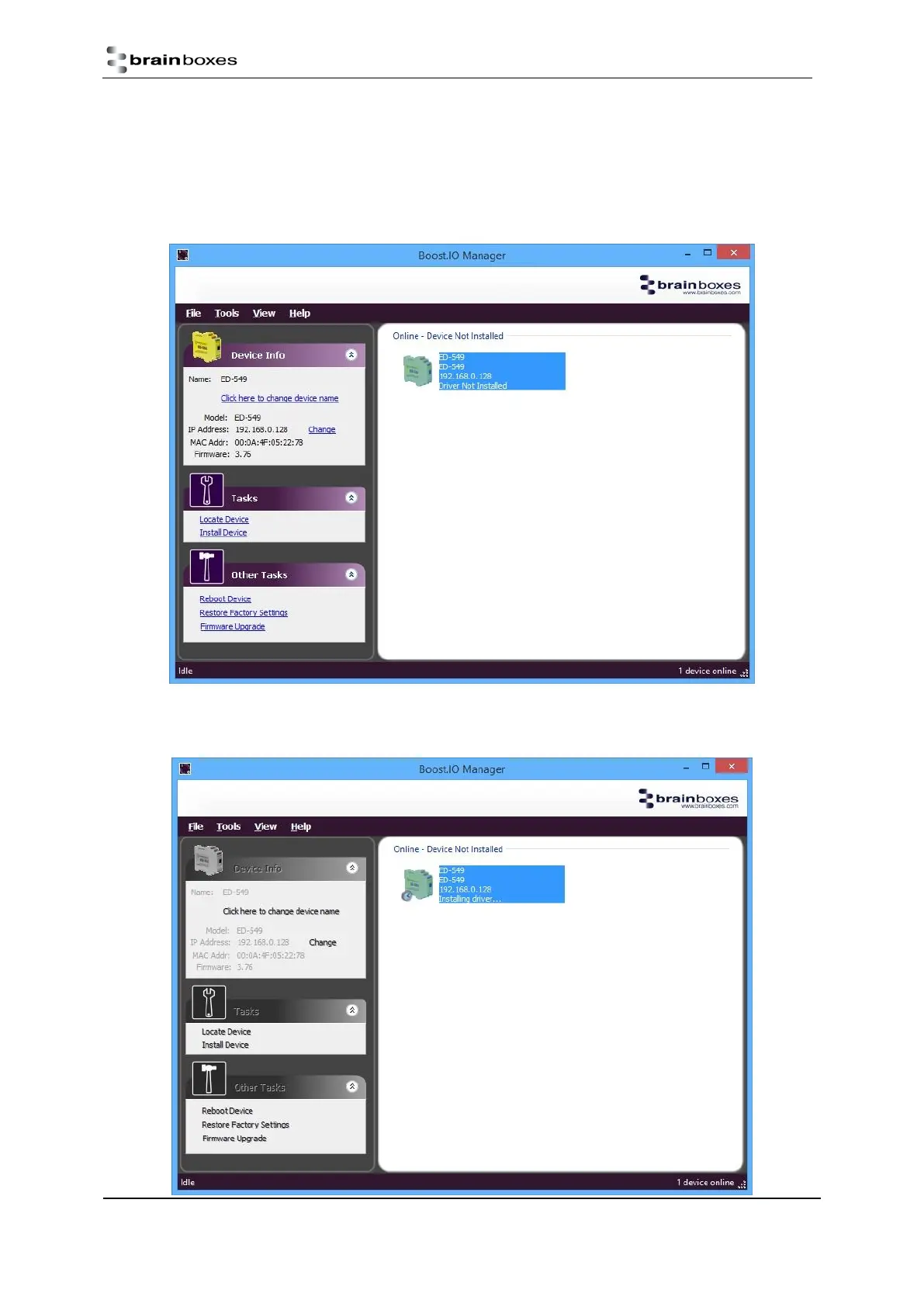
3. Once the search is complete, all the devices that have been found on the network will be displayed in
the main window of Boost.IO Manager. When you select a device, the information and settings
options for that device will appear in the left column.
4. You can identify your ED device by matching the MAC address in the left panel of Boost.IO Manager
with the MAC address on the sticker of your ED device’s case.
5. When you have found your device in Boost.IO Manager, in the left panel under ‘Tasks’ click ‘Install
Device’.


 To Next Page