© Copyright Brainboxes Ltd
Adding a Device by MAC Address
A device can be added into Boost.IO Manager by entering the MAC address. The MAC address of a device can
be found on the sticker of the device. Follow the instructions below to add the device using the MAC address.
Open Boost.IO Manager by clicking the icon created on the desktop when the application was
installed.
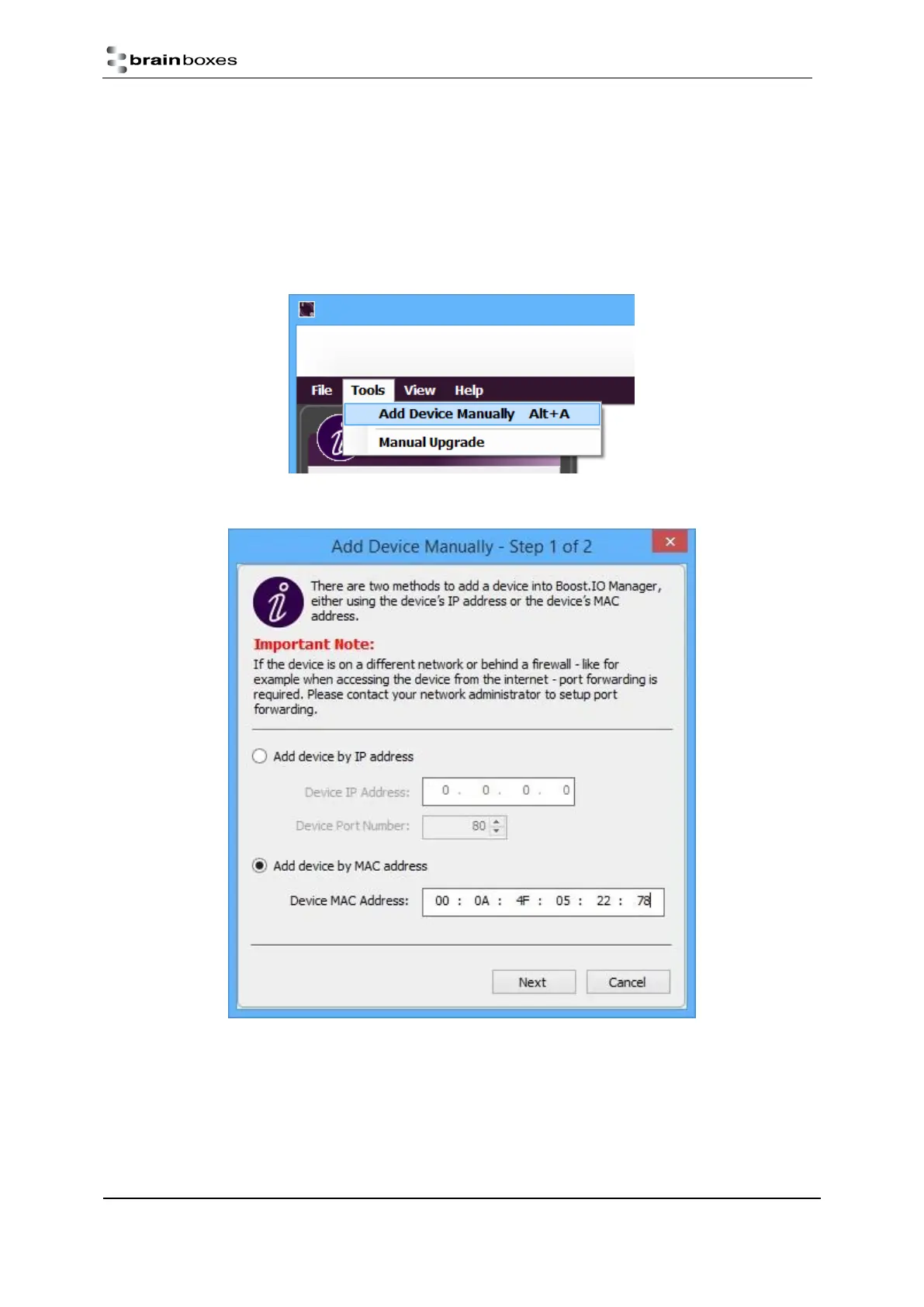
Select ‘Tools’ and then click ‘Add Device Manually’.
Select the ‘Add device by MAC address’ radio button then enter the MAC address of your device.



 To Next Page