© Copyright Brainboxes Ltd
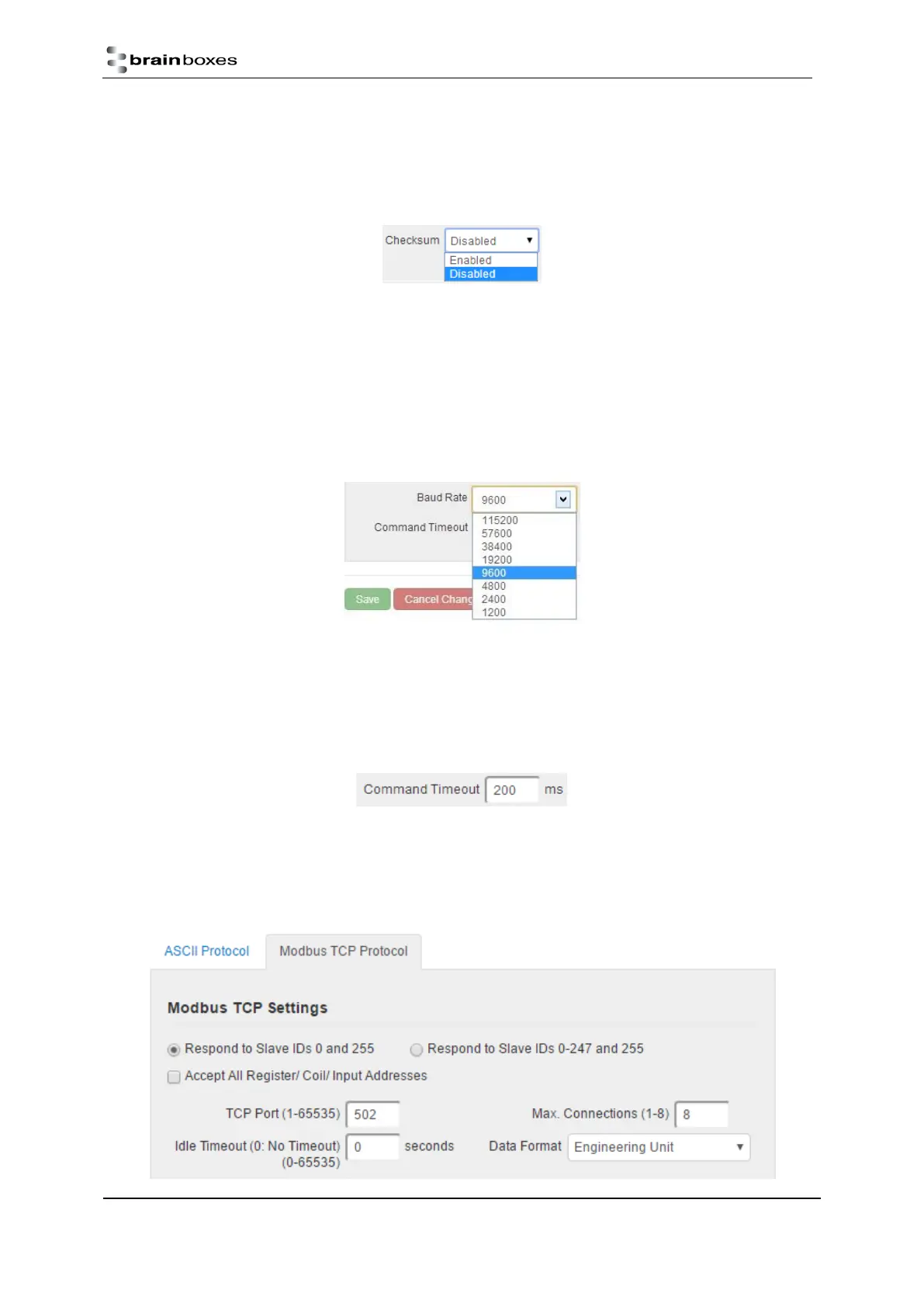
The purpose of the checksum is to help the PC and devices detect the communication errors that have
corrupted the command strings. When the checksum is enabled all commands from the PC to the devices and
all responses from the devices must contain a valid checksum otherwise the data is discarded. When the
checksum is enabled, commands sent without a valid checksum will be ignored by the devices and the device
will not respond to the host PC. By default, the checksum is disabled.
Serial Expansion Settings
The Expansion Port feature (available on ED-5XX models) allows the ED to send out ASCII commands on an
RS485 bus to other ASCII protocol compatible devices such as NuDAM, eDAM and ADAM modules. The
expansion port uses half duplex RS485 with 8 data bits, no parity and 1 stop bit.
Baud Rate
The baud rate of the Expansion Port can be changed using the drop down box. The default baud rate is 9600.
Command Timeout
The Command Timeout option determines how long the ED device will wait for a response from the Serial
Expansion once a command has been sent. If, after the specified time no response has been received through
the expansion port then the ED device will stop waiting for a response. If a response does come in after the
timeout value, the response will be discarded. The default timeout is 200 milliseconds.
Modbus TCP Settings
Brainboxes ED products by default are configured to use the ASCII protocol. To enable the Modbus protocol
instead, select ‘Modbus TCP' from the Current Protocol drop-down menu, and check the Modbus TCP settings
below.


 To Next Page