© Copyright Brainboxes Ltd
ASCII Protocol Settings
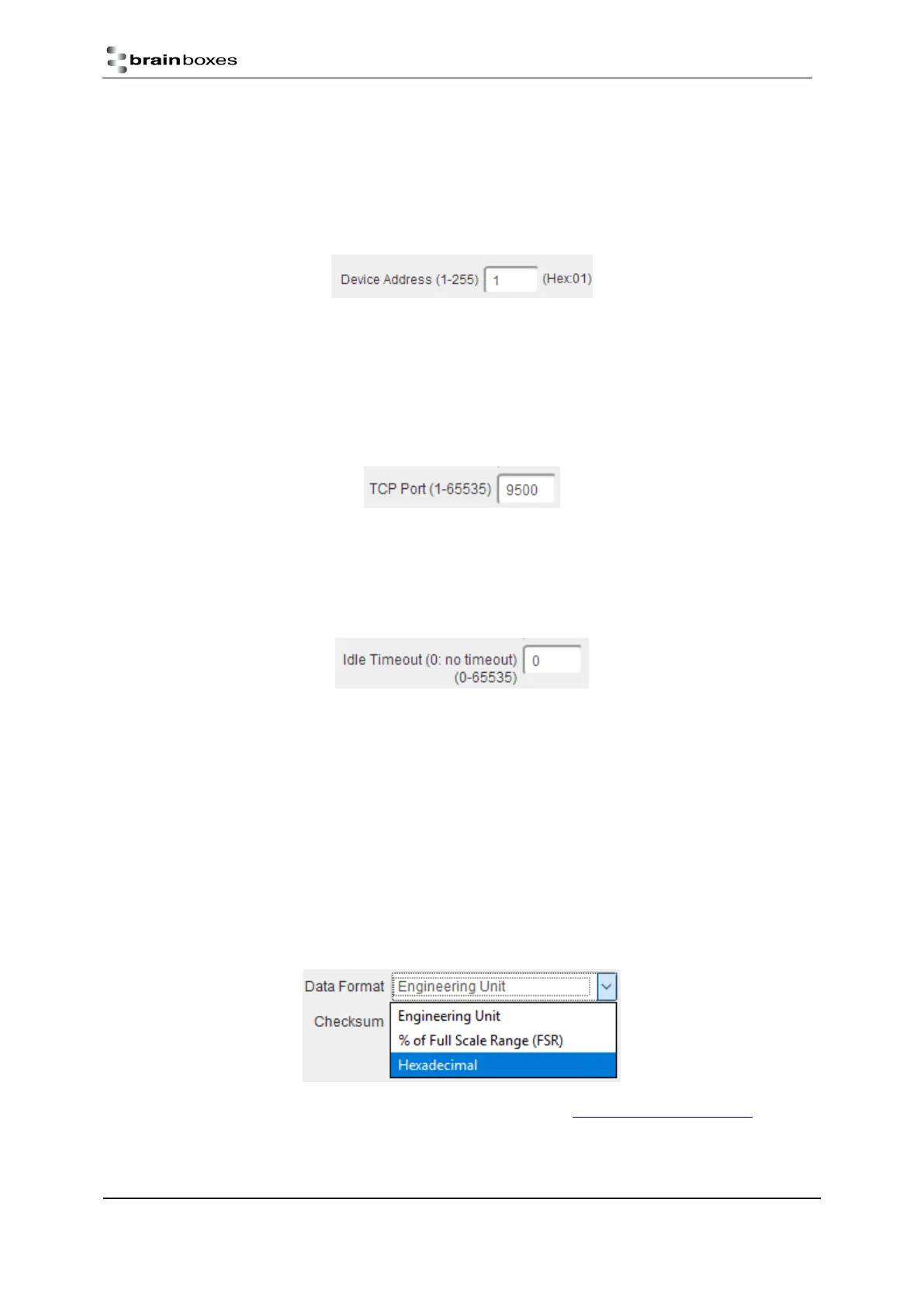
Device Address
The device address is a hexadecimal value which specifies the target device. If an ASCII command is being sent
to a specific device, this address is used to specify which device the command is sent to. Also, some of the
responses from the commands will contain a device address to indicate which device sent the response.
The number entered into the text box should be a decimal number between 1 and 255. Any decimal numbers
entered will have their Hex value displayed to the right of the text box.
TCP Port
The TCP port is the network port that is used to connect to the device at the IP address that it’s using. The
default port number is 9500.
Idle Timeout
When the idle timeout is set, if there is no communication to the device for the specified period of time, the
connection will be closed. The default idle connection is 0, meaning the connection will never be dropped
automatically.
Data Format
The data format can be set to one of 3 options – Engineering unit, % of full scale range (FSR) or 2’s
complement hexadecimal.
The engineering unit is the actual value that is read from the analogue input line of the device and is displayed
as either a voltage or a current depending on the FSR setting.
The % of the full scale range is the actual value as a percentage of the full scale range and the value will be
displayed as a percentage.
The 2’s complement hexadecimal is the actual value converted into 2’s complement hexadecimal. The value
will be displayed as a 4 character hexadecimal value.
For more information on the data format and FSR ranges see the section Analogue input type settings.
Checksum


 To Next Page