© Copyright Brainboxes Ltd
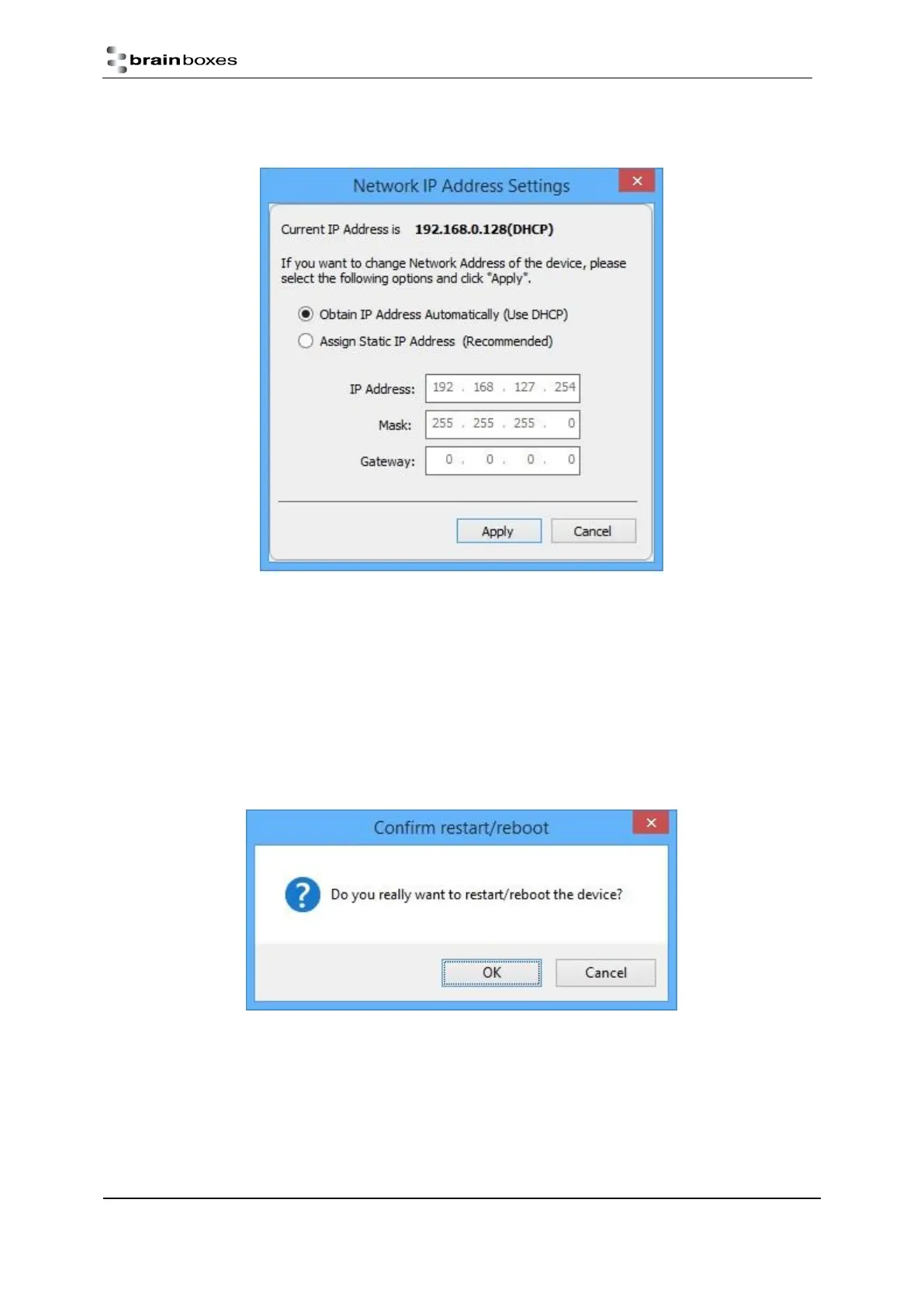
4. Select the ‘Assign Static IP Address’ radio button and enter an IP Address, Subnet Mask and Gateway
Address then click ‘Apply’.
5. The ED device will reboot itself and have the new IP address once it has booted back up.
Rebooting Device
Note: Please ensure your device is not in operation before rebooting it to prevent data loss.
To reboot your device, firstly open Boost.IO Manager and select the device you wish to reboot.
On the left side of Boost.IO Manager under the ‘Other Tasks’ section, click ‘Reboot Device’.
Confirm that you want to reboot your device.
The device will then reboot. Once the LED’s on the device are green it is ready to use again.


 To Next Page