© Copyright Brainboxes Ltd
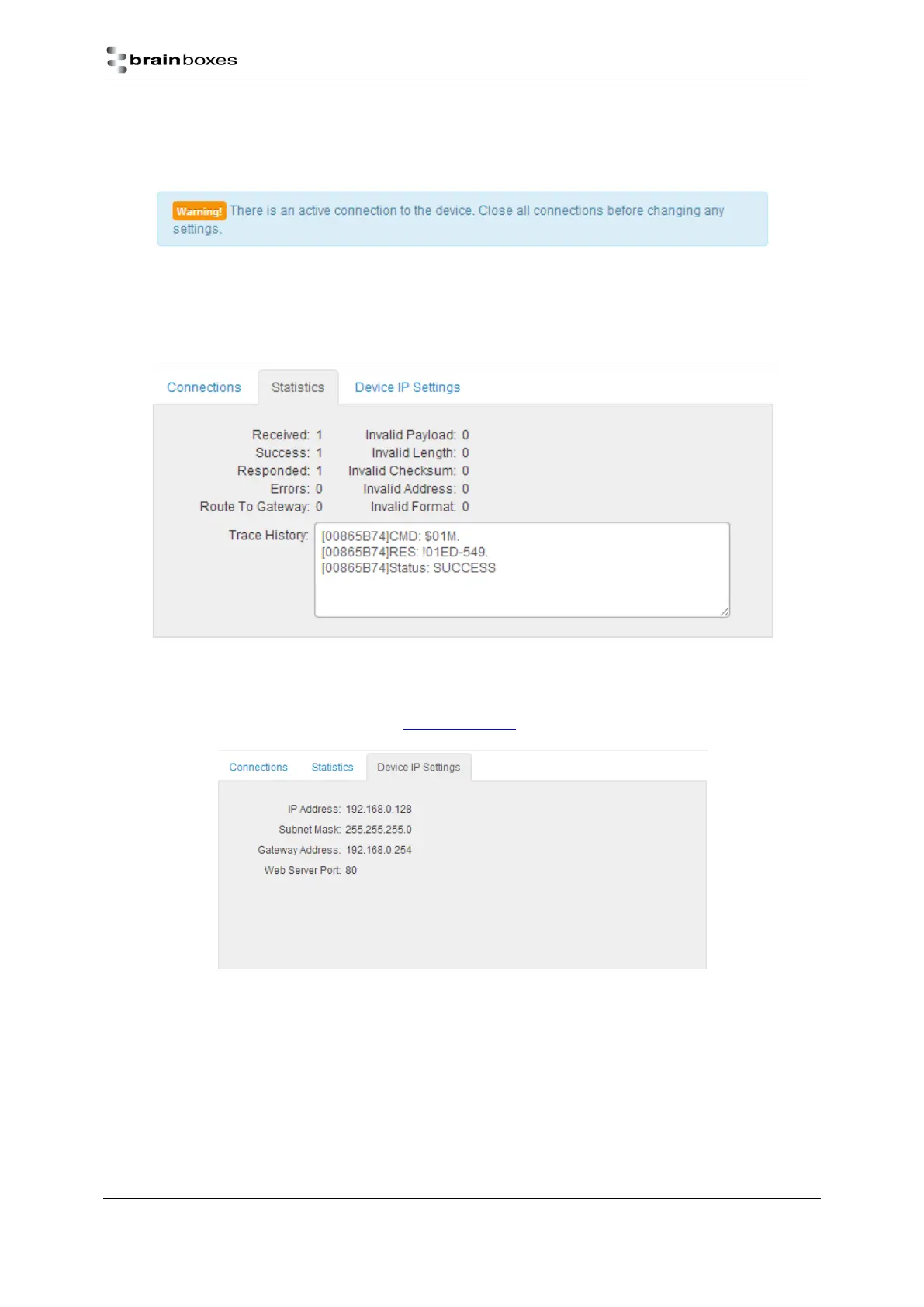
Also, when a connection is made there will be a warning at the top of every page. When changing some of the
settings, the device is required to be restarted for the settings to be applied and the ED device cannot be
restarted while a connection is being made to it.
Statistics
The Statistics tab will display information about the protocol commands that have been sent to the device
since it was powered on, including a history of all the commands sent and the response of each command.
Device IP Settings
Under the Device IP Settings tab there is information about the device’s network settings. These settings can
be changed on the Network page. See section 6.3 Network page.


 To Next Page