Page 358 of 479
Text Font: Used to set font for the label including Name of Font, Size of font and Style of font.
Supported styles include Regular, Bold, Italic, Underline & Strikeout.
Tag Binding: Select the Analog Tag of process value.
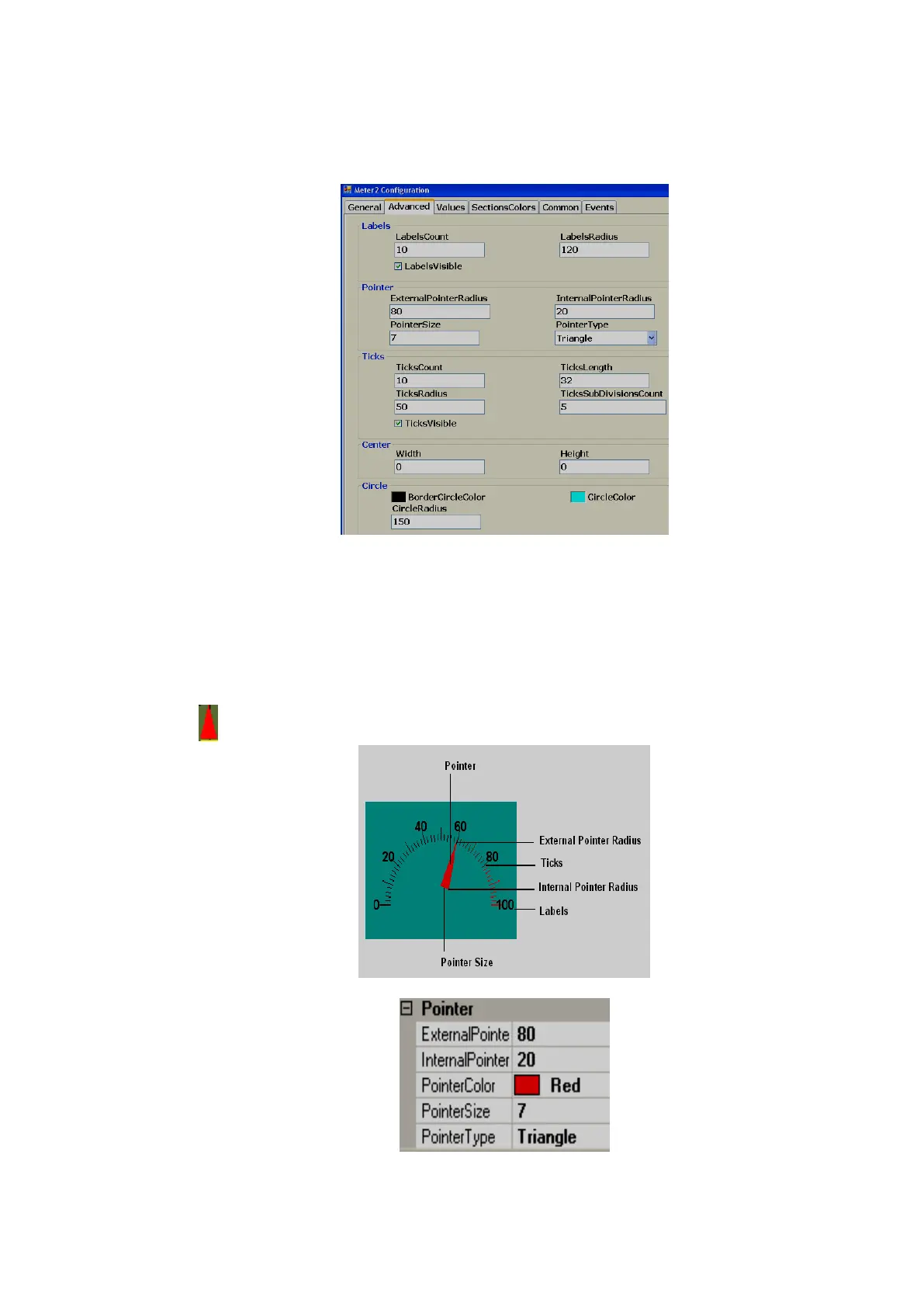
Labels:
LabelsCount: Number of labels to be displayed around the Meter.
Example: Pressure transmitter range 0-100 bar
Label count =10 Around the Meter, you will see labels marked with 10, 20, 30, 40, 50, 60, 70, 80,
90 and 100.
LabelsRadius: It is to set the radius of Labels to be displayed around the Meter.
LabelsVisible: True/False, it is to set visibility for the label
Pointer
External Pointer Radius: It is used to set external pointer Radius, define end position.



 To Next Page