1.3.1 Hardware Symbols
Symbols on Hardware Components
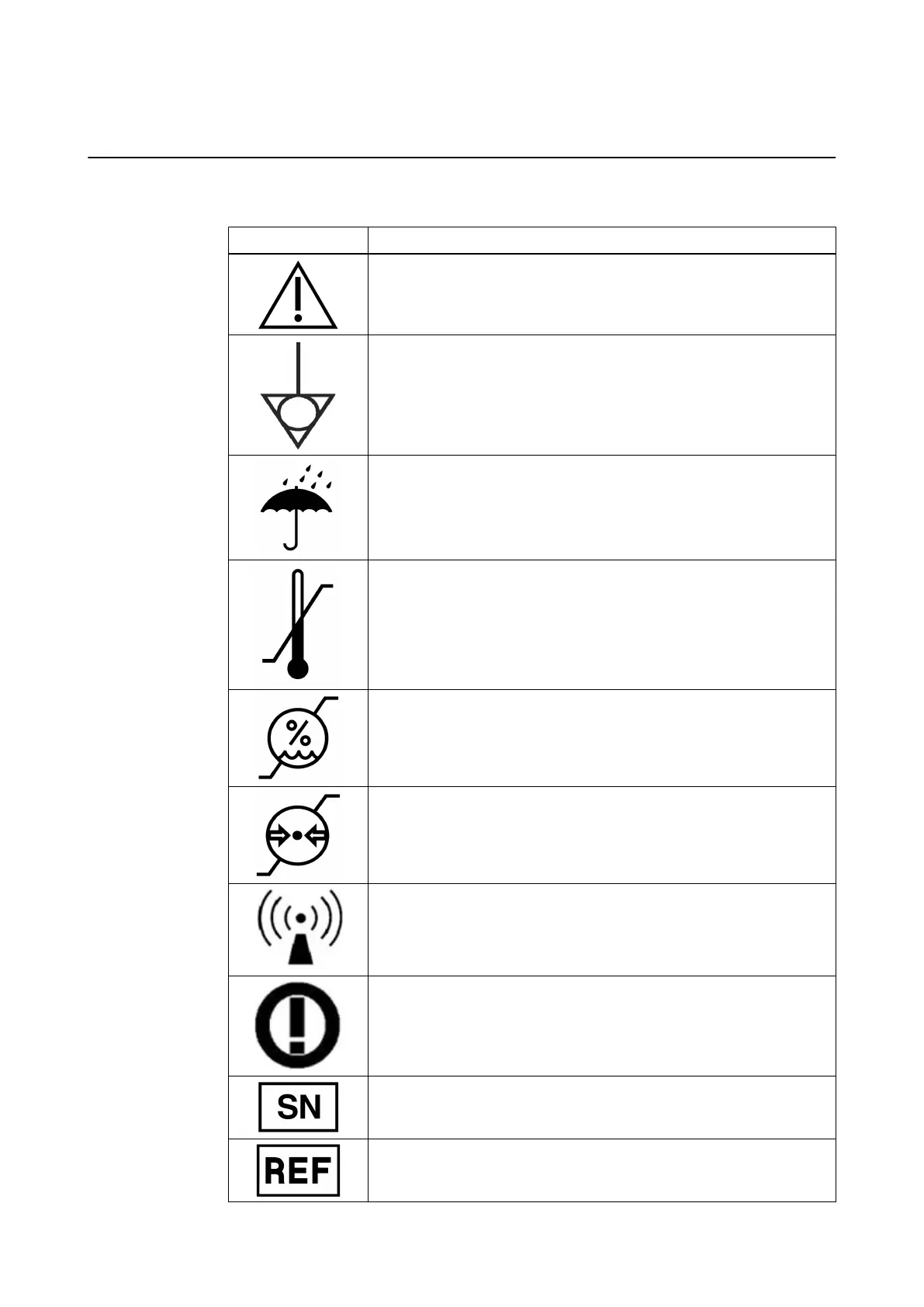
The following symbols may be found on Kick 2:
Symbol Explanation
Caution
Potential equalization point
Keep dry
Storage conditions for temperature: The specified temperature range is
shown on each label.
Storage conditions for relative humidity non-condensing: The specified
humidity range is shown on each label.
Storage conditions for air pressure: The specified air pressure range is
shown on each label.
Radio device
Class 2 wireless LAN
Serial number
Article number
GENERAL INFORMATION
System and Technical User Guide Rev. 1.3 Kick 2 Navigation Station 11



 To Next Page