3.2.2 Moving Parts
Precautions
Touchscreen colors may be displayed incorrectly if the monitor is not positioned correctly. The
user’s line of vision must be perpendicular to the touchscreen to ensure that colors are viewed
correctly.
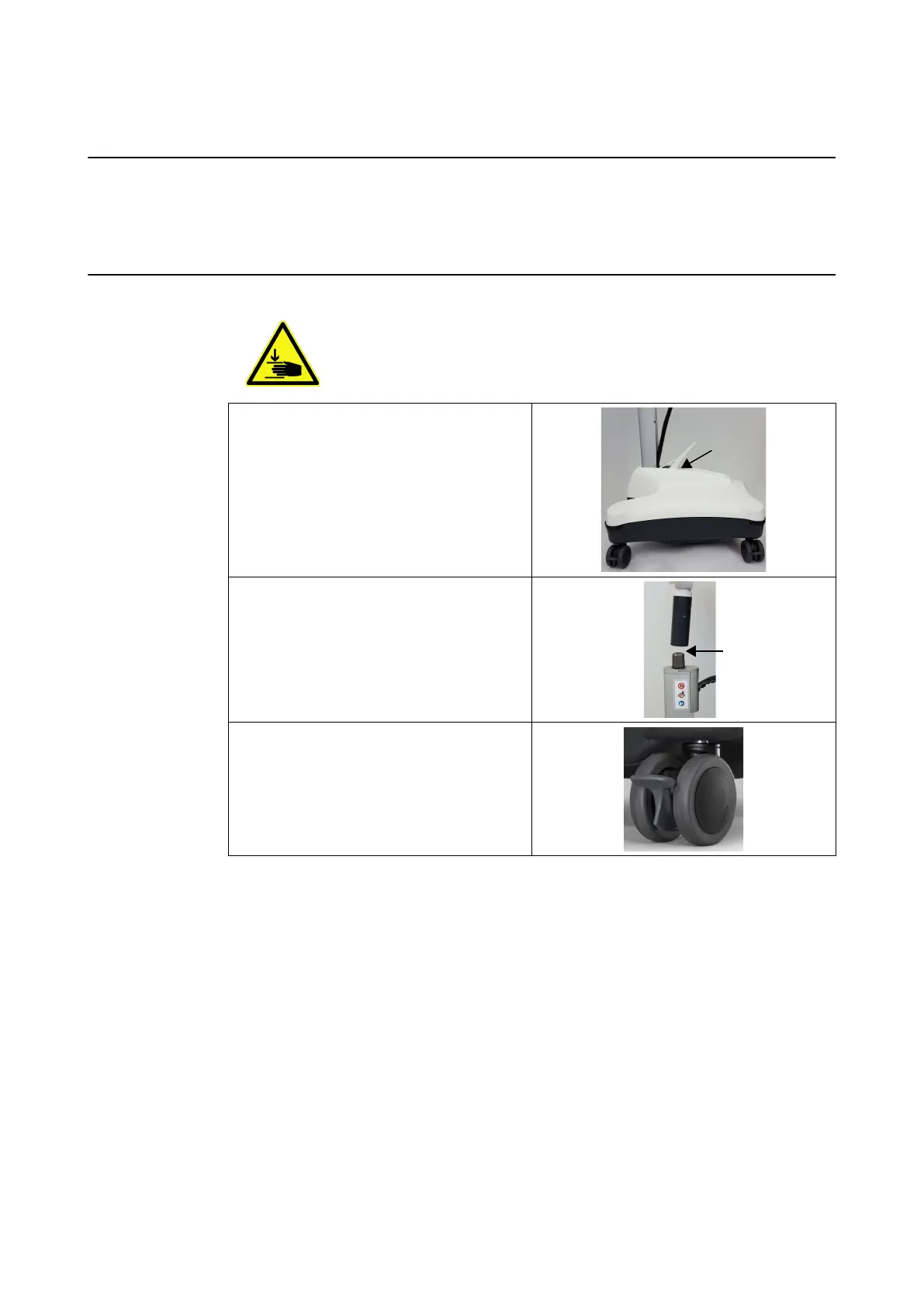
Clamping Spots
Be extremely careful not to clamp fingers or other body parts when positioning
the monitor. Monitor Cart joints that may clamp body parts include, but are not
limited to:
Post fixation lever
Monitor handle (during assembly)
Wheels
Moving Parts
32 System and Technical User Guide Rev. 1.3 Kick 2 Navigation Station



 To Next Page