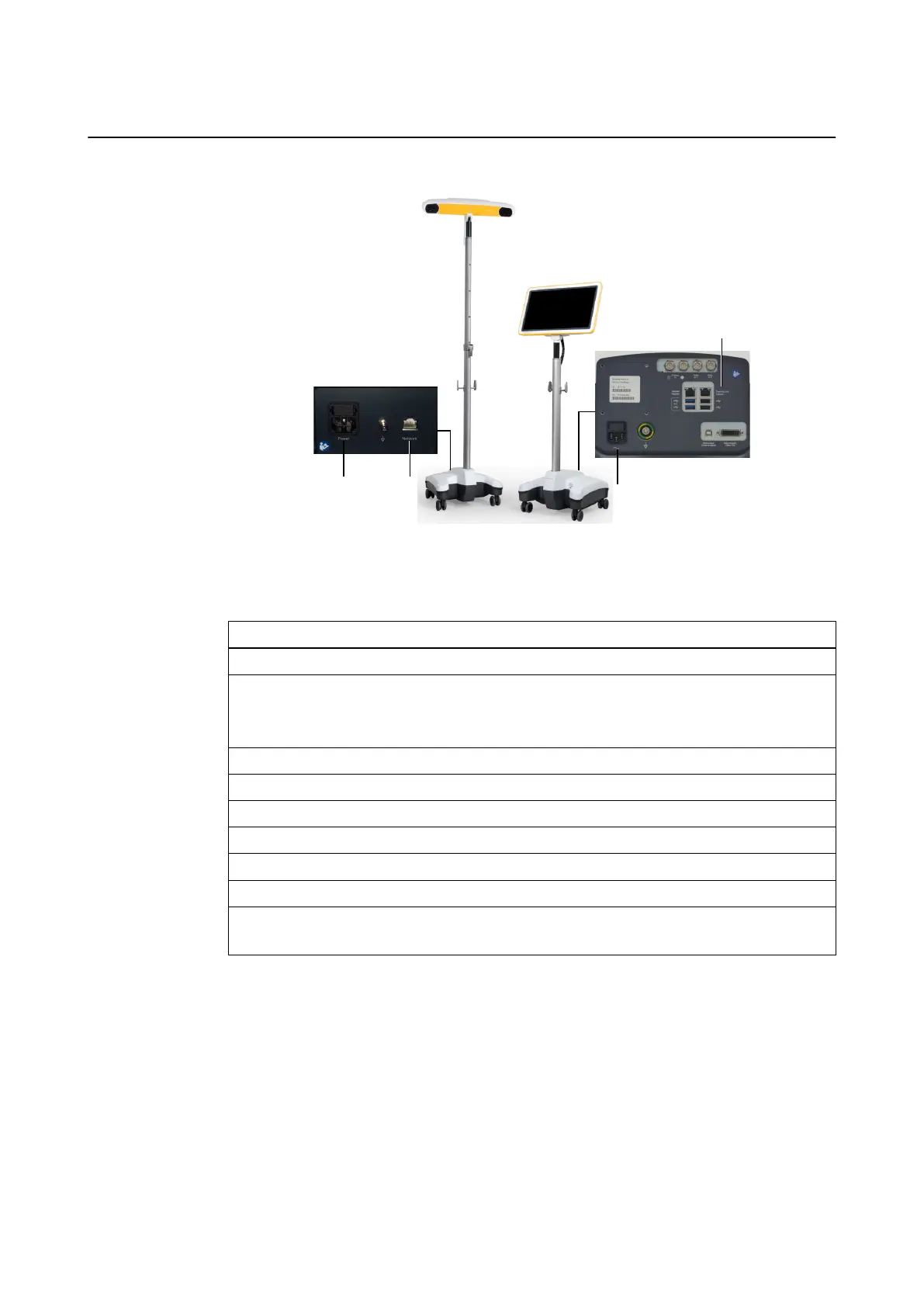
Set Up Example
Figure 5
The set up procedure describes positioning the device in the OR and attaching a tracking unit
(Kick 2 Spectra Camera Cart shown below).
Step
1. Remove protection cover before entering the OR.
2. Position the system in the OR.
NOTE: Do not position the monitor or any other part of the system directly over the pa-
tient.
3. Lock all brakes on the Monitor Cart.
4. Move monitor into desired position.
5. Set up the tracking unit according to the instructions provided.
6. Connect the Ethernet cable to the Tracking Unit port ④ on the Monitor Cart.
7. Attach the mains power cable to the Monitor Cart ③ and plug in to wall outlet.
8. Attach the mains power cable to the tracking unit ① and plug into wall outlet.
9. Connect the Ethernet cable to the network port ② on the tracking unit.
The system is now ready to be turned on.
System Setup
28 System and Technical User Guide Rev. 1.3 Kick 2 Navigation Station



 To Next Page