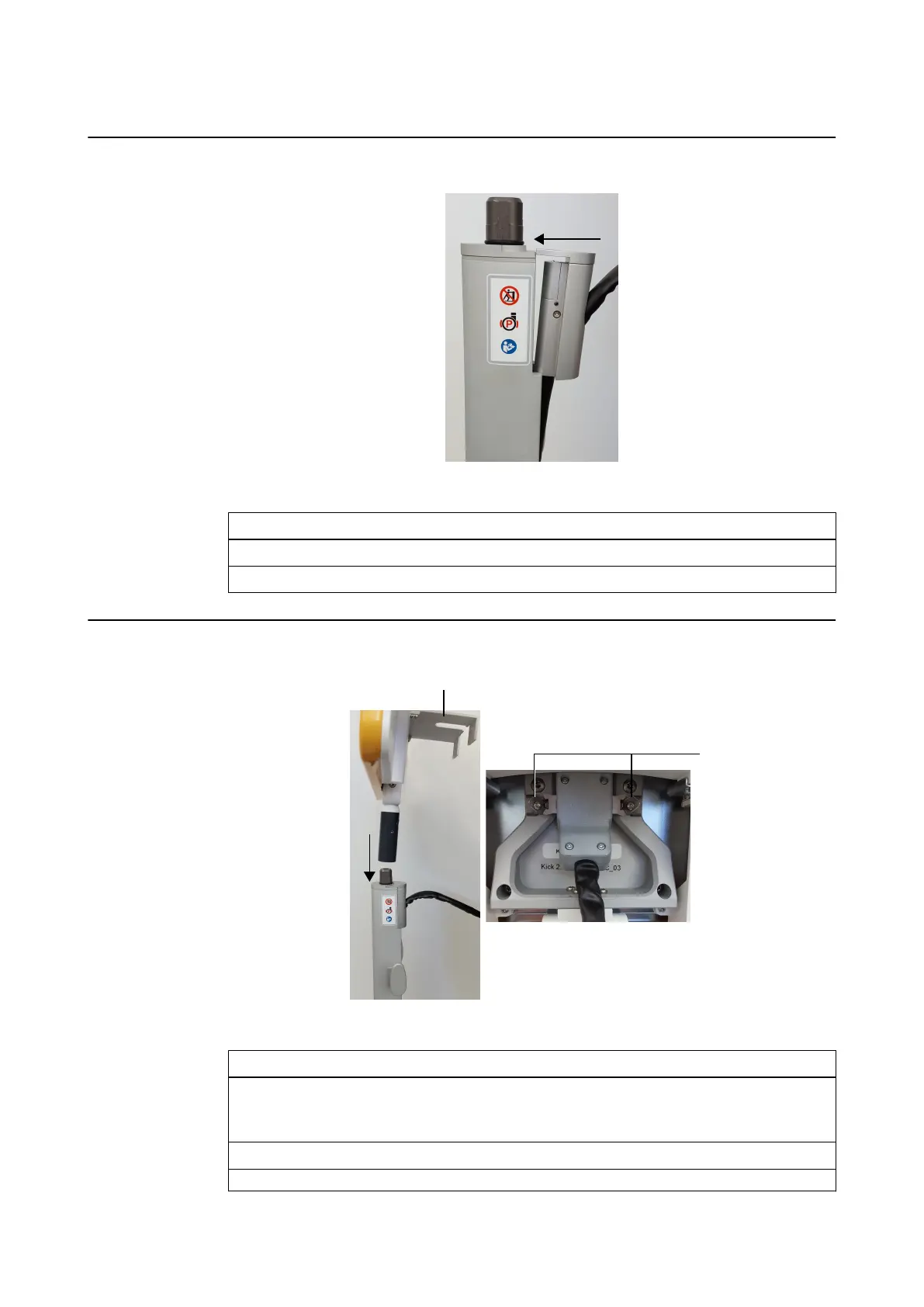
How to Clip the Cable to the Post
Figure 18
Step
1. Run the monitor cable up the monitor post channel.
2. Insert the cable clip into the corresponding notch in the post.
How to Attach the Monitor
Figure 19
Step
1. Holding the monitor frame and the monitor handle, slide the monitor handle onto the end
of the monitor post ①.
The release trigger clicks when the monitor is securely attached.
2. Open the flap on the back of the monitor ②.
3. Attach monitor cable to the monitor and secure latching pins ③.
ASSEMBLY, TRANSPORT AND STORAGE
System and Technical User Guide Rev. 1.3 Kick 2 Navigation Station 51



 To Next Page