10
INITIAL SET-UP
OF EXISTING TERMINAL IN THE TRACTOR
If the spreader is connected to a tractor with an ISOBUS terminal, it may be necessary to enter the sections’ location and length and indicate that
a tractor mounted spreader is used. The input data is used to ensure that the spreader starts and stops applying fertilizer at the right time when
turning in headland. The Bredal program already contains this information, but not all tractor terminals upload the information from the spreader
when it is connected. Some terminals use the input data correctly. In some instances, the tractor’s terminal uses only one of the two input distances.
Sometimes, the tractor’s terminal does not upload the distances at all; in these cases, the distances must be entered in the tractor terminal’s section
control program. Follow the instructions from the manufacturer of the tractor’s terminal.
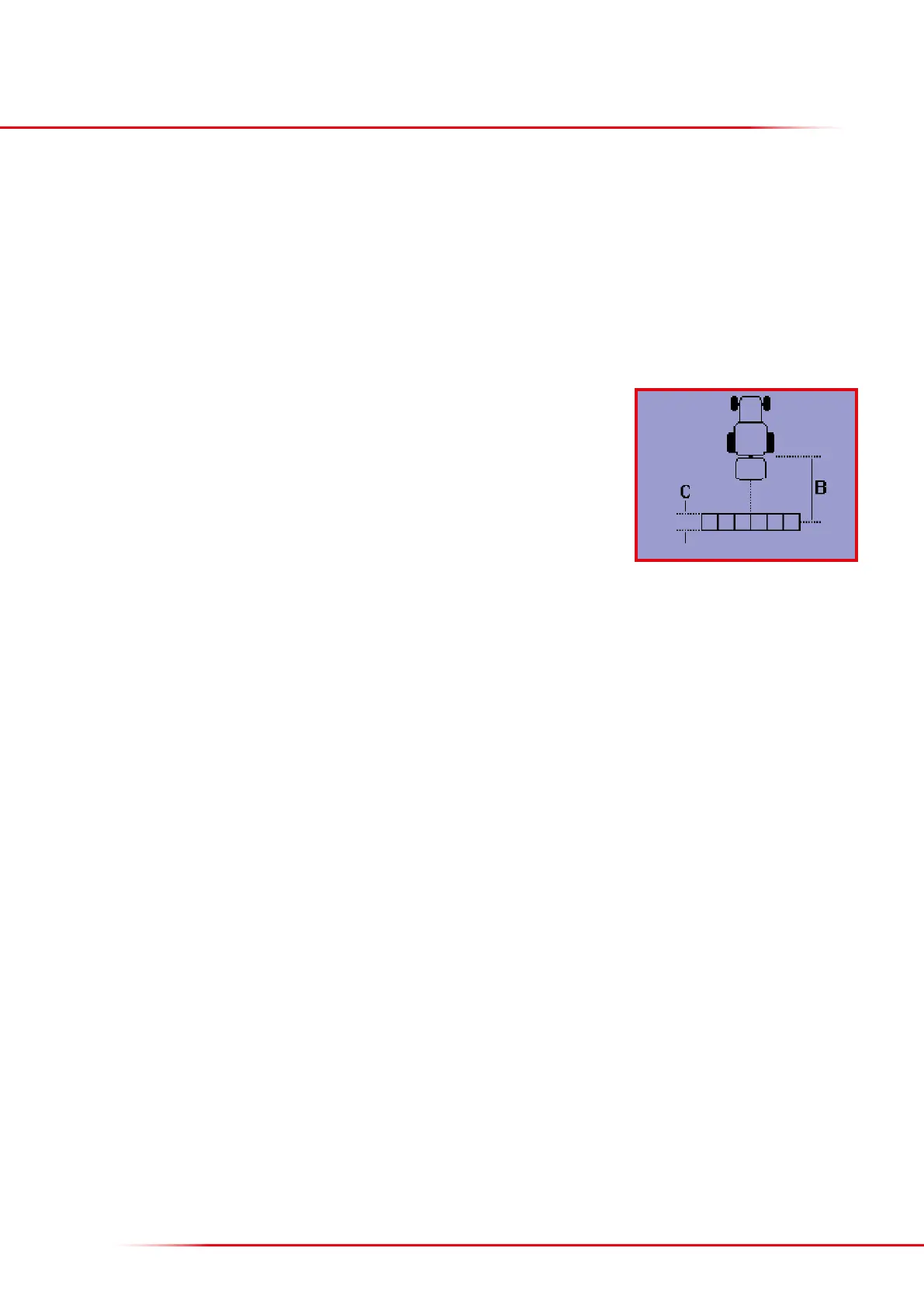
In order for the spreader to start and stop applying fertilizer at the right time, the following distances need to be entered:
• B = distance from the spreader’s connection point to the centre of the swath
• C = length of the swath
Distances recommended by Bredal:
• B = 8.0 metres
• C = 5.0 metres
On most terminals, “3-point hitch” must also be selected.



 To Next Page