37
Select “Machine”
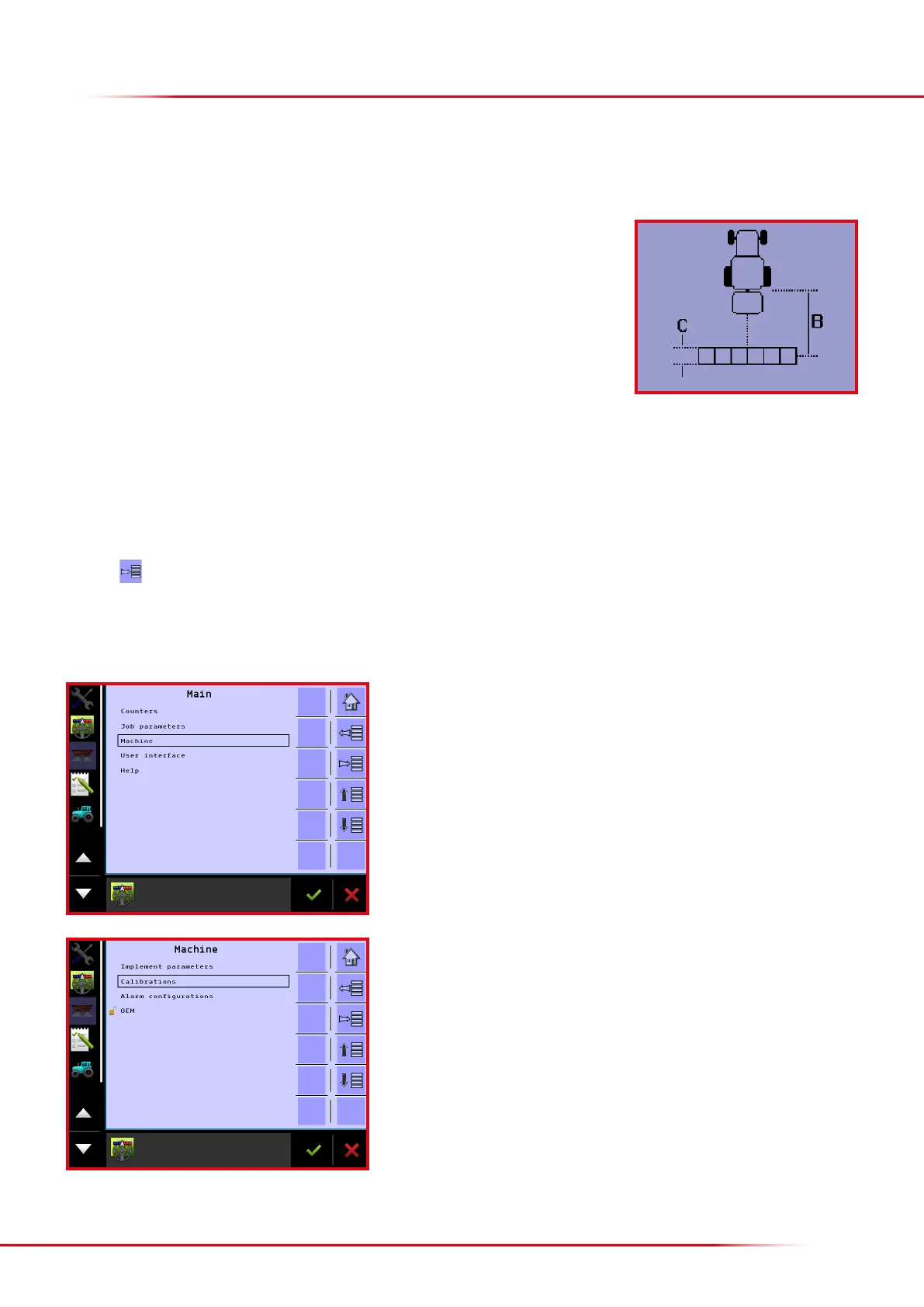
When operating with section control, and the spreader must automatically start and stop spreading when turning in the headland, the following
distances must be entered to ensure that the spreader starts and stops spreading at the right time:
• B = distance from the spreader’s connection point to the centre of the swath
• C = length of the swath
Based on Bredal’s experience, Bredal has worked out some distances that usually work but there may be slight dierences depending on whether
the spreader is operating at 24 or 36 metres, and there can also be dierences depending on the type of fertilizer used. The distances recommended
by Bredal are entered from the factory:
• B = 8.0 metres
• C = 5.0 metres
Press the
key from the Home screen display.
> TC-implement offsets
Select “Calibrations”



 To Next Page